Free Send Fax From Computer A Practical Guide
Even with email and instant messaging, learning how to send a free fax from a computer is a surprisingly useful skill. Web-based services have made it incredibly simple to send digital documents through a fax line, no clunky hardware required. It’s a modern twist on a communication method that’s still essential in many professional circles.
Why Sending Faxes From a Computer Still Makes Sense
It’s easy to think faxing is a relic of the past, but for many industries, it's not just an option—it’s a requirement. If you work in healthcare, law, or finance, you know that faxing is still the go-to for secure and legally binding documents. Sending a signed contract, a patient’s medical records, or a sensitive legal filing requires a level of security that a standard email just can't promise.
This is where the ability to free send fax from a computer bridges the gap. You get the trusted delivery of a traditional fax without needing to own an actual machine. It’s truly the best of both worlds: the convenience of your digital files and the rock-solid reliability of a fax transmission.
The Modern Faxing Landscape
The fax machine hasn't disappeared; it's just evolved. Today, most "faxing" happens through online platforms, right from a laptop or desktop. This isn't just about making things easier—it’s about how businesses now handle their most secure information.
- Security and Compliance: Reputable online fax services use encryption, which is a huge deal for things like HIPAA or legal compliance where data security is non-negotiable.
- Cost and Efficiency: Think about it: no physical machine, no dedicated phone line, and no more buying paper and toner. The savings in both money and office space add up quickly.
- Accessibility and Convenience: You can send a fax from literally anywhere you have an internet connection. Your computer becomes a powerful, portable fax machine.
It might surprise you, but the resilience of faxing is clear: over 80% of organizations reported that their fax usage either stayed the same or increased in the last year. That's a testament to its ongoing importance.
This trend is backed up by the swift move to cloud-based solutions. Around 31% of high-usage fax industries have already switched to cloud fax systems, and that number is expected to more than double in the next three years. If you're curious, you can explore more insights about the faxing industry to see just how relevant it remains.
A Practical Skill for Today's Professional
Knowing how to send a fax from your computer is more than a neat trick; it's a genuinely practical skill. Picture this: you need to send a signed lease agreement to your new landlord immediately, or you have a time-sensitive form for a government agency that only accepts faxes. Instead of scrambling to find a local print shop with a fax machine, you can get it done in minutes, right where you are.
This guide will walk you through exactly how to do that.
Getting Your Documents Ready for a Perfect Fax
Before you even think about sending a free fax from your computer, the real work happens offline. Getting your documents prepped correctly is the key—it’s what separates a clean, successful transmission from a garbled mess on the other end.
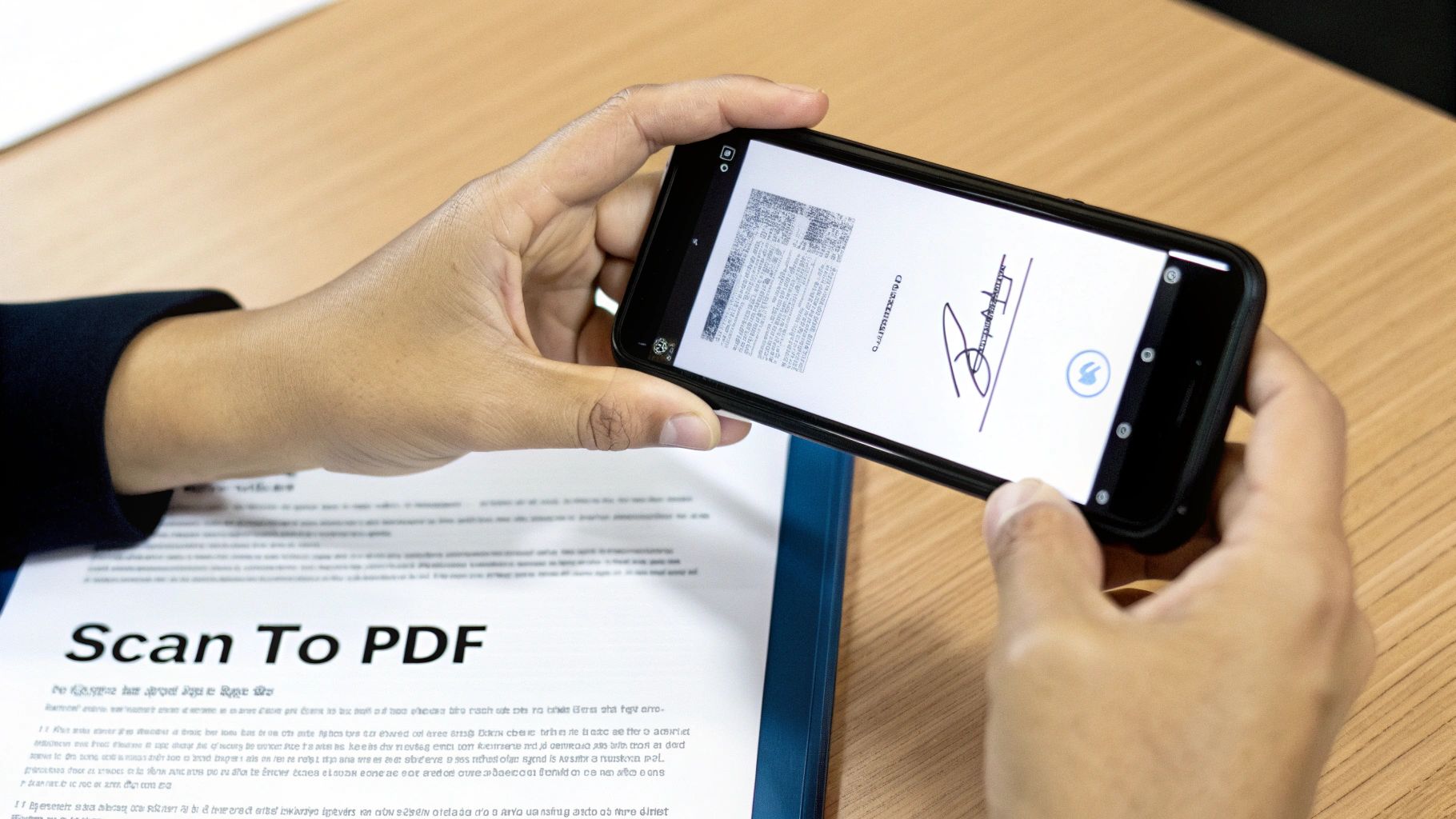
Often, you're starting with a physical piece of paper, like a signed form or an invoice. These days, your smartphone is your best friend for this. You don't need a clunky office scanner; an app like Adobe Scan or even the native Notes app on an iPhone can produce a surprisingly sharp digital copy.
Turning Paper Into a Digital File
Good lighting is your secret weapon when scanning. Find a spot with even, bright light and avoid casting shadows across the page. I've found that laying the document on a dark, flat surface really makes the text pop and helps the camera focus.
Hold your phone parallel to the paper to avoid that weird, distorted look. Remember, the recipient needs to be able to read every word. If it's a signed contract, that signature has to be crystal clear. Once you’re happy with the scan, save it as a PDF. It's the gold standard for online faxing and just about every service accepts it.
If you're new to this whole process, our complete guide on how to send a fax online is a great place to start. It walks you through everything from start to finish.
Handling Files Already on Your Computer
What if your document is already digital, like a Word file or a Google Sheet? The best practice is to convert it to a PDF first. This simple step locks everything in place—the fonts, the layout, the tables—so it looks exactly the same for the recipient as it does for you.
Most programs make this incredibly easy:
- In Microsoft Word, just go to
File>Save Asand select PDF from the format list. - In Google Docs, you’ll find it under
File>Download>PDF Document (.pdf).
This small action prevents a world of headaches from compatibility problems.
A common pitfall I see is people trying to fax huge image files. Free fax services always have size limits. A standard, text-based PDF is lightweight and transmits smoothly, avoiding timeouts or failures.
One last tip: if you have a multi-page document, like an application or a report, combine all the pages into a single PDF file. It’s far more professional and guarantees the pages arrive in the right order. There are plenty of free online tools, like Adobe’s PDF merger, that can stitch them together for you in just a few clicks.
How to Send Your First Free Fax From Your Computer
Alright, you've got your document scanned and saved. Now for the easy part. Let's walk through actually sending that fax. We'll use a real-world example: you need to get a signed rental application over to a property manager, and they're asking for a fax. Classic situation.
Head over to the SendItFax website. The first thing you'll notice is how simple the layout is—it’s designed to get your fax out the door without a bunch of confusing steps. You’ll see a clean form asking for sender and receiver info.
Filling Out Sender and Recipient Info
This is the part you want to get right on the first try. Start by putting in your name and a good email address. Why is the email so important? Because that's where your delivery confirmation will land. That email is your proof that the fax went through successfully, so make sure it’s an address you check regularly.
Next up is the recipient’s information. Enter their name and, most critically, their fax number. For faxes going to the U.S. or Canada, it's just the standard 10-digit number. Getting even one digit wrong is the number one reason faxes fail, so it pays to be careful here.
My Two Cents: Before I send anything important, I always double-check the fax number. A quick phone call or an email to the recipient to confirm the number can save you a massive headache later. It takes 30 seconds and prevents a failed transmission every time.
Uploading Your Document and Prepping a Cover Page
Time to get your document loaded up. You’ll see a button that says something like "Upload File" or "Choose File." Clicking it will open your computer’s file explorer. Go find that rental application PDF you just created and select it. The file name should pop up on the page, letting you know it's attached and ready to go.
The SendItFax interface is really clean, as you can see. Everything is clearly labeled, so you’re not left guessing where to put the recipient's name or how to attach your file.
Now, let's talk about the cover page. Even though it might be optional, I always recommend using one. Think of it as the envelope for your fax—it tells the person on the other end exactly who this is for, who sent it, and what they're about to read.
A good cover page message doesn't need to be long, just clear.
- To: "Attn: Jane Doe, Property Manager"
- From: "John Smith"
- Re: "Rental Application for 123 Main St."
- Pages: "4 (including cover)"
This little bit of info is a game-changer in a busy office. It makes sure your application lands directly on the right desk instead of getting lost in a pile of papers. This is a perfect example of how modern tech makes old-school processes better. If you're curious about the mechanics behind this, you can learn more about how fax to email technology works and connects these two worlds.
With all your info entered and the file attached, you’re on the final step. You'll probably see a quick CAPTCHA to verify you're a human. Check that box, hit the send button, and you're done. The service takes over, and you just have to wait for that confirmation email to hit your inbox.
What's the Catch with Free Fax Services?
It's great that you can free send fax from a computer, but it’s wise to go in with your eyes open. "Free" almost always comes with a few trade-offs. These services are genuinely perfect for sending a quick form here and there, but they have some very real limitations you need to know about before you start.
The most obvious trade-off is branding. To keep the lights on, most free providers will add their logo or a small ad to your cover page. If you're just sending a permission slip to your kid's school, who cares? But if it's a client proposal or a sensitive legal form, that third-party logo can look a little unprofessional.
Getting to Grips with Page and Daily Quotas
Beyond branding, you're going to run into usage caps. This is how providers ensure the service is available for everyone and isn't dominated by a few power users. Think of it less like an all-you-can-eat buffet and more like a free sample at the grocery store.
The limits are usually broken down in two ways:
- Pages Per Fax: You’ll be limited in how many pages you can include in a single transmission. Most free plans cap this at 3 pages plus the cover sheet.
- Faxes Per Day: There's also a daily limit on the number of faxes you can send in a 24-hour period.
This is why it pays to shop around. For example, a service like FaxZero might let you send up to five free faxes daily (each with that three-page limit). Another, like GotFreeFax, might only offer two per day. You can always compare different free online fax services to see which one fits your immediate need.
The bottom line is this: free services are built for the short-and-sweet fax. They are ideal for sending a quick, one-off document like a signed permission slip or a doctor's referral form.
When It's Time to Upgrade to a Paid Plan
So, when does a free service stop being a good deal? The tipping point usually comes when your faxing needs become more frequent, more professional, or both. For just a few dollars, you can unlock a suite of features that free services just don’t offer.
Here’s a quick comparison of what you can typically expect from free versus paid online faxing.
Free vs Paid Online Fax Service Comparison
| Feature | Free Services (Typical Offering) | Paid Services (Typical Offering) |
|---|---|---|
| Sending Faxes | Yes, with page and daily limits | Yes, with much higher or unlimited volume |
| Receiving Faxes | No | Yes, with a dedicated fax number |
| Cover Page Branding | Mandatory provider branding/ads | Clean, customizable, or optional |
| Document Length | Limited (e.g., 3-5 pages) | High (e.g., 25-200+ pages) |
| Customer Support | Limited to FAQs or email | Phone, chat, and priority email support |
| Security | Basic encryption | Enhanced security, HIPAA compliance options |
| Fax Storage | None or very limited | Secure cloud storage and fax history |
This table makes it pretty clear. If you find yourself in any of the situations below, it's probably time to consider a paid plan.
- You need to receive faxes. This is the number one reason to upgrade. Free services are a one-way street; if you need clients to send documents to you, you need a dedicated fax number from a paid plan.
- You're sending more than a couple of faxes a day. Hitting those daily limits gets old fast. Paid services let you send a much higher volume without worry.
- Your documents are more than a few pages long. A free service won't cut it for a 20-page contract. A paid plan, like the Almost Free option from SendItFax, easily handles documents of 25 pages or more.
- You need to look professional. A clean, unbranded cover sheet (or no cover sheet at all) makes a world of difference. Upgrading ensures your correspondence looks polished every single time.
What to Do When Your Fax Fails to Send
It’s happened to all of us. You’ve prepped your document, filled everything out, hit send… and a few minutes later, you get that dreaded "transmission failed" notification. It’s frustrating, but don't worry—the fix is usually something simple.
Nine times out of ten, the problem is a simple typo in the fax number. It’s so easy to do, especially when you’re in a rush. Before you start digging into complex solutions, just double-check the number you typed against the one you were given. A single wrong digit will send your fax into the void.
Digging a Little Deeper: Common Sticking Points
If you're positive the number is correct, the next thing to check is the document you're trying to send. While online fax services are pretty flexible, they can sometimes choke on specific files. The two biggest culprits I see are file size and scan quality.
A massive, high-resolution PDF packed with images might be too much for a free service to process, causing the connection to time out. On the flip side, a poor-quality scan with blurry text or dark smudges might be unreadable to the receiving fax machine, which will just reject it.
My Go-To Trick: If you suspect your file is too large, try re-saving it as a "reduced size" or "compressed" PDF. Pretty much any PDF software (like Adobe Acrobat or even the Preview app on a Mac) has this feature. This one step can shrink the file down dramatically without losing much clarity, often fixing the problem instantly.
Another classic issue is just a plain old busy signal. A fax number is still a phone line, after all. If the machine on the other end is in the middle of receiving another fax or is an all-in-one printer being used to make copies, your attempt will fail. The only solution here is patience. Give it 10 or 15 minutes and try again.
Quick Fixes for Common Headaches
Let's run through the most common issues you'll face when you free send fax from a computer and exactly how to solve them.
-
The Problem: "Transmission Failed" Error
- The Fix: First, re-verify every digit of the fax number. Seriously. If that’s not it, shrink your document's file size. As a last resort, wait about 15 minutes and resend it to get past a potential busy signal.
-
The Problem: They Received It, but It's Blurry
- The Fix: This is almost always a bad scan. Find a spot with good, even lighting and re-scan your document. Hold your phone or scanner steady and perfectly parallel to the page. Zoom in on the PDF to make sure it's sharp before you try sending it again.
-
The Problem: It Never Arrived, but You Got No Error Message
- The Fix: Check your email for a delivery confirmation. If the service says it was delivered, the problem is likely on their end. A quick phone call to the recipient often reveals their machine is out of paper or toner.
And a quick note on security: Reputable online fax services encrypt your documents during transit. This often makes sending a fax from your computer a more secure choice than using the shared office machine where your sensitive papers might sit in the output tray for anyone to see.
With these troubleshooting tips in your back pocket, you can handle just about any little hiccup that comes your way.
Knowing When to Upgrade to a Professional Fax Service
The ability to free send fax from computer is a lifesaver for those one-off situations. Need to send a signed document to your accountant? Perfect. But at some point, you might find that the limitations of a free tool start to get in the way. Knowing when you’ve hit that wall is key to keeping your workflow smooth and professional.
Frankly, the most obvious sign it's time to upgrade is when you need to receive faxes. Most free services are a one-way street—they let you send documents out, but that’s it. If you have clients, doctor's offices, or vendors who need to send faxes to you, a paid service with your own dedicated fax number becomes essential. There’s really no way around it.
Identifying Your Upgrade Triggers
Beyond just receiving faxes, there are a few other clear signals that you've outgrown a free plan. If any of these start to sound familiar, it’s probably time to look into a professional service.
- You're Sending A Lot: Are you constantly bumping up against the daily sending limits? Or maybe you’re trying to send a 20-page contract and the free service caps you at five pages. This becomes a real bottleneck, fast.
- You Handle Sensitive Information: If you're in healthcare, law, or any field dealing with private data, you can't afford to take risks. A paid service offering HIPAA compliance and robust security isn't just a nice-to-have; it's a requirement.
- Your Brand's Image Matters: That "Sent via SendItFax" branding on the cover page is fine for personal use. But when you’re sending a business proposal or a legal notice, you need a clean, professional look. An unbranded fax is non-negotiable for serious business.
The infographic below shows a simple troubleshooting flow, but the same thinking applies here. When you keep running into the same limitations over and over, that's your cue to upgrade.
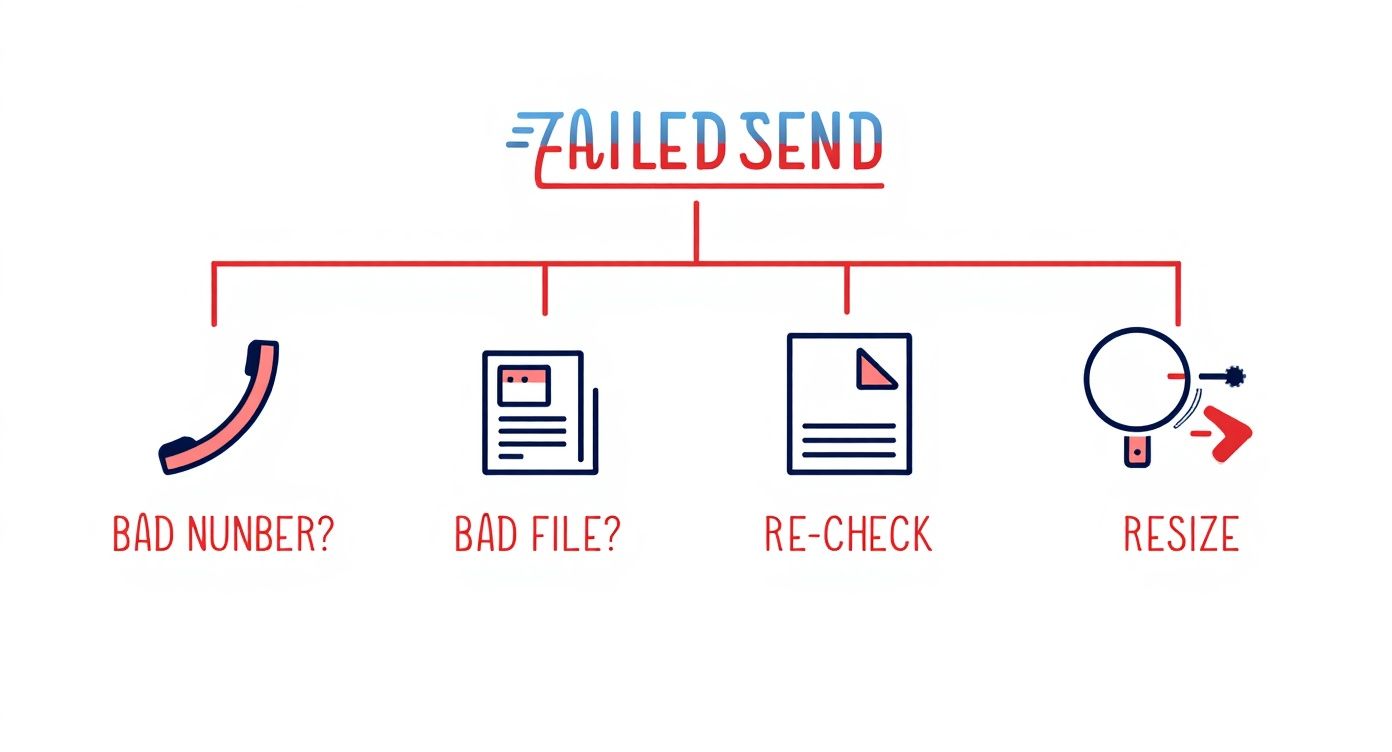
If you’re repeatedly getting errors or hitting page limits, it’s a strong sign you need a more robust tool with better support and fewer restrictions.
The Value of a Paid Subscription
Stepping up to a paid plan isn’t just about removing the annoyances of a free service. It’s about unlocking a whole new set of professional tools. Think electronic signatures, integrations that automate parts of your workflow, and detailed transmission logs that give you peace of mind. The online fax market is exploding—projected to hit $4.48 billion by 2030—precisely because of these powerful, cloud-based features. You can dig into the numbers yourself on the global fax services market on Research and Markets.
Ultimately, upgrading is an investment in reliability and professionalism. When faxing becomes a regular part of your operations, a dedicated service ensures every document is handled securely and efficiently, reflecting the quality of your work.
Choosing the right service really comes down to what you need. To help you sort through the options, check out our online fax services comparison where we break down the different plans and features.
When you're ready for more features, SendItFax offers a powerful yet affordable Almost Free plan. Remove branding, send up to 25 pages, and get priority delivery for just $1.99 per fax. Get started today at https://senditfax.com.
Related Posts
Faxes or Faxs: The Correct Plural Spelling

How to Fax from Computer Mac: Free Online Method
