Mastering the Generic Fax Coversheet Your Free Template
Think of a generic fax coversheet as the handshake that precedes your important documents. It's the first thing your recipient sees, and it sets the stage by providing all the critical information at a glance: who it's from, who it's for, how many pages are included, and a quick note about the contents. This simple page prevents your carefully prepared fax from getting lost in the shuffle and ensures it lands in the right hands.
Why Your Fax Coversheet Still Matters
With email and instant messaging being the norm, it’s easy to think of the fax machine as a dusty relic. But for many critical industries—like healthcare, law, and finance—faxing is very much alive and well. The coversheet, in turn, is more than just a formality; it’s a crucial tool for professional communication.
At its core, a fax cover page is a routing slip and a professional greeting all in one. It serves a few vital purposes that shouldn't be overlooked:
- It Guides Your Document Home: In a large company, one fax number might serve dozens of people. The coversheet clearly names the intended recipient, making sure it doesn’t end up on the wrong desk.
- It Provides Instant Context: The recipient immediately knows who sent the fax, what it's about, and how many pages to expect. This simple step heads off any confusion or claims that a page went missing.
- It Looks Professional: A clean, organized coversheet shows you're thorough and take your communications seriously. It’s the fax equivalent of using proper letterhead.
- It Can Offer a Layer of Privacy: Many coversheets include a standard confidentiality notice, which is an important legal safeguard when dealing with sensitive information.
The Numbers Don't Lie: Faxing Is Here to Stay
Fax technology has stuck around for good reason. It offers a unique level of security and verifiability that other digital methods can struggle to match. The stats back this up. A few years back, in 2019, a staggering 17 billion documents were still being faxed globally.
What's really telling is that the U.S. healthcare industry was behind over 9 billion of those pages. That's a massive reliance on a technology many thought was obsolete. For more on this, the Communications of the ACM has a fascinating piece on why faxing has remained so resilient in business.
A fax creates a direct, point-to-point connection that's harder to intercept than an email. This is why it’s still the trusted method for sending legally binding contracts or sensitive patient records. It’s less about being "old tech" and more about being a specialized tool for secure document delivery.
To help you get this right, here’s a quick rundown of what every effective coversheet needs.
Essential Elements of an Effective Fax Coversheet
| Component | Purpose | Pro Tip |
|---|---|---|
| Sender Information | Clearly identifies you or your company. | Include your name, company name, phone number, and fax number. |
| Recipient Information | Ensures the fax reaches the correct person. | Always list the recipient's full name, company, and direct fax number if available. |
| Date and Time | Provides a timestamp for the transmission. | This is crucial for record-keeping and establishing a timeline. |
| Page Count | Confirms the total number of pages sent. | Always include the cover page in your total count (e.g., "1 of 5 pages"). |
| Subject Line | Gives the recipient immediate context. | Be specific, like "Signed Contract for Project Alpha" instead of just "Contract." |
| Brief Message/Notes | Allows for additional instructions or comments. | Use this for urgent flags or a quick summary of the attached documents. |
Getting these basics on your coversheet every time ensures your communication is clear, professional, and lands exactly where it needs to.
Modern online services like SendItFax make this even easier by bridging the gap. You get the rock-solid reliability of traditional faxing through a simple online platform, no clunky machine required. Understanding the built-in security advantages of faxing helps clarify why it’s often the smarter choice over email.
Ultimately, that generic fax coversheet isn't just an extra piece of paper. It’s a fundamental part of sending secure and effective business communications.
Grab Your Free Fax Coversheet Template
Let's get right to it. You need a solid fax coversheet, and I've got a couple of great, no-fuss options for you right here. No sign-ups or anything, just a direct download so you can get back to your day.
I’ve designed two templates that should cover just about any situation you'll run into.
- The Minimalist: This is my go-to for most faxes. It’s clean, simple, and has all the essential fields without any extra fluff. Perfect for quick, professional communications where you just need to get the job done.
- The Professional: I put this one together for more formal settings—think law firms, medical offices, or corporate environments. It has more room for notes and includes a standard confidentiality disclaimer, which is a must-have in those fields.
Both are available in the file formats everyone uses, so you won't have any trouble opening or editing them. Just pick the one that works for you and click to download.
Download Your Template Now
You can get your preferred format below. Whether you like to print and fill things out by hand or type directly into a document, you’re all set.
- PDF Version: Best for universal compatibility. Print it out or use a PDF editor to fill in the blanks. The formatting will stay perfect no matter what device you're on.
- DOCX Version: Grab this if you want to use Microsoft Word or Google Docs. It lets you type directly into the fields for a neat, polished look.
Here’s a preview of what you’ll be getting.
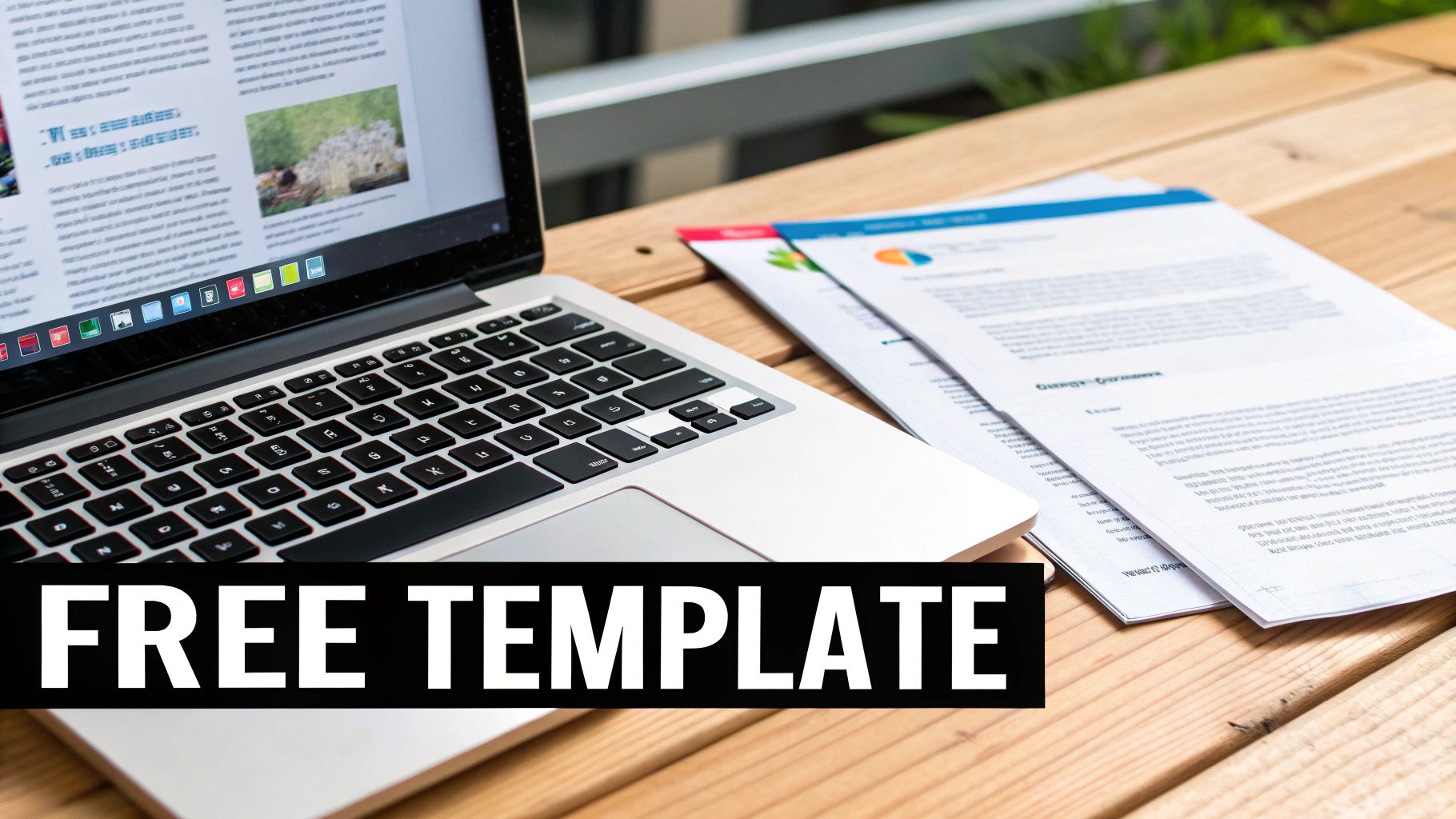
As you can see, the layout is clear and logical, with dedicated spaces for sender, recipient, and message information. From my experience, this kind of straightforward design is exactly what a busy receiving office appreciates—they can see who it's from and what it's about in a glance.
My Two Cents: I always recommend saving a blank copy of the template to a folder you can easily find. Think of it as your personal "fax station." That way, you're never scrambling when something urgent comes up.
Once you’ve got your template downloaded, the next step is filling it out properly. If you're looking for something a bit different, I’ve also compiled a whole library of other styles in this guide to finding the right fax cover sheet template PDF for any situation. Paying attention to these small details is what really makes your communications stand out.
How to Fill Out Your Coversheet Correctly
Having a great template is just the start—knowing how to fill it out properly is what really matters. A poorly completed coversheet can cause just as much confusion as sending a fax without one. Let's walk through each section so your information is clear, professional, and gets your document where it needs to go without a hitch.
The whole point is to give the recipient everything they need to process your fax in seconds. This means focusing on legibility and accuracy. From my experience, a typed coversheet is always better than a handwritten one. It completely eliminates the risk of a smudged number or misread name that could send your fax into the void.
Mastering the Essential Fields
Think of the top section of your coversheet like the address on an envelope. It has to be crystal clear.
-
Sender & Recipient Details: Start with your own full name, company, and fax number. When it comes to the recipient, get as specific as you can. If you know the person’s name, use it. If not, their title or department works perfectly, like "Attn: Accounts Payable Department."
-
Date: Always include the date you're sending the fax. This creates a clear paper trail and is absolutely critical for time-sensitive documents like contracts or legal notices.
-
Number of Pages: This is a surprisingly common point of error. The universal rule is to always include the coversheet itself in the total count. So, if you're sending a 4-page report, the total number of pages is 5. This tells the recipient exactly how many sheets to look for and prevents any "I didn't get page three" headaches later.
A common mistake I've seen is people writing "4 + cover" in the page count field. While the intention is good, the industry standard is to simply write the total number, such as "5." This avoids any ambiguity and aligns with how fax machines and recipients track pages.
A good generic coversheet template will have clearly defined sections for sender and receiver details, keeping the layout clean and easy to scan. This simple, structured approach looks professional and makes sure your information is instantly understood.
Crafting a Clear and Concise Message
The message or comments section is your chance to provide a bit of context. It’s not meant for a long letter—that’s what your actual documents are for. You want to keep your message brief and to the point. The goal is to give the recipient a quick summary or specific instructions.
For a deeper dive, our article on crafting the perfect fax cover letter is a great resource for different professional scenarios.
Here are a few real-world examples:
Scenario 1: Submitting a Signed Contract
- Subject: Signed Contract Agreement for Project Phoenix
- Message: "Please find the signed agreement for Project Phoenix attached. Let me know you've received it. Thanks, John."
Scenario 2: Sending Patient Intake Forms
- Subject: New Patient Forms for Jane Doe – Appt on 10/25
- Message: "Attached are the completed new patient intake forms for Jane Doe's upcoming appointment. Please add these to her file."
Scenario 3: Requesting Urgent Action
- Subject: URGENT: Time-Sensitive Invoices for Approval
- Message: "Urgent: Please review and approve the attached invoices by EOD today. Thank you for your prompt attention."
Following these simple guidelines transforms your generic fax coversheet from a mere formality into a genuinely useful tool for clear and effective communication.
Alright, you've got your generic fax cover sheet filled out and ready to go. Now for the easy part: sending it. Forget the clunky old fax machine humming in the corner. We're doing this online, which is faster, easier, and a whole lot more convenient.

With a service like SendItFax, the final step is as simple as uploading a file from your computer.
You'll just need to take your completed coversheet and your main document—whether they're saved together or as separate files—and upload them to the platform. Don't stress about file types. Common formats like PDF, DOC, and DOCX are all good to go, so you can create your documents in whatever program you're comfortable with, like Microsoft Word or Google Docs, without any extra hassle.
Choosing the Right Plan for Your Needs
When you're ready to send, you'll see two straightforward options. Picking the right one just depends on what you're sending and how you want it to look.
-
Free Plan: This is perfect for quick, informal faxes. You can send up to three pages plus your cover sheet at no cost. The only trade-off is that the cover sheet will include SendItFax branding. It’s a fantastic option for sending a simple form or a quick confirmation.
-
Almost Free Plan: For just $1.99, you get a serious upgrade. This plan bumps your page limit up to 25 pages, removes all branding for a polished, professional look, and gives your fax priority delivery. I always recommend this for business documents, contracts, or any time a clean presentation is important.
A neat feature of the Almost Free plan is that you can choose to skip the cover page entirely. If your main document already has all the recipient info, or you're sending it to a private, dedicated line, this can save a step. Still, for most professional situations, including a proper generic fax coversheet is just good practice.
Here's how I think about it: The Free plan is like sending a postcard—quick, easy, and great for casual messages. The Almost Free plan is like sending a formal letter in a company envelope. It signals a higher level of professionalism for important correspondence.
A Smarter Way to Send
Once your files are uploaded, the SendItFax interface walks you through the rest. You'll enter the sender and recipient details, which should be a breeze since you already have them on your coversheet. The system uses this info to route your fax correctly.
The whole process is designed to be intuitive. It helps you fill in key details and double-checks that you haven't forgotten something critical—like the recipient's fax number—before you hit send. This built-in safety net catches common mistakes and takes the guesswork out of the equation.
Ultimately, it makes online faxing feel as natural as sending an email, but with the legal standing and security that only fax can provide. By pairing a classic tool like the generic fax coversheet with modern tech, you get the best of both worlds: a seamless, reliable, and professional way to communicate.
Making Your Coversheet Work for Your Industry
A generic fax coversheet gets the job done, but true professionals know that a little customization goes a long way. Different fields have their own unspoken rules, expectations, and even legal requirements. Making a few small tweaks shows you know your audience, builds instant trust, and makes sure your documents get handled the right way.
This is about more than just looking professional—it’s about smart communication and, in some cases, staying compliant. What you choose to include or leave out can completely change how your fax is received and processed. Let's walk through how to adapt your coversheet for a few common industries.
Healthcare: Locking Down Confidentiality
When you're dealing with healthcare documents, HIPAA (Health Insurance Portability and Accountability Act) isn't just a suggestion; it's the law. Your fax coversheet is your first line of defense for protecting sensitive patient information.
The most important thing you can add is a bold, clear confidentiality notice. This isn't just boilerplate text—it's a critical legal safeguard.
A Solid HIPAA Disclaimer Example:
"The documents accompanying this transmission contain confidential health information that is legally privileged. This information is intended only for the use of the individual or entity named above. If you are not the intended recipient, you are hereby notified that any disclosure, copying, distribution, or action taken in reliance on the contents of these documents is strictly prohibited."
This kind of direct language leaves no room for error and spells out the recipient's legal duties from the get-go. Faxing is still a massive part of this industry, by the way. Healthcare alone accounts for an incredible 9 billion fax pages sent in the U.S. each year. You can dig into some fascinating fax usage trends to see just how essential it remains for sectors like healthcare and law.
Legal: It's All About Precision and Urgency
In the legal world, every single detail counts. There's no room for ambiguity, so your coversheet has to be crystal clear. I always tell people to triple-check everything: recipient names, case numbers, and especially the fax number. One wrong digit could send privileged information to the wrong person, creating a major headache.
Accuracy is just the start. Legal faxes often need to convey a sense of importance.
- Flag the Urgency: Use the subject line or message area to make the priority obvious. Something like "URGENT: Response Required by EOD" or "TIME-SENSITIVE LEGAL DOCUMENT" ensures it doesn't get lost in a stack of papers.
- Assert Privilege: Just like a HIPAA notice, a statement like "CONFIDENTIAL: ATTORNEY-CLIENT PRIVILEGED COMMUNICATION" is crucial when sending sensitive materials.
Small Businesses & Freelancers: A Touch of Branding
If you run a small business or work as a freelancer, think of your fax coversheet as another piece of marketing real estate. It’s one more chance to present a polished, professional image to your clients. Whether you're sending an invoice, a project proposal, or a signed contract, a sharp coversheet reinforces that you're the real deal.
It’s easy to add your logo to the header of the DOCX template. That one small graphic instantly makes the document yours. I also like to use the message section for a quick, personal note. For example, "Attached is the signed contract for the web design project. We're excited to get started!" It’s a simple touch that turns a routine administrative task into a positive interaction.
A Few Common Questions About Fax Coversheets
Even with a great template ready to go, a few questions can still pop up. Let's run through some of the most common ones I hear, so you can send your next fax without a second thought.
Do I Really Need to Use a Fax Coversheet Every Time?
Honestly, if you're just faxing a lunch order to a colleague down the hall, you can probably skip it. But for almost any professional or secure communication, a coversheet is non-negotiable. Think of it as the envelope for your fax—it tells everyone where the document needs to go, who it's for, and what it's about.
In fields like healthcare and law, a coversheet isn't just a courtesy; it's a critical part of maintaining compliance and privacy. For any real business, playing it safe and using a cover sheet is always the smart move. It ensures your important documents get to the right person and are handled properly.
Does the Coversheet Count as One of the Pages?
Yes, it absolutely does. This is a classic trip-up, but the rule is simple: the coversheet is always counted as page one.
So, if you have a 4-page report to send, the number you'll write in the "Total Pages" field is 5. This little detail is a big deal because it lets the person on the other end know immediately if they've received the entire transmission. No missing pages, no confusion.
Here’s a simple way I remember it: Picture feeding physical pages into an old fax machine. The coversheet goes in first, making it the first page of the total stack. Sticking to this standard practice keeps everything clear and straightforward.
Is It Okay to Handwrite My Coversheet?
Technically, you can, but I'd strongly advise against it. Typing the information into a template looks far more professional and, crucially, it cuts down on potential mistakes. Messy handwriting could easily turn a "7" into a "1," leading to a failed fax or, worse, sending your private documents to a complete stranger.
Using a digital template, like the DOCX file we shared, makes sure every single detail is perfectly legible. It takes just a minute to type everything out, but that effort ensures you look polished and that your information is 100% accurate.
How Safe Is It to Fax Sensitive Documents Online?
It might sound counterintuitive, but using a trusted online fax service is often much more secure than the old shared machine sitting in the corner of the office. With a physical machine, your sensitive documents could be left in the output tray for anyone to see.
When you use a service like SendItFax, your files are sent over an encrypted connection directly to the recipient's fax machine. For anything highly confidential, just be sure you're sending to a private, secure fax line. You can also add a stern confidentiality notice in the "Comments" section of your coversheet for an extra layer of protection.
Ready to send your documents the easy, secure, and professional way? With SendItFax, you can send your fax in minutes without needing a machine or even an account. Just upload your files, fill out the details, and you're good to go.
Related Posts

How to Fax from Computer Mac: Free Online Method

Do You Need a Fax Number to Send a Fax? a Practical Guide
