7 Proven Ways to Fax Without a Fax Machine in 2025
In a world dominated by email and instant messaging, the fax machine seems like a relic. Yet, many industries, including healthcare, legal, real estate, and government, still rely on faxing for its security and legal standing. But what happens when you don't have access to one of those clunky, toner-guzzling machines? The good news is you no longer need one. Modern technology offers numerous practical ways to fax without a fax machine, turning your computer or smartphone into a powerful communication tool.
This guide is designed to help you quickly find the best solution for your specific needs, whether you're a freelancer sending a single contract or a small business managing regular transmissions. We will walk you through seven of the best methods available today, from instant browser-based services like SendItFax to reliable in-store options at FedEx Office.
Each option is presented with a clear, actionable breakdown of its features, costs, and ideal use cases. You'll find direct links and screenshots to make the process as simple as possible. We’ll provide step-by-step instructions to help you send that urgent document securely and efficiently, no hardware required. Let's explore the modern alternatives that make faxing more accessible than ever.
1. Send a Quick, Account-Free Fax with SendItFax
When the need to send a fax arises unexpectedly, the last thing you want is a complicated registration process or a mandatory subscription. This is where SendItFax establishes itself as a premier solution and one of the most efficient ways to fax without a fax machine. It's a browser-based platform meticulously designed for speed and simplicity, making it an ideal choice for professionals and individuals who require immediate, one-off faxing capabilities.
The core appeal of SendItFax is its frictionless user experience. You can send a fax in under a minute directly from any device with a web browser, whether it's a computer, tablet, or smartphone. There is no software to download and, crucially, no account creation is required for its free service, eliminating a common barrier to entry found in many other online fax providers.
Key Features and User Benefits
SendItFax is built around a practical feature set that prioritizes accessibility and user control. Its straightforward process involves uploading a document, entering the recipient's fax number, and sending it.
- No Account Necessary: The platform's standout feature is its "send-and-go" model. This is perfect for users who fax infrequently and don't want to manage another online account or subscription.
- Flexible Pricing Tiers: It offers a genuinely useful free option, allowing users to send up to three pages (plus a cover sheet) a total of five times per day. For more substantial documents, a low-cost paid tier is available for a one-time fee of $1.99, which increases the page limit to 25, removes SendItFax branding, and provides priority delivery.
- Broad Document Support: The service accepts common file formats, including PDF, DOC, and DOCX, which covers the vast majority of business and personal documents.
- Professional Trust: With a high user rating (4.8/5 from over 250 reviews) and positive testimonials, SendItFax has earned the trust of users in sectors like healthcare, legal services, and real estate where document transmission is critical.
Ideal Use Cases and Limitations
This service excels in specific scenarios. It's a powerful tool for freelancers sending a single invoice, remote workers submitting a signed contract, or anyone needing to send a quick document to a U.S. or Canadian recipient. The platform provides a clear, step-by-step guide for those unfamiliar with the process. For a detailed walkthrough, you can learn more about how to send a fax from your computer.
However, it's important to recognize its limitations. SendItFax is not designed for high-volume, enterprise-level faxing. It lacks features like a dedicated inbox, fax history logs, or bulk-send discounts that are hallmarks of subscription-based services. The free version also includes branding on the cover page and, like most web services, utilizes cookies and collects sender/receiver data for operational purposes.
Despite these constraints, for its intended purpose of providing fast, reliable, and accessible one-off faxing, SendItFax is an exceptional and highly recommended choice.
Visit the website: https://senditfax.com
2. SendItFax
For those who need a fast, no-frills way to send a fax without a fax machine, SendItFax stands out with its account-free model. Unlike many services that require signing up for a trial or a monthly subscription, this browser-based platform allows you to upload a document and send it immediately, making it ideal for one-off or occasional faxing needs.
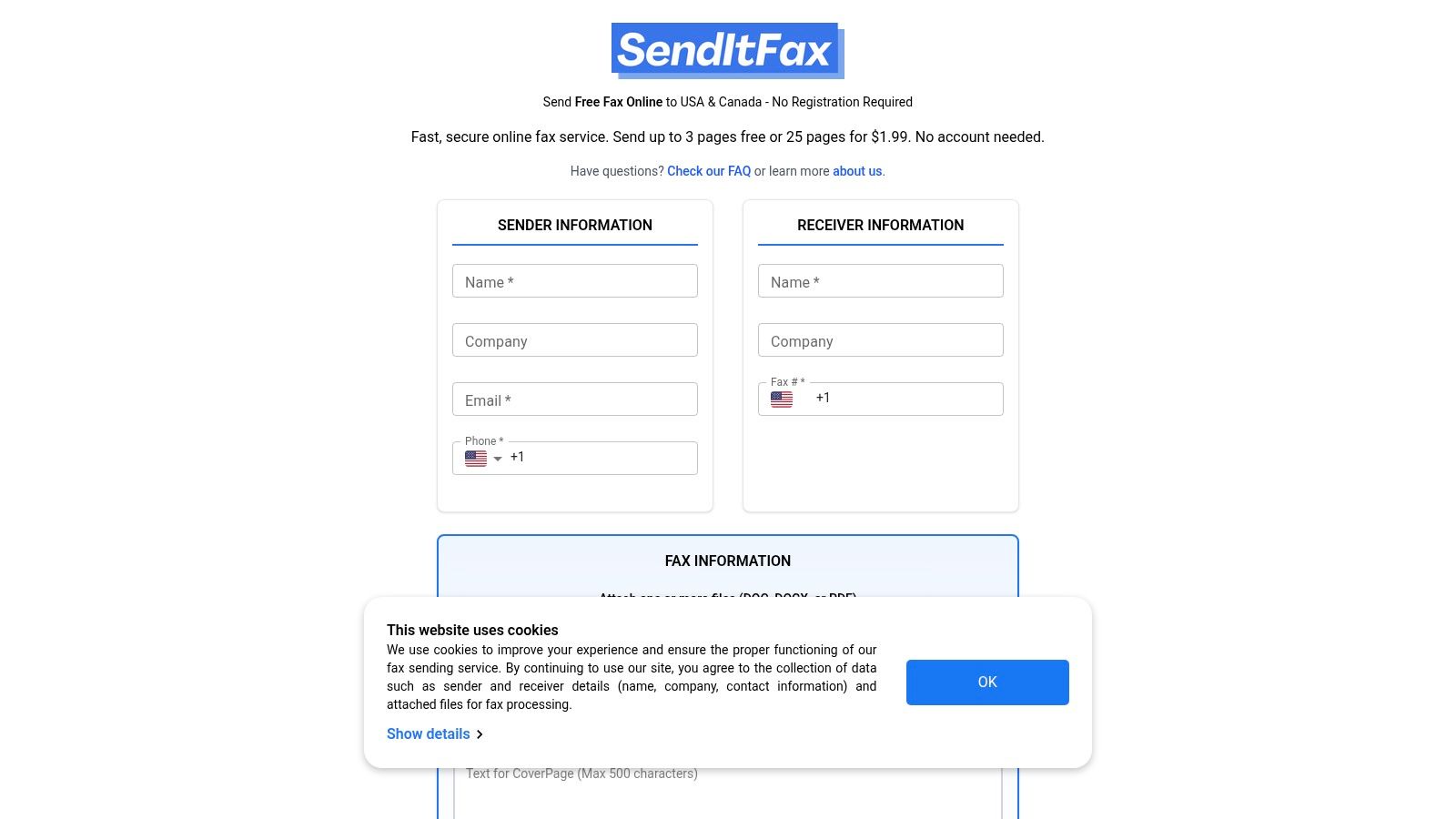
The user experience is exceptionally straightforward. You simply visit the website on any device, upload your PDF, DOC, or DOCX file, enter the recipient’s fax number in the U.S. or Canada, and send. This frictionless process removes the hassle of creating and managing yet another online account.
Key Features and Pricing
SendItFax operates on a simple freemium model that caters to different levels of need. Its accessibility and transparent pricing structure are major advantages.
- Truly Free Tier: You can send up to 3 pages (plus a cover page) completely free, with a limit of 5 free faxes per day. This is a genuine free service, not just a trial, although the cover page will include SendItFax branding.
- Pay-Per-Fax Option: For longer documents or more critical transmissions, a one-time payment of $1.99 allows you to send up to 25 pages with priority delivery and no branding on the cover page.
- Security: The platform uses encryption for data in transit and leverages Stripe for secure payment processing for its paid tier, ensuring your information is protected.
Pros and Cons
| Pros | Cons |
|---|---|
| No account required: Send a fax in seconds without registration. | Send-only service: You cannot receive faxes or get a dedicated number. |
| Generous free option: Perfect for light, non-urgent use. | Branding on free faxes: The cover page includes their logo. |
| Simple, transparent pricing: No subscription traps or hidden fees. | Limited to U.S. & Canada: Cannot send faxes internationally. |
This service is one of the most direct and efficient ways to fax without a fax machine, especially for users who value speed and simplicity over advanced features like receiving capabilities.
Learn more at: SendItFax
3. FaxZero
FaxZero is one of the most established and recognized names in online faxing, offering a reliable way to fax without a fax machine for over a decade. Its longevity and simple, web-form-based approach make it a trusted choice for users who need to send a quick fax to the U.S. or Canada without the commitment of signing up for a service. The platform is entirely browser-based, ensuring you can send a document from any computer or mobile device.
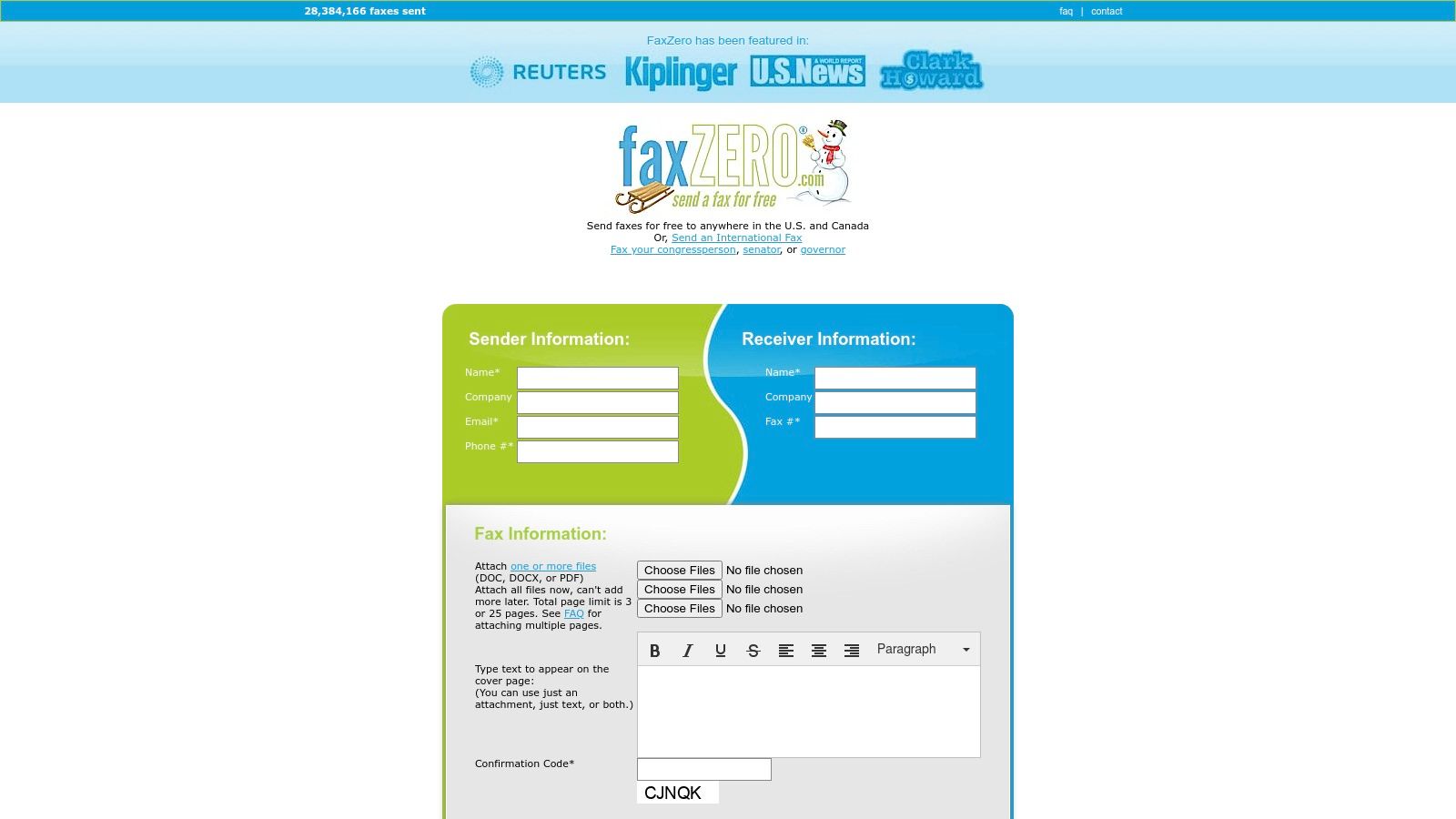
The process is refreshingly straightforward. You simply fill out a form with sender and receiver details, upload your document (PDF, DOC, or DOCX), and type an optional cover page message directly into a text box. This familiar, form-based interface is intuitive for users of all technical skill levels, making it one of the most accessible options available.
Key Features and Pricing
FaxZero’s freemium model is designed for flexibility, supporting both casual users and those with more demanding faxing needs, including international destinations.
- Free Fax Service: Send up to 3 pages plus a cover page to any U.S. or Canadian number for free. This service is limited to 5 free faxes per day, and the cover page will feature FaxZero branding.
- Almost Free Fax (Paid): For $2.09, you can send up to 25 pages, remove the branding from the cover page, and benefit from priority delivery. This is an excellent pay-per-fax option for professional or longer documents.
- International Faxing: Unlike many free-focused competitors, FaxZero offers a paid option for sending faxes to international destinations, with pricing varying by country.
- Email Confirmation: You receive a confirmation email once your fax has been successfully delivered, providing peace of mind that your document reached its destination.
Pros and Cons
| Pros | Cons |
|---|---|
| No account required: Its web-form design is quick and easy. | Branding on free faxes: The cover page prominently displays the FaxZero logo. |
| Established and reliable: A long-running service with a solid reputation. | Send-only service: You cannot get a number to receive faxes. |
| Supports international sending: A key feature not found in all simple fax services. | No advanced features: Lacks scheduling, e-signatures, or contact management. |
For anyone seeking a proven and uncomplicated method to send a fax online, FaxZero remains a top contender, blending a generous free tier with practical, affordable upgrades.
Learn more at: FaxZero
4. FAX.PLUS
For professionals and businesses looking for more than just a one-off send, FAX.PLUS offers a comprehensive and scalable online faxing solution. It transitions from a simple tool into a full-featured communication platform, complete with dedicated fax numbers, mobile apps, and robust administrative controls. This makes it an excellent choice for users who need to both send and receive faxes reliably and integrate faxing into their daily workflows.
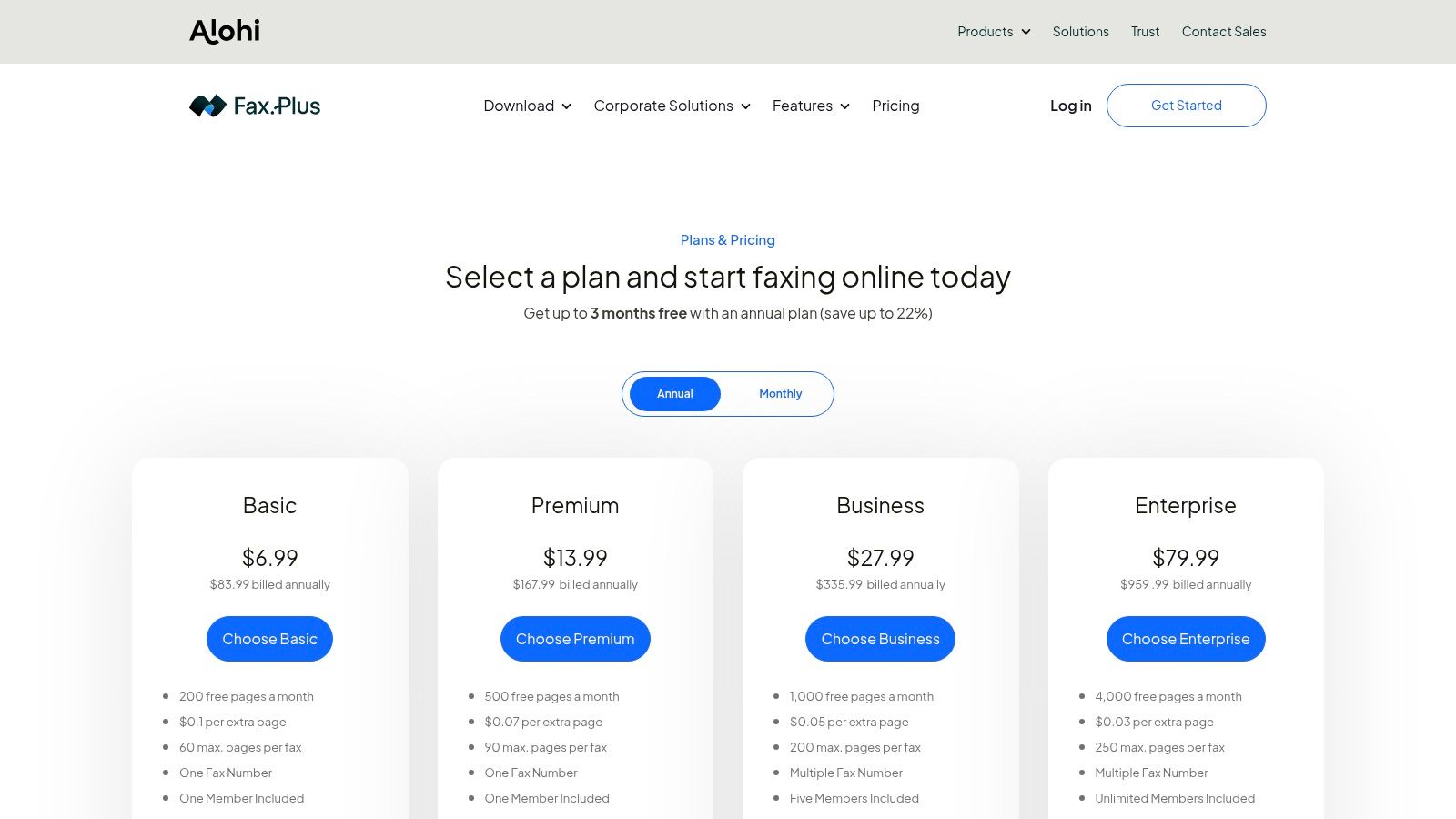
The platform is designed to scale, serving everyone from individual freelancers to large enterprises that require compliance features. Unlike purely browser-based senders, FAX.PLUS provides a persistent, secure environment where users can manage contacts, archive faxes, and control team access, making it one of the most versatile ways to fax without a fax machine.
Key Features and Pricing
FAX.PLUS is built on a subscription model that unlocks more powerful features at each tier, ensuring users only pay for what they need. Its clear structure supports growth and advanced requirements.
- Dedicated Fax Numbers: Get a local, toll-free, or international fax number, or port your existing number to the platform.
- Multi-Platform Access: Send and receive faxes via its web interface, mobile apps (iOS and Android), or through its convenient email-to-fax feature.
- Advanced Integrations: Connects with tools like Slack, Zapier, and Google Workspace to streamline document workflows and notifications.
- Enterprise-Ready: Higher-tier plans offer HIPAA compliance and a signed Business Associate Agreement (BAA), making it a secure choice for healthcare and legal industries.
Pros and Cons
| Pros | Cons |
|---|---|
| Scales from solo users to entire enterprises: A versatile solution for any level of need. | Free plan is very limited: Only allows sending 10 pages total, not per month. |
| Strong integrations and admin controls: Excellent for business workflow management. | HIPAA/BAA only on expensive tiers: May be costly for small clinics or solo practitioners. |
| Transparent tiered page allowances: Clear overage rates and monthly page limits. | Requires an account for all use: No "guest" or pay-per-fax option available. |
This service is ideal for those who see faxing as a regular part of their business operations and require the security, organization, and integration capabilities that a dedicated platform provides.
Learn more at: FAX.PLUS
5. eFax
For businesses and professionals who require a robust, full-featured solution, eFax is one of the most established ways to fax without a fax machine. Unlike pay-per-fax services, eFax is a subscription-based platform that provides users with a dedicated local or toll-free fax number, enabling them to both send and receive documents from anywhere via email, a web portal, or a dedicated mobile app.
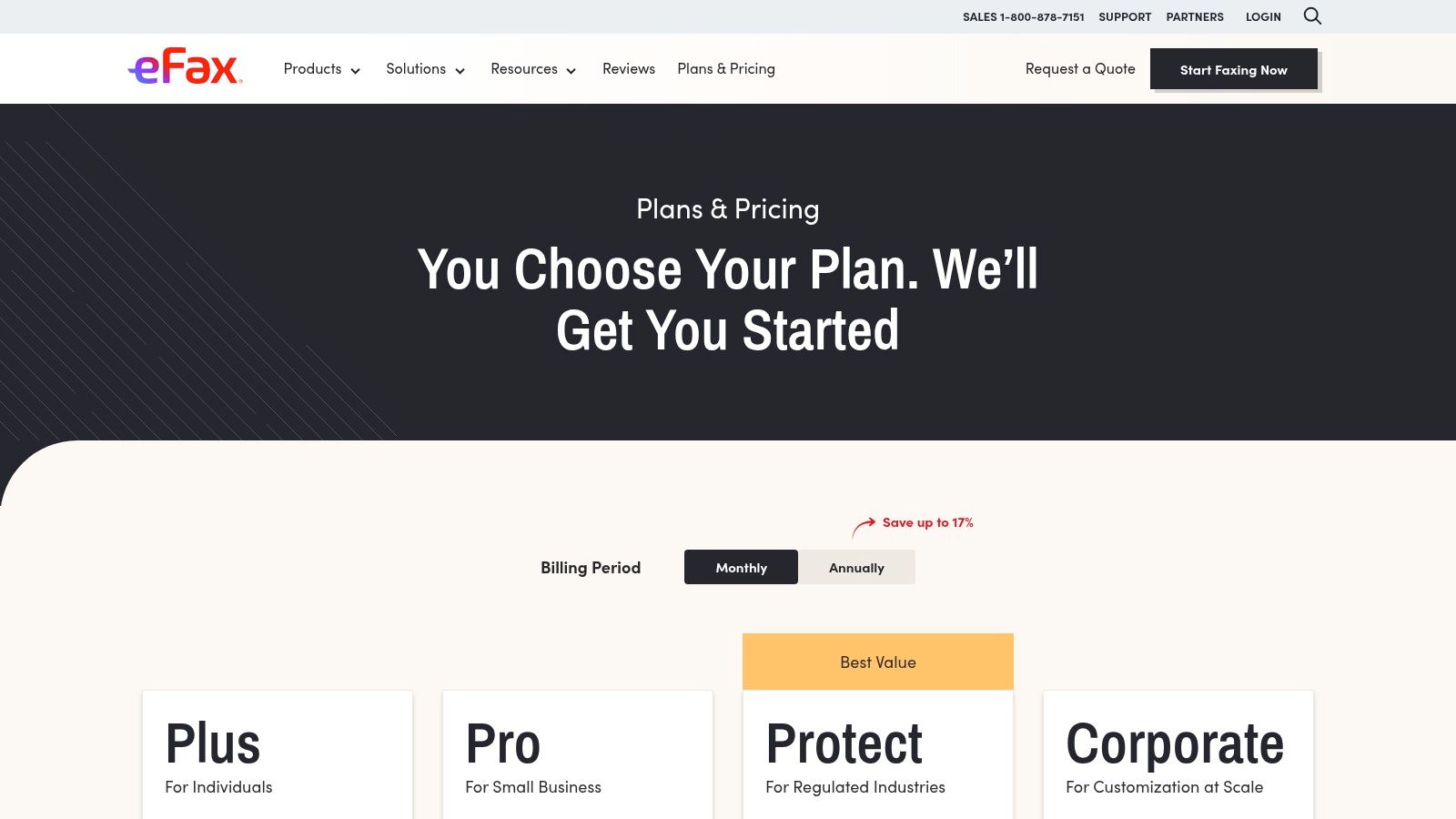
This service is particularly well-suited for users in regulated industries like healthcare or legal, who need more than just one-way transmission. With features like searchable fax storage, team sharing capabilities, and compliance-focused plans, it functions as a comprehensive digital faxing system rather than a simple sending tool.
Key Features and Pricing
eFax operates on a subscription model with several tiers designed to accommodate different faxing volumes and business needs. Its offerings are geared toward recurring, professional use.
- Send and Receive: Get a dedicated fax number to receive faxes directly to your email inbox or the eFax app, providing a complete two-way communication channel.
- Multi-Platform Access: Send and manage faxes through its web interface, mobile apps for iOS and Android, or by using its convenient email-to-fax functionality.
- HIPAA Compliance: The eFax Protect plan offers a HIPAA-compliant solution that includes signing a Business Associate Agreement (BAA), making it a secure choice for transmitting sensitive patient information.
- Subscription Tiers: Plans vary by the number of included pages per month, with options for individuals and larger teams. Be sure to check for potential overage fees if you exceed your monthly page allowance. For more information, check out this online fax services comparison.
Pros and Cons
| Pros | Cons |
|---|---|
| Mature apps and support: A widely recognized brand with reliable platforms. | Subscription-based: Less ideal for users who only need to send a fax occasionally. |
| Multiple subscription plans: Fits various levels of recurring fax volume. | Potential for extra costs: Overages and add-on features can increase the total price. |
| Compliance-oriented options: Strong choice for healthcare, legal, and financial users. | More complex setup: Requires an account and subscription management. |
eFax is an excellent choice for those who need a permanent, feature-rich fax number and value security, compliance, and the ability to receive faxes digitally.
Learn more at: eFax
6. The UPS Store (in-store faxing)
For those who prefer a hands-on approach or are uncomfortable with online tools, using a local retail store offers a reliable way to fax without a fax machine. The UPS Store is one of the most accessible options, with over 5,400 locations across the U.S., making it a convenient choice for in-person document handling. This service is ideal for sending sensitive physical documents you don't want to scan or for users who value immediate, printed confirmation of their transmission.
The process is as simple as walking in and handing your documents to an associate. They manage the entire transmission, providing a confirmation page as proof of delivery once the fax is sent successfully. This in-person assistance can be a significant advantage if you're unfamiliar with faxing or want to ensure your documents are handled correctly.
Key Features and Pricing
The UPS Store’s model is based on convenience and in-person service, combining faxing with other essential business tasks. Pricing is determined at the franchise level, so it's a good idea to call your local store for exact rates.
- In-Person Service: Staff members are available to help you send and receive both domestic and international faxes, ensuring the process is smooth and error-free.
- Printed Confirmation: You receive a physical confirmation sheet immediately after your fax is sent, offering tangible proof of transmission.
- Pay-Per-Page Model: Pricing is typically on a per-page basis, which can vary by location. The first page is usually the most expensive, with subsequent pages costing less.
- All-in-One Location: Beyond faxing, you can handle copying, printing, notary services, and shipping in the same visit, making it a one-stop shop for various errands.
Pros and Cons
| Pros | Cons |
|---|---|
| No computer needed: Ideal for sending physical documents directly. | Pricing varies: Costs can differ significantly between franchise locations. |
| In-person assistance: Helpful for those less comfortable with technology. | Requires a physical visit: Less convenient than online services. |
| Immediate printed confirmation: Provides instant, tangible proof of sending. | Lower privacy: Documents are handled by a store associate. |
This traditional method remains one of the most dependable ways to fax without a fax machine, especially when you need to combine errands or prefer face-to-face service. For a detailed comparison of this and other physical locations, you can explore other places where you can send a fax.
Learn more at: The UPS Store
7. FedEx Office (in-store faxing)
For those who prefer a physical, in-person method or need to send sensitive documents with an immediate printed confirmation, FedEx Office provides a reliable solution. This option is one of the classic ways to fax without a fax machine at home, leveraging the widespread network of FedEx retail locations. It's an excellent choice when you need to fax a physical document you don't want to scan yourself or require assistance with the process.
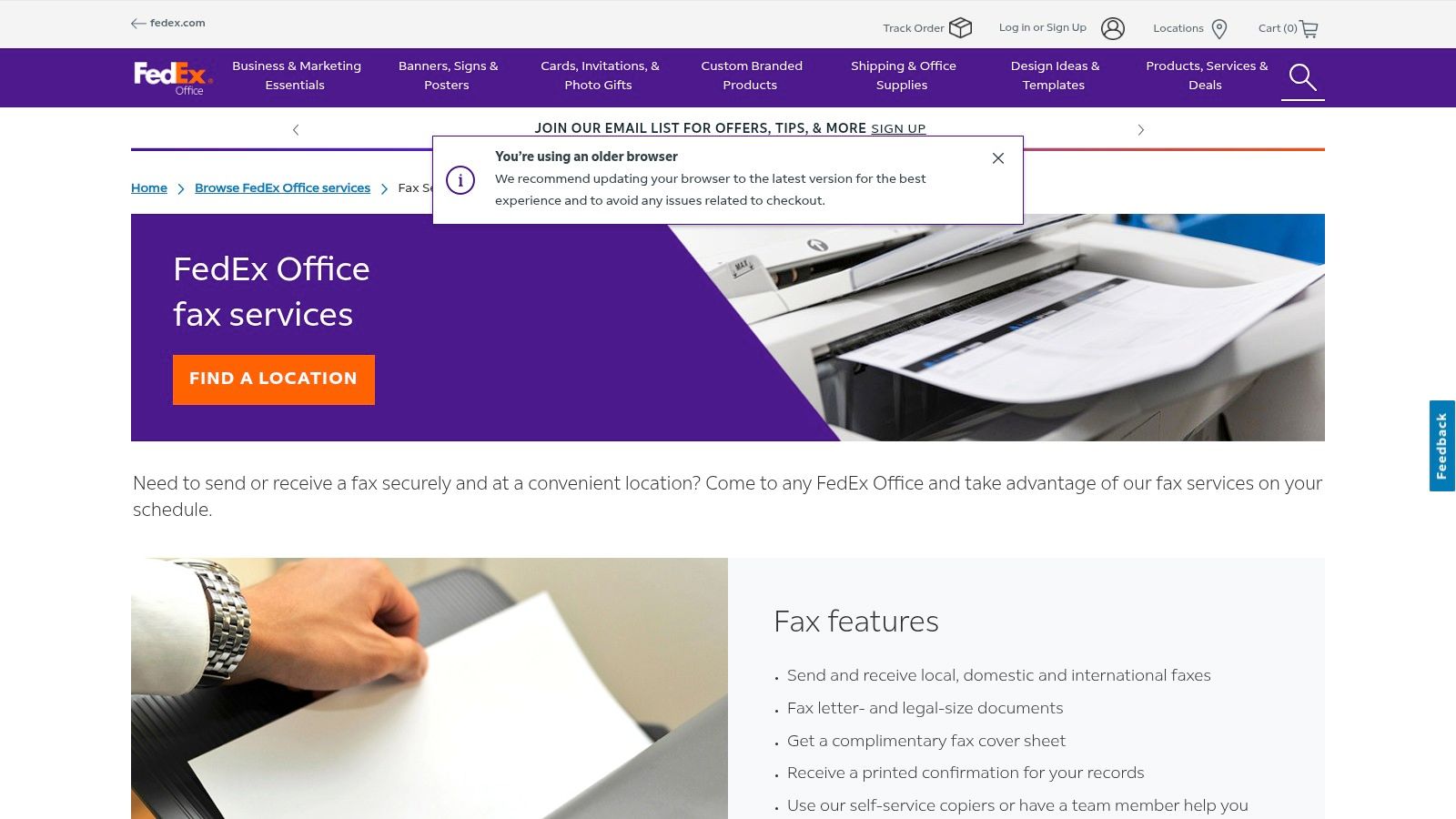
The experience is straightforward: you can either use a self-service machine or ask a team member for help. This service is not just for sending; you can also receive faxes at a FedEx Office location, making it a versatile option for those who don't have a dedicated fax number. It's particularly convenient if you're already at the store for printing or shipping services.
Key Features and Pricing
FedEx Office operates on a per-page pricing model that can vary by location. The main advantage is the immediate, tangible proof of transmission and the flexibility of its services.
- Send and Receive: Unlike many online services, you can both send and receive local, domestic, and international faxes, providing a comprehensive solution.
- Printed Confirmation: After sending your fax, you receive a printed confirmation sheet, which serves as a valuable record for legal, business, or time-sensitive documents.
- Complimentary Cover Sheet: A basic cover sheet is provided at no extra cost to ensure your fax is properly routed to the recipient.
- Pricing: Costs are typically charged per page, with different rates for local, domestic long-distance, and international numbers. Prices can vary significantly between locations, so it's wise to confirm the cost beforehand.
Pros and Cons
| Pros | Cons |
|---|---|
| Physical confirmation provided: Ideal for official or legal documents. | Requires travel to a store: Not as convenient as online options. |
| Staff-assisted and self-service: Get help or do it yourself. | Can be costly: Per-page pricing can add up for long documents. |
| Send and receive capabilities: Offers more flexibility than send-only services. | Potential for wait times: Stores can be busy, especially for assisted service. |
This in-store service is a dependable and secure way to fax without a fax machine, especially when you value a physical receipt and the convenience of combining faxing with other office-related errands.
Learn more at: FedEx Office
7 Options to Fax Without a Machine
| Service | Implementation complexity (🔄) | Resource requirements (⚡) | Expected outcomes (📊) | Ideal use cases (💡) | Key advantages (⭐) |
|---|---|---|---|---|---|
| SendItFax | 🔄 Very low — browser-based, no signup | ⚡ Minimal — any device + internet; free tier (3 pages) or $1.99/fax up to 25 pages | 📊 Fast, send-only delivery; ad‑hoc reliability; limited history/inbound | 💡 Emergency/one-off faxes, small orgs needing quick sends | ⭐ No account required; true free option; low-cost paid upgrade |
| FaxZero | 🔄 Very low — simple web form, no account | ⚡ Minimal — upload via browser; free tier or per‑fax paid/international fees | 📊 Quick send-only faxes; supports paid international sending | 💡 Occasional users who prefer a simple, established service | ⭐ Long‑running, recognizable; clear per‑fax upgrade path |
| FAX.PLUS | 🔄 Moderate — account, setup for numbers & teams | ⚡ Moderate — subscription/options for numbers, apps, integrations | 📊 Full inbound/outbound, searchable storage, team controls; optional HIPAA | 💡 Small businesses, teams, workflows needing integrations/compliance | ⭐ Scales well; integrations (Slack/Zapier); enterprise features |
| eFax | 🔄 Moderate–high — account, app/email setup, subscription | ⚡ Moderate–high — paid plans for recurring volume and compliance | 📊 Reliable enterprise-grade send/receive with inbound numbers and storage | 💡 Organizations with regular volume or regulated (HIPAA) needs | ⭐ Mature brand, multiple plan tiers, compliance-focused plans |
| The UPS Store (in-store) | 🔄 Low — walk-in, staff-assisted or clerk-handled | ⚡ Physical resources — travel to store; per-page fees; clerk/time | 📊 Immediate printed confirmation; staff handles transmission; less private | 💡 Travelers or users needing in-person help or printed receipts | ⭐ Widely available U.S. locations; in-person assistance; bundled services |
| FedEx Office (in-store) | 🔄 Low — self-service or assisted at store | ⚡ Physical resources — visit location; per-page pricing; copier access | 📊 Printed confirmation; supports letter/legal sizes; staff or self-serve | 💡 Combine with printing/shipping or need on-site confirmation | ⭐ Many locations; self‑service option; complimentary cover sheet |
Choosing the Right Fax Method for Your Needs
The era of being tethered to a bulky, paper-jamming fax machine is officially over. As we've explored, the modern landscape offers a diverse array of effective ways to fax without a fax machine, ensuring that this enduring communication method remains accessible and efficient in a digital world. The key to unlocking this convenience lies in aligning your choice with your specific circumstances.
Your ideal solution ultimately hinges on a few critical factors: how often you need to fax, the level of security and features you require, and the degree of convenience you prioritize. By evaluating these needs, you can move from simply knowing the options to confidently selecting the perfect tool for the job.
Matching the Method to Your Mission
To simplify your decision, let's recap the best use cases for the methods we've covered. Think about your most common faxing scenario and find the corresponding recommendation below.
-
For the Occasional, Urgent Fax: If you send faxes infrequently and need a fast, no-frills solution without creating an account, a pay-as-you-go online service is your best bet. A browser-based tool like SendItFax or FaxZero excels here, allowing you to upload a file, enter a number, and send your document in minutes. This is perfect for one-time submissions like a signed contract or a medical form.
-
For the Business Professional or Frequent User: When faxing is a regular part of your workflow, a full-featured subscription service like FAX.PLUS or eFax becomes an invaluable asset. These platforms provide you with a dedicated fax number for both sending and receiving, advanced security compliance (like HIPAA), email-to-fax integration, and mobile apps. They transform faxing from a one-off task into a seamless part of your business communication system.
-
For the Tangible, In-Person Need: Sometimes you have a physical document and no easy way to scan it, or you simply prefer the assurance of an in-person transaction. In these cases, walk-in services at retail locations like The UPS Store or FedEx Office offer a reliable and straightforward alternative. You hand over your documents, and they handle the transmission for you, providing a printed confirmation receipt for your records.
Your Final Takeaway: Embrace Modern Flexibility
The most important takeaway is that you are no longer limited by hardware. The evolution of faxing technology means you have powerful, flexible tools at your fingertips, whether on your computer, your smartphone, or at a local business center. By understanding these modern ways to fax without a fax machine, you can transmit documents with the same reliability as traditional methods but with far greater convenience and efficiency. The right tool is out there, ready to integrate perfectly into your life or business.
Ready to send your first fax without the machine? For a fast, secure, and incredibly simple experience, give SendItFax a try. It’s the perfect browser-based solution for sending a quick fax right now, with no sign-up or subscription required. Visit SendItFax to send your document in under 60 seconds.
Related Posts

How to Fax from Computer Mac: Free Online Method

Do You Need a Fax Number to Send a Fax? a Practical Guide
