Cheap Faxing Services Compared: Prices and Trade-Offs
The popular advice is simple: pick the lowest price per fax and move on. That advice fails because the cheapest transmission isn't always the cheapest outcome. A fax that arrives late, carries branding you didn't want a client to see, stops at page three, or goes to a wrong number you can't recall can cost you a deadline, a filing, or a second round of work that dwarfs the money you saved.
Fax persists because recipients still require it, not because senders love it. In 2019, approximately 71% of U.S. hospitals used mail or fax to send summary-of-care records, while 68% used those channels to receive them, according to a fax statistics summary. That context matters for cheap faxing services. You're usually not choosing a technology you prefer. You're satisfying an intake process at a hospital, court, insurer, lender, or agency that still lists a fax number, and your job is to do that at the lowest total cost, including failure cost.
Cheap Faxing Options at a Glance
Three price models cover most low-cost sending. A free tier trades page and daily limits for a zero price. A pay-per-fax tier charges once for a single job with higher limits. A monthly subscription charges whether you send anything or not, which only pays off when your volume is steady enough to use what you've bought.
Our two options illustrate the first two models with confirmed numbers. The free service costs $0, allows up to 3 pages plus a cover page, allows 5 free faxes per 24-hour period, carries branding on the cover, and needs no credit card. Priority costs $1.99 per fax, allows up to 25 pages, has no daily limit, removes branding, and gets priority delivery, with no subscription and no recurring charges.
Cheap fax options compared on price, limits and branding
| Option | Cost | Page limit | Branding | Delivery |
|---|---|---|---|---|
| SendItFax free | $0 | Up to 3 pages plus cover; 5 faxes per 24 hours | Yes, on cover page | Standard |
| SendItFax priority | $1.99 per fax | Up to 25 pages; no daily limit | No SendItFax branding | Priority, faster than free |
| Subscription online fax plan (typical) | Monthly fee | Monthly allowance set by the plan you buy | Custom cover terms set by the plan | Delivery terms set by the plan |
| Pay-per-page online fax service | Charge for each page sent | Total cost rises with each page | Cover terms set by that service | Delivery timing set by that service |
| Standalone fax machine and phone line | Hardware and line costs | Limited by paper, toner, and line availability | Your own cover page | Direct line sending, you handle retries |
What This Grid Can't Tell You
Treat the last three rows as categories, not verified offers. We haven't confirmed page allowances, branding rules, or delivery terms for other providers here, so don't pay for any of them until you've checked current terms on the provider's own pricing page. A monthly fee that looks small can hide overage charges, annual billing, or a page allowance too thin for your actual documents.
The grid also compares limits, pricing, and branding only. It says nothing about confirmation quality, retry handling, accessibility, or whether a service suits a sensitive record. Those differences decide real-world cost, and they're where free and paid options separate most sharply. Our breakdown of online fax cost works through how those pricing models behave at different volumes.
Write down two numbers before you compare anything else: your typical page count per fax, and how many faxes you send on your busiest day.
Those two numbers decide your row. If most jobs are two pages and you rarely send more than a couple in a day, free covers you and a subscription is wasted money. If your documents routinely run ten pages, free isn't a cheaper option at all. It's not available for that job, and pretending otherwise just delays the purchase you'll make under deadline pressure.
Subscriptions deserve one specific warning. People overestimate how often they'll fax, then pay monthly for capacity they don't use. Occasional senders, freelancers, travelers, and small nonprofits usually fax in bursts tied to a form, a contract, or an authorization. For that pattern, paying per job when a job exists beats paying every month in case one appears.
Where Free Limits End and Paid Faxes Begin
Cost of common fax jobs on free and priority tiers
| Job | Free option | Priority option |
|---|---|---|
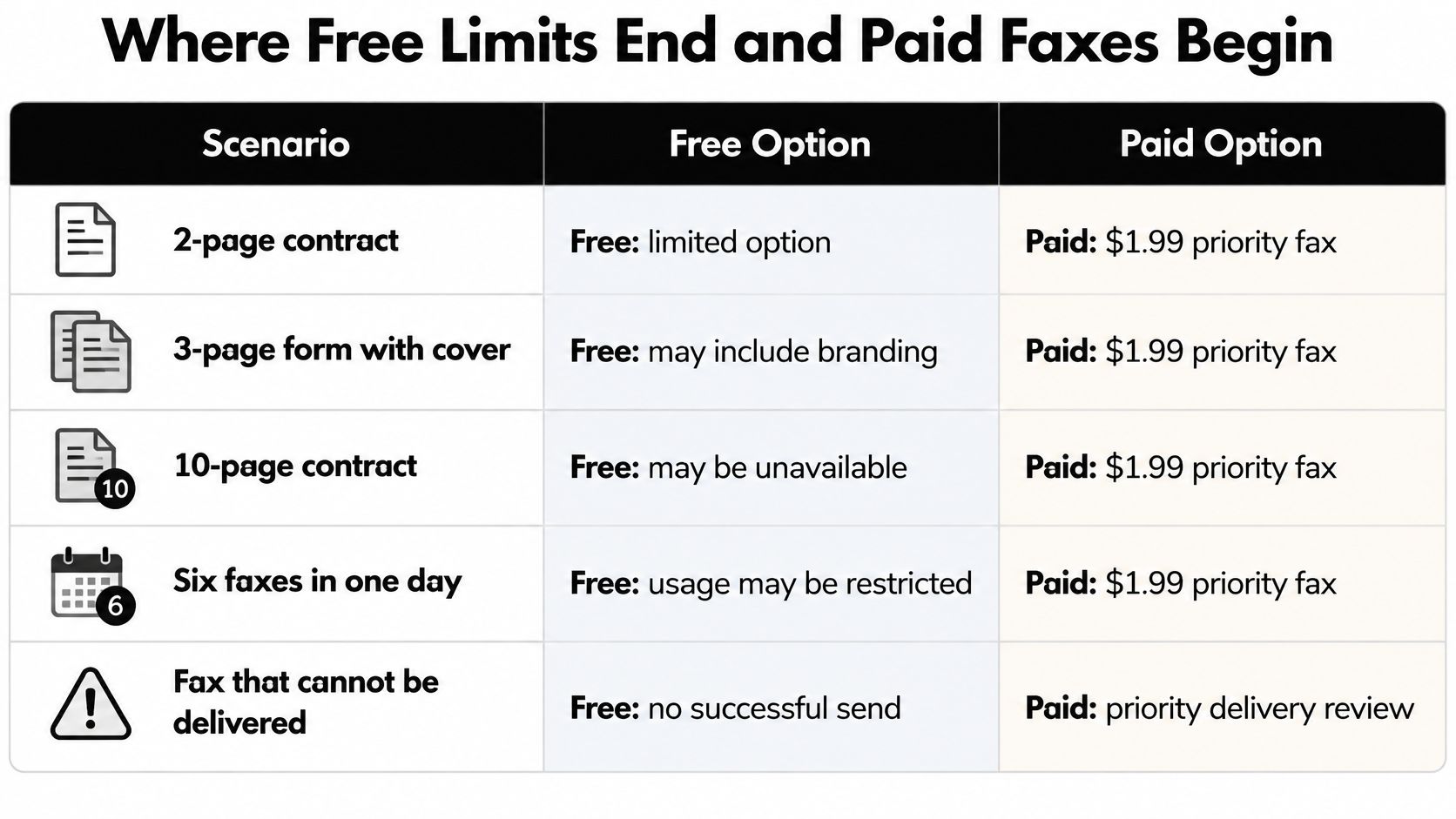
| One 2-page contract | $0, within 3-page limit | $1.99 |
| One 3-page form with cover | $0 | $1.99 |
| One 10-page contract | Not possible: over 3-page limit | $1.99, up to 25 pages |
| Sixth fax in one 24-hour period | Wait for the 24-hour reset | $1.99 |
| Fax that cannot be delivered | $0 | No charge, since payment follows confirmed delivery |
The Three Free Boundaries
Free sending ends at three distinct points, and each one catches a different user. The first is page length. You get up to 3 pages plus a cover page, and the cover doesn't count against your pages. A three-page form with a cover fits. A four-page form doesn't, even if the fourth page is mostly a signature block.
The second boundary is daily volume. You can send 5 free faxes in a 24-hour period. Once you've used them, free faxing resets 24 hours after the first fax, not at midnight. That detail matters if you sent your first fax at 4 p.m. and expected a fresh allowance the next morning. You won't have one until the following afternoon.
The third boundary is presentation. Free faxes carry branding on the cover page. For an internal form that may be irrelevant. For a signed agreement going to a new client, it may be the reason you pay even though the page count fits free limits.
What the $1.99 Actually Buys
Priority removes all three boundaries at once. You can send up to 25 pages per fax, there's no daily limit, branding comes off, and delivery moves ahead of free jobs. The charge works in your favor on failed sends too. Paid faxes are charged only once delivery is confirmed, and if a fax can't be delivered, you aren't charged for it. That removes the worst pay-per-fax risk, which is paying for a transmission that never arrived.
Free faxing also isn't a trial in disguise. It doesn't convert to a paid plan, and there's no later charge waiting because you sent a free fax last month. Our explanation of how a fax free trial differs covers why that distinction matters when other services start billing after an introductory period. You choose free or priority per job, and that choice doesn't commit you to anything next time.
Say a bookkeeper needs to send six invoices in one afternoon, each two pages. The first five go free. The sixth hits the daily ceiling. She can wait for the reset 24 hours after her first send, which costs nothing but pushes that invoice into tomorrow, or pay $1.99 and send it now. If that invoice starts a payment clock, waiting a day to save $1.99 is poor arithmetic. If it's routine paperwork with no timing consequence, waiting is the rational choice.
Notice what's happening in that example. The decision isn't really about price. It's about whether a one-day delay costs more than $1.99, and for most business documents tied to payments, approvals, or deadlines, it does. Cheap faxing services reward senders who price the delay, not just the transmission.
Practical rule: If the job fits under 3 pages and the deadline tolerates a wait, free is cheapest. If page count or timing is uncertain, the $1.99 fax buys you a predictable price and removes the guessing.
One more pattern is worth naming. Senders often split a long document into several free faxes to stay under the page cap. That works mechanically, but it multiplies your failure points, your confirmations to track, and the chance the recipient assembles pages out of order or misses one batch. For a document that must arrive complete, one 25-page-capable paid send is usually the lower-risk route.
How Delivery Speed and Confirmation Compare
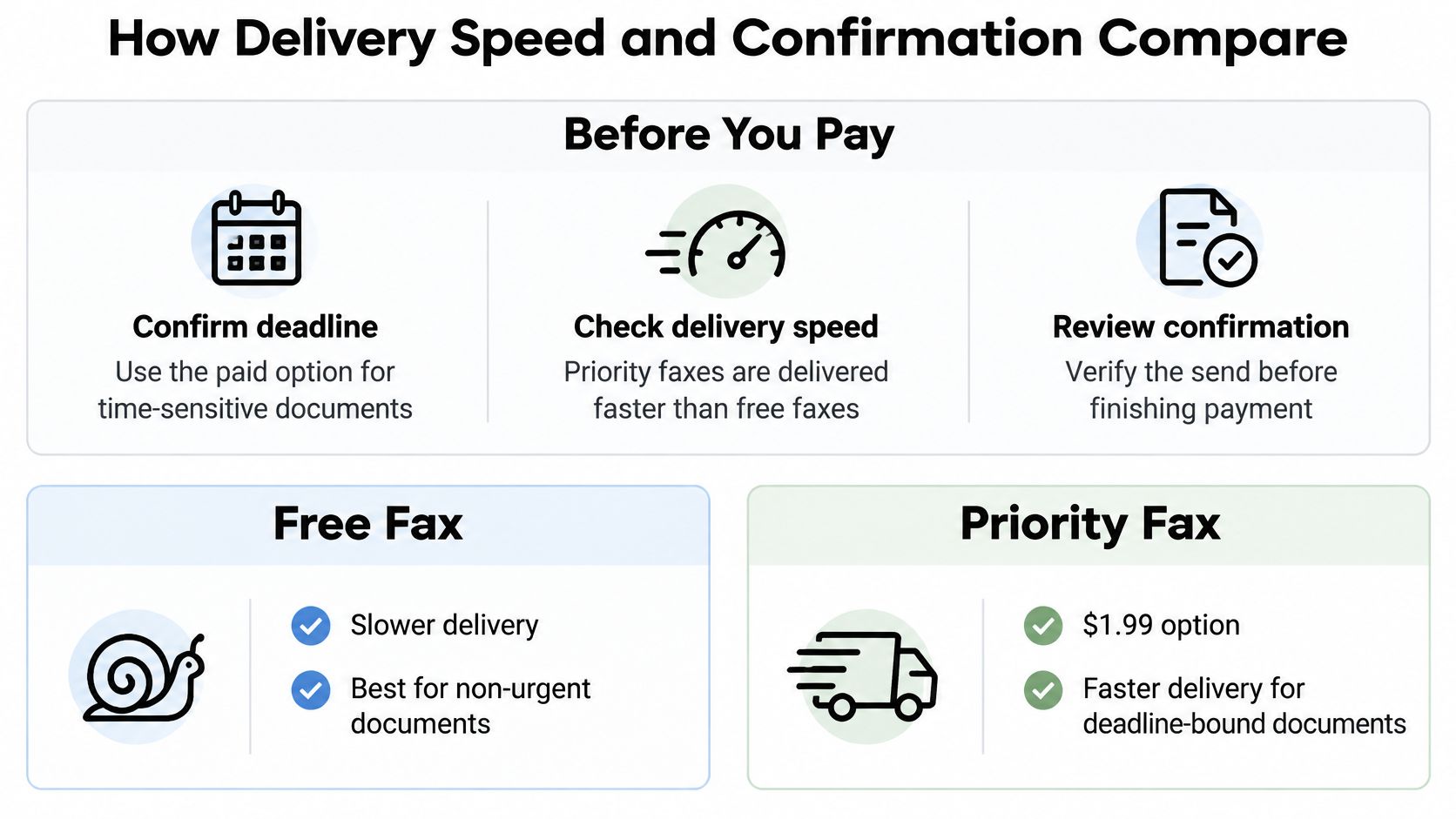
Before you pay any low-cost provider, verify five things. They're cheap to check in advance and expensive to discover after a deadline.
- Confirm the deadline: Decide whether this document is due today or can wait, because that answer picks your tier.
- Check what confirmation you'll get: You need a record showing recipient number, time, and outcome, not just a screen that says sent.
- Ask about retries: Find out whether a failed send can be resent without paying again.
- Check recall limits: Assume you can't take a fax back, and verify the number before sending.
- Test first: Send a non-urgent fax to a number you control before trusting the service with a filing.
Speed Without a Published Number
Priority faxes are delivered faster than free faxes. We don't publish exact delivery times, and you should be skeptical of any cheap service that guarantees a specific minute count, because the recipient's line is outside the sender's control. A busy line, a machine that's out of paper, or a number that rings unanswered will slow any provider.
That's why the test fax matters. Send something harmless to your own number or a colleague's machine during business hours and watch how long confirmation takes. You'll learn more from one real transmission to your actual type of recipient than from any marketing claim about speed.
Confirmation Is the Product You're Really Buying
We provide instant delivery confirmation and tracking for all faxes, free and paid. Keep that record. For healthcare, legal, and real estate documents, the confirmation is your evidence that pages reached the destination number at a specific time. Our guide to reading a fax transmission report explains what each status line means when you need to prove a send happened.
There's a technical layer under confirmation that most comparisons skip. The ITU-T T.30 documentation specifies HDLC framing and ECM procedures for error-controlled facsimile transmission. Error Correction Mode uses page-selective repeat, meaning the receiving system identifies corrupted data frames and requests retransmission of only the affected portions rather than restarting the entire page. On a noisy or unstable line, that protects document integrity in a way a plain send doesn't.
Ask any provider two questions. Does your gateway negotiate ECM with the recipient's machine? Do you report status at the page level, distinguishing successful negotiation, busy or no answer, carrier loss, and retries? A service that only reports "sent" gives you materially less assurance, because you can't tell a clean delivery from a partial one.
ECM still doesn't guarantee delivery. Recipient line availability, incompatible settings, and gateway connectivity remain separate failure points. Treat ECM support as a quality signal, not a promise.
Retries and the No-Recall Rule
If a fax fails to deliver, you can resend it for free by uploading the document again with the same details. That makes a busy signal an inconvenience rather than a second purchase. Front-desk staff who resend documents all day, including law firm receptionists handling filings and client paperwork, build their workflow around exactly this kind of retry and confirmation loop, because one unconfirmed send can stall a matter.
The harder limit runs the other direction. Once a fax is sent, it cannot be recalled or cancelled. There's no unsend button and no retrieval from the recipient's tray. Read the number back digit by digit, compare it against the source document, and only then send. Match the tier to the deadline, keep every confirmation, and you'll avoid the two failures that cost money.
Branding and Accessibility Checks Before You Send
Send a two-page engagement letter to a new client on the free tier and the cover page carries our branding. The document itself is yours, but the first thing the recipient sees names the service you used to send it. Some clients won't care. Some will read it as a signal about how your practice operates, fairly or not.
The fix is cheap and specific. A priority fax removes the branding, and you can also omit the cover page entirely if your document already carries its own heading and recipient details. That gives you three presentation levels: branded cover for internal or routine forms, clean cover for client-facing work, and no cover when the recipient asked for pages only.
The cover page has a second function people forget. It tells whoever picks up the pages who they're for and what they contain. In a shared office where a machine serves several departments, a clear cover with the recipient's name helps your document reach the right desk instead of sitting in a tray. Removing it for appearance reasons can slow delivery inside the recipient's building.
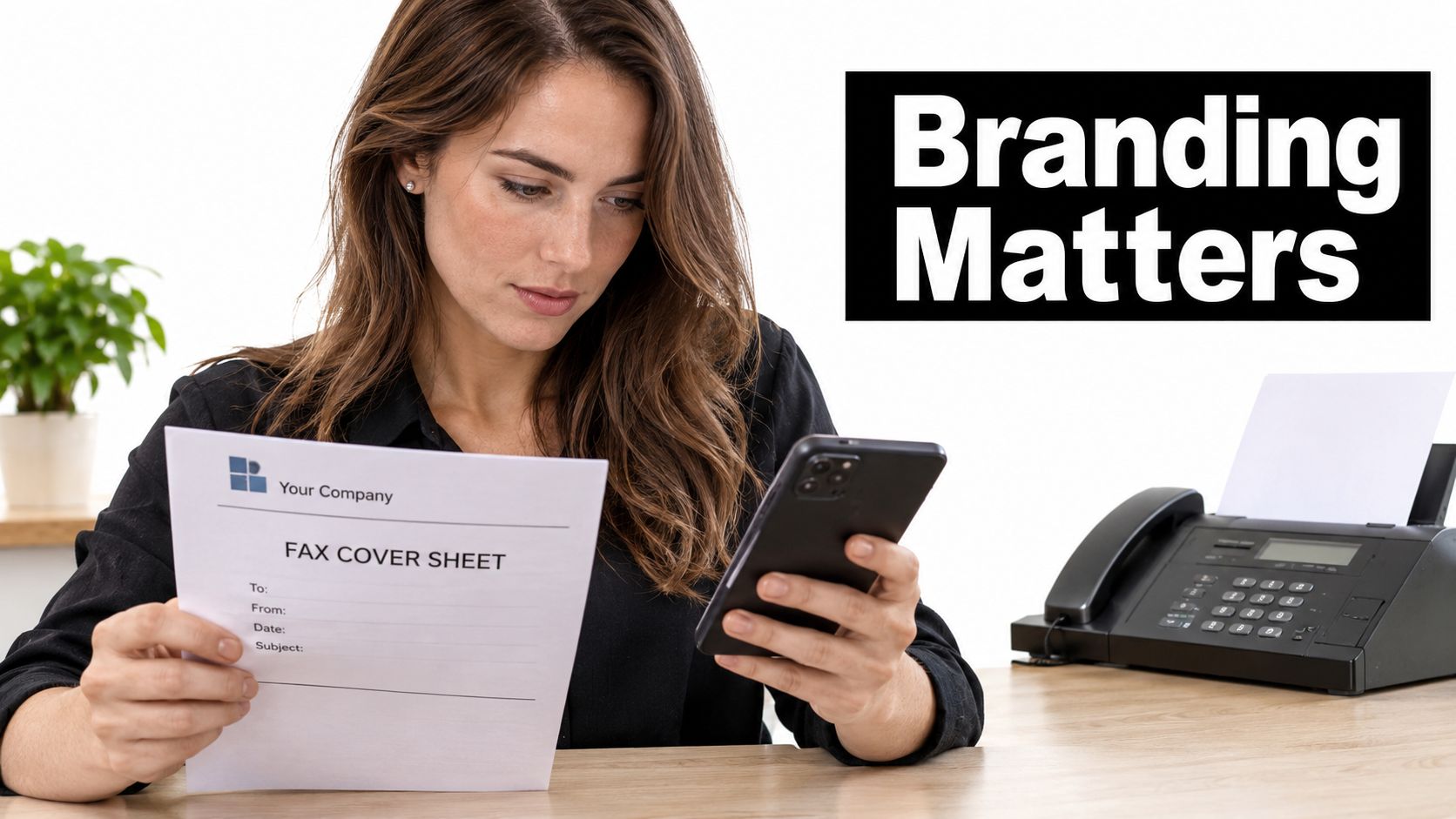
The image below shows the moment senders face, checking a cover sheet against a phone before the pages go out.
Accessibility Is a Requirement, Not a Feature
Price comparisons treat "works in a browser" as the end of the usability question. It isn't. The FCC guide on telecommunications access for people with disabilities states that Section 255 accessibility requirements cover telecommunications equipment and services, explicitly including fax machines. The cheapest service is worthless to a sender who can't operate its upload form.
Test these points before a deadline forces the issue:
- Keyboard operation: Can you reach every field, the upload control, and the send button by tabbing, without a mouse?
- Screen reader labels: Are sender fields, recipient fields, and status messages announced clearly?
- Zoom behavior: Does the form stay usable when you enlarge text, or do fields overlap and disappear?
- Error messages: If you mistype a number, does the message say what's wrong and where, in text you can read or hear?
- Correction path: Can you fix a wrong recipient number before sending, without starting over?
The verification step and the payment step are the two most likely barriers. A visual-only verification challenge can block a blind sender completely, and a payment form that times out can block someone who types slowly. Test both first, on the actual device and browser you'll use, including a phone if that's your sending device while traveling. Small screens make document preview harder, and an unstable connection can interrupt an upload.
The short video below walks through the sending flow, which gives you a chance to see the form order and fields before you try it with your own assistive technology.
Send a test fax to your own number before any real deadline. If a form blocks you, don't assume the service is accessible and the problem is yours. Record exactly where you got stuck, which step, which device, and what happened, then ask the provider for an alternative channel. A provider that can't tell you how a disabled sender completes a fax independently hasn't finished building the service, whatever it charges.
When Cheap Faxing Is the Wrong Choice
A $1.99 fax that goes to the wrong number isn't cheap. Neither is a free fax that fails before a filing deadline. The price of a transmission includes what happens when it goes wrong, and for some documents that downside is large enough that a low-cost browser service is the wrong tool regardless of how well it works.
Sort Your Document Before You Price It
Lower-risk documents suit cheap faxing services well. A public brochure, a generic invoice with no account details, a blank form, or a signed document containing nothing sensitive can travel on a free or pay-per-fax tier with little exposure if it's misdirected. The worst outcome is embarrassment and a resend.
Higher-risk documents are a different calculation. Medical records, legal filings, identity documents, and financial account details can cause real harm in the wrong hands. A misdirected page might mean a rejected form, delayed treatment, a missed deadline, or a stranger holding someone's personal information. Those costs aren't measured in dollars per page.
For higher-risk sends, take three precautions even if you still use a low-cost service:
- Verify the number independently: Confirm it through the office's published phone line or official listing, not a number copied from an email that could be spoofed or outdated.
- Watch the cover sheet: Whatever you write on it is visible to whoever picks up the pages, so don't put diagnoses, account numbers, or case details there.
- Keep the confirmation, not copies: Retain the transmission record with number and timestamp, and don't store extra copies of the document in downloads folders or email threads where they aren't needed.
Those habits reflect the same discipline behind protecting client records during everyday collaboration, where limiting who can see a file and where copies live matters as much as the tool you send it with. The sending method is only one link. Your own handling before and after transmission is the rest of the chain.
Ask whether your recipient requires a specific workflow. Some organizations expect records through a controlled system with logging, retention rules, and an audit trail naming who sent what and when. If your employer, regulator, or client requires that, use it. A personal browser fax that bypasses your organization's record of the disclosure creates a compliance gap even when delivery succeeds.
The Advertising Rule Changes the Calculation
Commercial senders face a separate legal limit. The FCC fax advertising policy states that the Telephone Consumer Protection Act restricts unsolicited advertisements sent to residential and business fax numbers, and covered advertising generally requires recipient permission plus an opt-out notice and contact information on the fax. The FCC distinguishes those advertisements from transactional or informational faxes such as forms, contracts, records, and purchase confirmations.
That distinction decides whether a cheap service fits. Sending a client their signed contract is transactional. Faxing a promotional offer to a list of numbers is advertising, and it needs documented consent, opt-out handling, and suppression records. A no-account service built for occasional document sending doesn't give you an auditable consent trail, so build a compliant workflow instead of improvising one.
Ask one question before every send: would a misdirected page cause harm? If yes, use an organization-controlled, logged workflow, and treat the low-cost tier as a backup, not the default.
Volume is the other honest disqualifier. If you're sending faxes all day, receiving them on a dedicated number, and routing them to a team, you've outgrown occasional-use pricing. A service designed for sporadic sends won't give you inbound numbers, shared inboxes, or administrative controls. Recognizing that boundary early is cheaper than forcing a tool built for one job into another.
Pick the Cheapest Fax Option That Fits Your Risk
Start with the recipient, not the price. If their form or instructions list only a fax number, an online fax service is your realistic route. If they also accept email or a portal upload, ask for that instead, because a channel the recipient actively monitors usually confirms faster than a machine in a shared room. Don't pay to fax a document someone would happily receive another way.
Best cheap fax option by situation
| Situation | Best fit | Watch for |
|---|---|---|
| Occasional form of 1-3 pages, budget first | SendItFax free | SendItFax branding on cover; 5 faxes per 24 hours |
| Contract or invoice over 3 pages | SendItFax priority | $1.99 per fax; up to 25 pages |
| Urgent document due today | SendItFax priority | Priority delivery; a sent fax cannot be recalled |
| Sensitive medical or legal record | Organization-controlled workflow | Confirm the audit trail and retention you need before using a low-cost tier |
| Bulk or promotional fax | Compliant marketing workflow with consent records | Advertising rules and opt-out notice apply |
| Recipient accepts fax only | Any option above that fits the page count | Confirm the recipient number through an independent channel |
Run the Three Checks in Order
Page count first, because it decides whether free is even possible. Count the document pages, not the cover. Three or fewer keeps free open. Four or more closes it, and no amount of price shopping reopens it.
Deadline second, because it decides whether priority is worth paying for. Same day, a payment clock running, or a recipient who processes in batches all argue for paying. A routine form with a week of slack doesn't. This is the same total-cost reasoning behind Cloudvara's strategies for reducing TCO, where the sticker price of a tool matters less than the cost of the delays and rework around it. Apply that thinking here and $1.99 often turns out to be the cheaper line item.
Document risk third, because it decides whether a low-cost service belongs in the decision at all. A cheap option that fails your audit or privacy requirements isn't an option, it's a liability with a low price attached.
For most occasional senders the default is straightforward. Use free for short forms. Pay $1.99 for anything over three pages, anything due today, and anything where a branded cover would look wrong. There's no account to create, free sending needs no credit card or payment information, and your first fax takes less than 2 minutes. We serve U.S. and Canadian numbers only, so check the destination before you upload anything for an overseas recipient.
The Send Procedure
- Write down the page count and the deadline. Those two facts pick your tier.
- Confirm the recipient number independently. Use the office's published line or official listing.
- Choose free or priority. Free if you're under three pages and can wait, priority at $1.99 otherwise.
- Upload and check the cover. Enter sender and recipient details, then look at the cover page for branding and for anything sensitive you've typed on it.
- Send and save the confirmation. File it with the recipient number and timestamp where you'll find it if the recipient claims nothing arrived.
Follow that order and cheap faxing services stop being a gamble on headline prices. You're matching each job to the lowest tier that can carry it, which is what cheap should have meant all along.
Send your next form, contract, or record without a machine, a phone line, or a monthly bill, free for up to three pages or $1.99 for priority delivery up to 25 pages with a clean cover. Count your pages, confirm the recipient's number, and visit SendItFax to send it from your browser and keep the delivery confirmation as your proof.
Related Posts
Fax Machines and Scanners Compared for 2026
Phone with Fax: How to Send and Receive Faxes