cloud based faxing: A modern guide to secure docs
Picture this: sending a legally binding document with the rock-solid security of a fax, but with all the convenience of an email. That’s the simple idea behind cloud based faxing. It’s a modern service that turns your computer, tablet, or smartphone into a secure fax terminal—all you need is an internet connection.
What Is Cloud Based Faxing and Why Does It Still Matter?
Remember the jump from snail mail to email? We traded stamps, envelopes, and trips to the post office for the instant gratification of a digital inbox. Cloud based faxing does the exact same thing for a technology that, while old, is still surprisingly critical for many businesses. It frees you from the clunky machines, dedicated phone lines, and the endless cycle of buying paper and toner.
Instead of a physical machine handling the scanning, dialing, and printing, a cloud fax service does all the heavy lifting behind the scenes. It’s like a digital translator, bridging the gap between the internet you use every day and the old-school telephone network that fax machines rely on. You can send a PDF from your laptop, and it will materialize perfectly on a traditional fax machine on the other end.
The Modern Need for Digital Faxing
This isn't just a matter of convenience; it’s about keeping your business competitive and your documents secure. For industries like healthcare, law, and finance, security and compliance aren't just suggestions—they're the law. Traditional faxing has always been trusted for its point-to-point privacy, but it’s incredibly inefficient and anchors you to a single physical location. On the other hand, email is fast but often falls short of the security needed for truly sensitive information.
Cloud based faxing elegantly solves this problem. It gives you:
- Serious Security: Features like end-to-end encryption act as a digital armored car for your documents, protecting them from prying eyes.
- Regulatory Compliance: Many top providers are built to meet strict standards like HIPAA, making them safe for sending confidential patient or client files.
- Work-from-Anywhere Freedom: You can send and receive faxes from any device, whether you're in the office, at home, or on the road.
- Real Cost Savings: Say goodbye to expenses for machines, repairs, dedicated phone lines, paper, and ink.
This powerful blend of security, flexibility, and savings is why the market is booming. Valued at USD 3.3 billion in 2024, the fax services industry is expected to climb to USD 4.47 billion by 2030, thanks to innovations in cloud technology and AI-powered features. You can find more details on these business faxing trends at business.com.
A Smarter Way to Handle Important Documents
At the end of the day, cloud based faxing is a sleek, modern answer to a long-standing business need. It keeps the legal weight and security that made faxing a cornerstone of business communication, but wraps it in a package that fits perfectly into today’s digital world.
As you start exploring what's out there, you'll find that not all services are created equal. Understanding the nuances is crucial, which is where our online fax services comparison comes in handy. It’s simply the smarter way to manage your critical documents without being shackled to outdated hardware.
How Digital Faxing Translates Your Documents
Ditching that old, clunky fax machine for an online service might seem like a bit of technical wizardry, but what’s happening behind the screen is actually quite simple. The best way to think about it is that your online fax provider acts as a digital translator, fluent in both the language of the internet and the old-school analog signals of traditional fax machines.
It handles all the heavy lifting, so you don't have to.
When you send a fax, you start with a regular digital file—a PDF, a Word doc, even a photo. You just upload it to the service's website or attach it to an email, type in the recipient’s fax number, and hit "send." That’s when the magic begins.
From Digital File to Analog Signal
Once you send your file, the service’s servers get to work. They take your digital document and convert it into the series of beeps and squeals that fax machines understand. This process, often called rendering, faithfully translates every line and pixel of your document into an audio-based format.
From there, the service dials the recipient's fax number using the Public Switched Telephone Network (PSTN)—the very same network that handles landline phone calls. Once it connects, it plays those audio tones, sending the information just like a physical fax machine would. The whole operation is handled in secure, professional data centers, which means you don't have to worry about busy signals or failed transmissions.
At its core, every online fax is a sophisticated conversion. The service essentially "prints" your digital file to a virtual fax modem. This modem turns the document's image into an analog signal that can travel over traditional phone lines, guaranteeing it can be read by any legacy fax machine on the planet.
This diagram shows that simple but powerful jump from old hardware to today's digital tools.
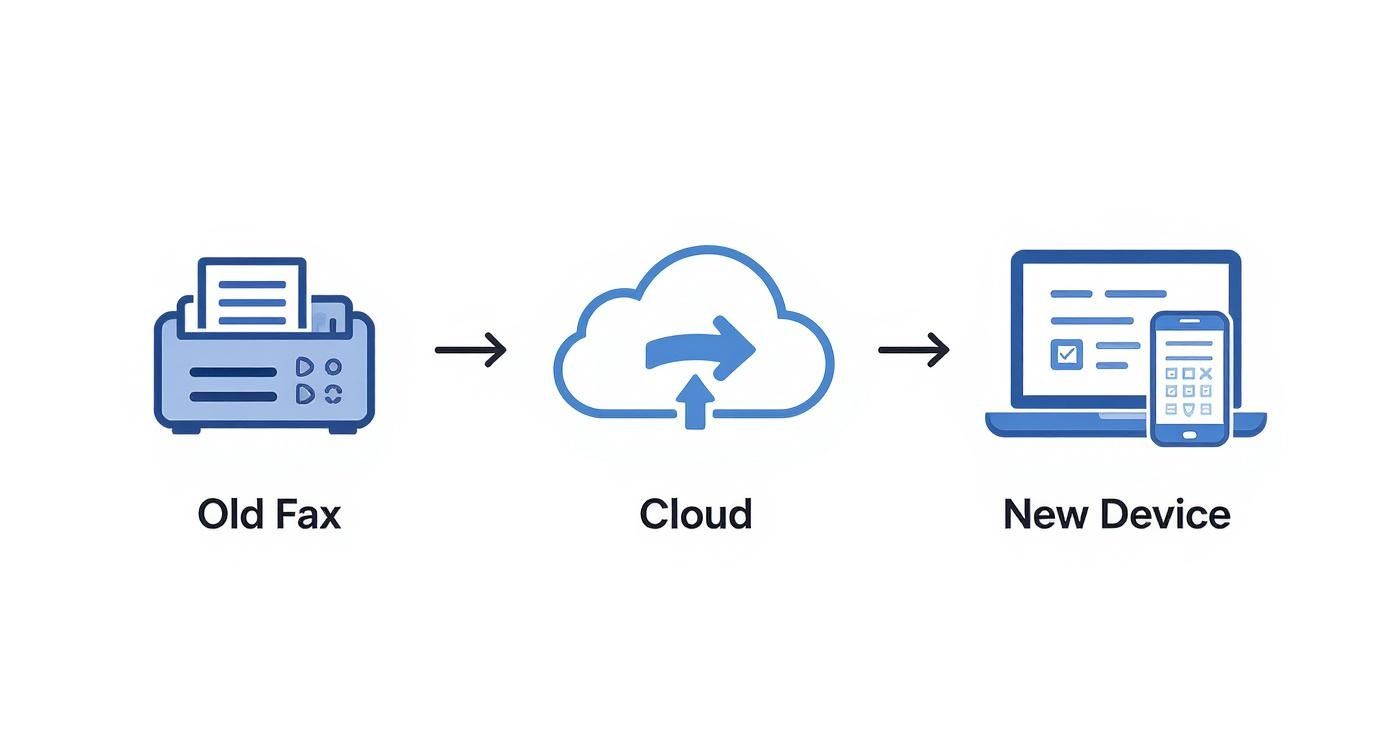
As you can see, a document starts at a traditional machine, passes through the cloud for processing, and lands on modern devices like a laptop or smartphone, closing the loop.
Receiving Faxes in Your Digital Mailbox
Receiving a fax is just as easy—it's the same process, but in reverse. When someone sends a document from their traditional machine to your online fax number, the service is always on, ready to catch the incoming call. No more missed faxes because the machine was off or out of paper.
Here’s how the digital translation works on the receiving end:
- Accepts the Analog Call: The system answers the incoming call from the sender’s fax machine.
- Translates the Signal: It takes those incoming audio tones and converts them back into a clean digital file, usually a PDF.
- Delivers to You Securely: This new digital document is sent right to your email inbox as an attachment. Most services also let you view and store faxes in a secure online portal or a mobile app.
This all happens automatically in just a few moments. All you have to do is open an email. The tricky parts—managing phone lines, translating signals, and confirming delivery—are completely handled by the cloud based faxing service. It's a seamless experience from start to finish.
Traditional Fax vs. Cloud Fax vs. Email
Choosing how to send an important document isn't just a matter of convenience anymore. It’s a business decision that directly affects your security, costs, and even legal standing. For years, the choice was pretty stark: the old-school fax machine for secure documents or email for speed. But now, a third option has emerged that changes the game entirely.
To really get why so many businesses are making the switch, it helps to put all three methods side-by-side. Each one has its place, but their strengths and weaknesses become glaringly obvious when you look at what a modern business actually needs. This comparison makes it clear why cloud based faxing has become the go-to for professionals.
The Security Showdown
When you're dealing with sensitive information, security is everything. Traditional faxing earned its reputation for being secure because it creates a direct, point-to-point connection over a phone line. Think of it like a sealed pneumatic tube shooting a document straight to the recipient—it's incredibly difficult for an outsider to intercept mid-journey.
Standard email, on the other hand, is more like sending a postcard. It’s quick and easy, but your message hops across numerous servers on its way, often without any encryption. This leaves it wide open for prying eyes. While encrypted email services exist, they aren't the norm and usually require both the sender and receiver to jump through technical hoops.
This is where cloud based faxing really shines. It takes the secure, direct-dial concept of traditional faxing and layers on modern security protocols like end-to-end encryption. Your document is protected from the second you hit "send" all the way to its destination, offering a level of security that standard email just can't touch.
Accessibility and Hardware Hassles
Let’s be honest: the biggest headache with a traditional fax machine is being chained to it. You have to be physically in the office, standing over a clunky machine that needs its own phone line, a constant supply of paper, and expensive ink cartridges. If you’re working from home or on the road, you're out of luck.
Email is the complete opposite. Its greatest strength is its incredible accessibility from literally any device with an internet connection. But as we just covered, that convenience comes with a major security trade-off.
Cloud faxing gives you the best of both worlds. You get the work-from-anywhere freedom of email combined with the robust security of a fax. You can send and receive legally binding documents from your laptop, tablet, or smartphone, all without a single piece of hardware in sight.
By moving fax capabilities to the cloud, businesses gain the robust, point-to-point security inherent in fax technology while enjoying the modern accessibility of email. This hybrid approach solves the core limitations of both older methods, making it ideal for today's flexible work environments.
Cost and Compliance Considerations
The costs of running a traditional fax machine are more than just the price tag on the box. You’re paying for a dedicated phone line every month, plus the endless cycle of buying paper, toner, and eventually, paying for repairs. These costs sneak up on you and can easily add up to hundreds, if not thousands, of dollars a year.
Email is generally cheap, but it’s a non-starter for regulated industries. Trying to send Protected Health Information (PHI) through a standard email, for instance, is a serious HIPAA violation that can result in massive fines. It simply lacks the security and audit trails required by law.
A cloud based faxing service gets rid of all that. It’s a straightforward subscription, so you have a predictable monthly cost with zero hardware expenses. More importantly, the best providers are built from the ground up for compliance. They offer critical features like detailed audit trails and will sign Business Associate Agreements (BAAs), making them the safest and most cost-effective choice for professionals who need to meet strict HIPAA regulations.
To wrap it all up, let's look at a direct comparison. The table below breaks down how each method stacks up against the factors that matter most in a business setting.
Comparison of Document Transmission Methods
| Feature | Traditional Fax Machine | Cloud Based Faxing | Standard Email |
|---|---|---|---|
| Security | High (point-to-point) | Very High (encrypted) | Low (unencrypted by default) |
| Accessibility | Very Low (office-bound) | High (any device) | High (any device) |
| Compliance (HIPAA) | Compliant (with safeguards) | Compliant (designed for it) | Not Compliant |
| Hardware Needs | Machine, phone line, supplies | None | Computer or mobile device |
| Overall Cost | High (ongoing expenses) | Low (predictable subscription) | Low (often part of a suite) |
As you can see, cloud based faxing consistently hits the sweet spot, offering the security and compliance of a traditional fax machine with the flexibility and low cost of email. For businesses that can't afford to compromise on any of these fronts, the choice becomes pretty clear.
Nailing Down Top-Tier Security and Compliance
When you’re dealing with patient records, legal contracts, or financial statements, security isn't just a feature—it's everything. We've all seen old fax machines spitting out sensitive documents onto a shared tray for anyone to see. That old way of working offers a false sense of security that just doesn't cut it anymore.
This is where modern cloud based faxing completely changes the game. These services are built from the ground up to protect your information with multiple, overlapping layers of defense. The entire process becomes controlled and auditable. Instead of a physical document sitting out in the open, your faxes land as encrypted digital files in a password-protected inbox. That simple change alone eliminates one of the most glaring security risks of traditional faxing.
Protecting Your Data with End-to-End Encryption
At the heart of any good cloud fax service is end-to-end encryption. The best way to think about this is like a digital armored car for your documents. From the moment you click "send," your files are sealed in a tamper-proof container that can only be opened by the person it's intended for.
- Encryption in Transit: This is the armor your document wears as it travels across the internet. It scrambles the data, preventing anyone from snooping on it while it's on its way to the provider's servers.
- Encryption at Rest: Once your fax arrives and is stored, it doesn't just sit there unprotected. It remains encrypted, making the files completely unreadable to anyone who might gain unauthorized physical access to the servers.
This one-two punch of encryption ensures your information is locked down at every single stage of its journey.
The Make-or-Break Role of HIPAA Compliance
For anyone in healthcare, the Health Insurance Portability and Accountability Act (HIPAA) is the law of the land. The rules for protecting patient information are incredibly strict, and the penalties for messing up are severe. This is precisely why cloud based faxing has become such a critical tool for medical practices, hospitals, and insurers.
The best providers design their platforms with these regulations in mind. They offer indispensable features like detailed audit trails, which give you a complete history of every document—who sent it, who viewed it, and when it was delivered. This creates a permanent, unchangeable record that's absolutely essential for accountability and security reviews.
One of the most critical pieces for HIPAA compliance is the Business Associate Agreement (BAA). This is a formal, legally binding contract where your fax provider promises to protect patient data according to HIPAA standards. If a service provider won't sign a BAA, that's a massive red flag and a serious compliance risk.
The healthcare industry’s need for bulletproof document delivery has fueled the growth of the cloud fax market. As detailed in a Business Research Insights report, this rapid move away from clunky hardware helps organizations meet HIPAA’s demands while also cutting costs and making workflows more efficient.
Beyond the Basics: Secure Data Centers and Full Audit Trails
Top-tier cloud fax services don't just stop at encryption. They host their entire infrastructure in highly secure data centers that are often certified with standards like SOC 2, proving they meet rigorous controls for security and confidentiality. Frankly, it's a level of physical and digital protection that most businesses could never afford to build on their own.
On top of that, the detailed audit trails give you total transparency. You can trace a document's entire journey, which provides undeniable proof of transmission and receipt—something that can be a lifesaver for legal or compliance purposes. While free services might seem tempting, you have to ask what you're giving up in security. To learn more, check out our analysis on whether free services like FaxZero are safe for your important documents.
Sending Your First Online Fax: A Practical Walkthrough
The best way to really grasp how simple cloud-based faxing is is to see it in action. If you're picturing yourself standing over a clunky machine, feeding in pages one by one, think again. Sending your first document online feels a lot more like sending an email. Let's walk through the steps together to show you just how easy it is.
The whole process is designed to be straightforward, even if you’re not particularly tech-savvy. Platforms like our own SendItFax service provide a clean, simple web interface where everything you need is right in front of you. No more fiddling with buttons or deciphering cryptic error codes.
Preparing Your Document and Recipient
To kick things off, you'll log into your provider's web portal or open up their app. You’ll usually be greeted by a dashboard with a big, clear "Send Fax" button. This is your starting point for every document you send out.
The first few fields you’ll fill in will look very familiar:
- Recipient's Information: Type in the full fax number, area code included. Most services also have fields for the recipient's name and company, which is great for your own records and for populating the cover page.
- Sender’s Details: Your own information (name, company, contact number) is typically pulled straight from your account settings, but you can usually tweak it for any specific fax you're sending.
Think of this step as the digital version of filling out a traditional fax cover sheet. It's all about making sure your document gets to the right person and they know who sent it.
The core idea behind a good cloud faxing interface is to remove friction. The goal is to make sending a secure, legally-binding document as effortless as attaching a file to an email and clicking 'send.' The technology handles the complex routing and delivery confirmation automatically.
Attaching Files and Finalizing Your Fax
Now for the main event: adding the document you want to send. Just like composing an email, you'll find a button labeled "Attach Files" or "Upload Document." Clicking this lets you browse your computer and select the file you need.
One of the biggest perks is the wide range of file types most services accept. They handle the conversion for you instantly.
- PDFs and Word Documents: These are the bread and butter of online faxing and work flawlessly.
- Image Files: Got a JPEG, PNG, or TIFF? No problem.
- Spreadsheets: Many services can even take an Excel file and get it ready for transmission.
Once your files are attached, you’ll get the chance to add a cover page. This is a nice professional touch where you can add a subject line and a short note. For a lot of businesses, a clear cover page is crucial for making sure the fax gets routed to the right desk on the other end.
With all the details filled in, your documents attached, and the cover page ready, you just hit "Send." The cloud-based faxing service does all the heavy lifting from there—dialing the number, transmitting the data, and getting confirmation. You'll get a notification, usually by email and in your account dashboard, as soon as it's been successfully delivered.
How to Choose the Right Cloud Faxing Service
Picking the right provider for your cloud based faxing is a big deal. It’s a decision that directly affects your security, your team's workflow, and, of course, your budget. The market is flooded with options, and it's easy to get lost in the marketing noise. The trick is to look past the flashy promises and dig into the details that actually matter for your business.
Remember, you're not just buying a piece of software. You're choosing a partner to handle your sensitive documents. A little homework upfront will ensure you land a service that not only gets the job done today but can also scale with you down the road.
Evaluate Pricing and Page Volume
Most people start by looking at the price, but it’s the pricing model that really tells the story. Providers usually have a few different ways they charge, and the best one for you comes down to a simple question: how much do you actually fax?
- Pay-Per-Fax Plans: Perfect for the occasional user. If you only send a fax once in a blue moon, paying a small fee per transmission—like with SendItFax’s Almost Free plan—makes a lot more sense than getting locked into a monthly subscription.
- Tiered Subscriptions: This is the sweet spot for most businesses with a steady faxing rhythm. You get a set number of pages each month for a flat fee. The one thing to watch out for is the overage rate—the cost for each page you send beyond your limit. Those can sneak up on you.
- Unlimited Plans: If you’re running a high-volume operation, like a busy medical clinic or a law firm, an unlimited plan is a no-brainer. It gives you predictable costs and one less thing to worry about.
Before you pull the trigger, take a moment to estimate your monthly fax volume. You might be surprised to find that the plan that looks cheapest on the surface is actually the more expensive option for how you work. For a deeper dive, you can explore options for the cheapest online fax service to see a full comparison of different pricing models.
Must-Have Features and Usability
Price is important, but what good is a cheap service if it’s a pain to use? A clunky interface can slow everyone down, which completely defeats the purpose of upgrading your faxing system in the first place.
Look for a provider that feels intuitive and comes with the features you'll actually use every day:
- Mobile Apps: In a world of remote and hybrid work, being able to send and receive faxes from a phone or tablet is non-negotiable.
- E-Signature Support: If you handle contracts, loan documents, or patient consent forms, built-in electronic signature tools are a massive time-saver.
- Broad File Support: Make sure the service plays nice with the files you already use, like PDFs, Word documents (DOCX), and common image formats.
A great cloud faxing service should feel like a natural extension of your existing tools. The less time you spend learning how to use it, the more time you can spend on productive work. The goal is seamless integration, not another complicated piece of software.
Security and Compliance Certifications
For any business that deals with sensitive information, this is the most important part of the evaluation. Period. A data breach stemming from a non-compliant service can be catastrophic. You need to see concrete proof of security, not just vague assurances.
Here's what should be on your checklist:
- HIPAA Compliance: If you're in healthcare, this is mandatory. The provider absolutely must be willing to sign a Business Associate Agreement (BAA). No BAA, no deal.
- Encryption Standards: Ask if they use strong encryption for your data both in transit (as it's being sent) and at rest (when it's stored on their servers).
- Data Center Security: Top-tier providers use secure, audited data centers with certifications like SOC 2 to prove their physical infrastructure is locked down.
This intense focus on security is what’s driving much of the innovation in the industry. In fact, market projections show the global cloud based faxing market is expected to grow from USD 1.2 billion in 2024 to an estimated USD 3.46 billion by 2033, largely because businesses need scalable and secure solutions. You can read more about this trend in this comprehensive report. Choosing a provider with proven security credentials means you're partnering with a company that takes this responsibility as seriously as you do.
Frequently Asked Questions About Cloud Faxing
Even after seeing all the benefits, it's normal to have a few lingering questions before you jump in. Moving away from a piece of hardware you've used for years is a big change, so let's tackle some of the most common things people ask.
Think of this as the final check-in to make sure you're completely comfortable with how cloud faxing really works day-to-day.
Do I Need a Phone Line for Cloud Based Faxing?
Nope, not at all. This is actually one of the biggest perks. Cloud based faxing works entirely over the internet.
Your provider handles all the behind-the-scenes magic of connecting to the old-school telephone network. All you need on your end is a simple internet connection for your computer or smartphone. This completely cuts the cord, saving you the cost and hassle of a dedicated phone line just for faxing.
Can I Keep My Existing Fax Number?
Absolutely. Most businesses insist on it, and for good reason. Good providers offer something called number porting, which is just a fancy term for moving your current fax number over from your old phone company to your new cloud fax service. It's a standard, straightforward process.
By porting your number, you get to skip the massive headache of telling every single client, vendor, and partner you have a new number. Business just keeps humming along without a single interruption.
This way, you get a modern, flexible system without losing the fax number everyone already knows.
How Will I Receive Incoming Faxes?
Receiving faxes is just as simple as sending them. When a fax comes through to your number, the cloud service catches it, instantly converts it into a digital file (usually a PDF), and gets it to you.
You'll typically get your faxes in a few convenient ways:
- To Your Email: The fax arrives as a PDF attachment right in your inbox.
- In Your Online Portal: Log in to your provider’s secure dashboard to see and manage all your faxes in one place.
- On Your Phone: Most services have a mobile app that gives you a heads-up the moment a new fax arrives.
Is Cloud Based Faxing Legally Binding?
Yes. Faxes sent via a reputable cloud fax service hold the same legal weight as documents sent from a traditional machine. In fact, the proof is often stronger.
These services create detailed transmission logs that act as a verifiable, time-stamped receipt. This digital audit trail is far more robust than the flimsy confirmation page that might (or might not) print out from an old fax machine, giving you solid proof of delivery.
Ready to send a secure fax in minutes without the hardware? With SendItFax, you can send documents from any device with an internet connection, no account needed. Experience the convenience for yourself at https://senditfax.com.
Related Posts

How to Fax from Computer Mac: Free Online Method

Do You Need a Fax Number to Send a Fax? a Practical Guide
