Online Fax Service Comparison Choosing the Best
Even in an age of instant messaging, the idea of faxing can feel a little… old-fashioned. And yet, it's still an essential tool for securely sending documents in fields like healthcare, law, and finance where security is absolutely critical. The technology has just moved on from those clunky office machines to sleek online services.
Why Businesses Still Rely On Digital Faxing
The staying power of faxing isn’t about being stuck in the past; it’s a smart move grounded in security and legal weight. Regular email can be intercepted, but online faxing establishes a secure, point-to-point connection for sensitive information. That's why it's still a core part of many modern business operations.
This shift from hardware to cloud platforms is fueling some serious growth. The global online fax service market was valued at USD 2.11 billion in 2024 and is expected to hit USD 4.5 billion by 2035. This growth underscores the real, and growing, demand for secure digital document exchange. You can find more market insights over at wiseguyreports.com.
The Modern Case for Online Faxing
Moving to digital faxing solves several key business problems at once, which makes a detailed online fax service comparison crucial for any team. Here are the main reasons it remains so relevant:
- Enhanced Security: The best services provide end-to-end encryption and meet strict regulations like HIPAA. This keeps sensitive documents, from patient records to legal contracts, properly protected.
- Legal Compliance: Faxes often count as legally binding documents and come with verifiable transmission receipts. This is incredibly important for contracts, government forms, and court submissions.
- Operational Efficiency: Getting rid of physical fax machines cuts down on costs for paper, ink, and maintenance. Plus, it frees up your team to send and receive documents from anywhere, on any device.
The real magic of online faxing is how it mixes old-school reliability with modern-day convenience. It satisfies tough legal standards while giving you the flexibility of a cloud tool.
Picking the right service means looking deeper than just the price. You have to consider whether you need a dedicated line for incoming faxes—which you can learn more about in our article on what is a fax number—or if you just need to send a document out every now and then. This guide will give you a clear roadmap to compare your options and find the perfect fit.
Core Criteria For Your Online Fax Service Comparison
Before you start comparing online fax services side-by-side, it’s smart to figure out what actually matters. Picking the right provider isn't just about finding the lowest price—it's about matching the service to how you'll actually use it. A little structure now will help you make a strategic choice, not just a quick one.
This framework helps you cut through the marketing fluff and focus on what impacts your workflow, security, and budget. When you know what to look for, you can confidently size up each provider and find the one that truly fits your needs.
Pricing Models and Page Limits
The first thing you’ll notice is how different services charge. Most providers use either subscription plans or a pay-per-use model. Subscriptions are great for businesses with a predictable, steady stream of faxes, giving you a set number of pages each month for a flat fee.
But what if you only fax once in a blue moon? A pay-per-use service like SendItFax makes a lot more sense. You pay a small fee only when you send a fax, so you're not stuck with a monthly bill for a service you hardly touch. When looking at subscriptions, always check the overage fees. These charges for exceeding your monthly page limit can run anywhere from three to ten cents a page and can sting if you're not careful. Our guide to the cheapest online fax service digs deeper into how these models really affect your bottom line.
Essential Features and Functionality
Beyond the basics of sending and receiving, today's fax services are packed with tools that can genuinely make your life easier. Think about what your team absolutely needs:
- Mobile Apps: Need to send faxes while on the go? An app is a must for anyone working out in the field or from home.
- E-Signatures: If you’re constantly sending contracts or forms that need a signature, integrated e-signature features are a game-changer.
- API Access: This is a big one for larger companies. An API lets you plug faxing capabilities directly into the software you already use, like your CRM or an EHR system.
- Cloud Storage Integration: Being able to grab a document right from Google Drive or Dropbox instead of downloading and re-uploading it saves a ton of time.
The key is to distinguish between "nice-to-have" features and essential tools. A solo user sending a few documents a month has vastly different needs than an enterprise that requires deep system integration.
Security Protocols and Compliance
For many industries, security isn't just a feature—it's the whole point. People often use fax instead of email because it's more secure, but not all online fax services are created equal. You'll want a provider that offers end-to-end encryption to keep your data safe, both while it's being sent and while it's stored.
If you're in healthcare, finance, or law, compliance is non-negotiable. Look for providers that explicitly offer HIPAA or GLBA-compliant plans. Crucially, they must be willing to sign a Business Associate Agreement (BAA). This is a legally required contract for handling protected health information (PHI) and other sensitive data. Without one, you're exposing your business to serious legal and financial risks.
Comparing The Leading Online Fax Providers
Now that we know what to look for in an online fax service, it's time to see how the top players really stack up. A direct online fax service comparison shows that while most services handle the basics, the real differences are in the details—how they’re priced, who they’re built for, and the specific problems they solve. We're going to dig into the practical side of things.
This isn't about just ticking boxes on a feature list. We’ll look at these services from the perspective of real users, whether you're a freelancer sending one invoice or a hospital that needs ironclad security. The goal is to find the perfect fit for how you actually work.
The image below breaks down the three main pillars we're using for this comparison: Price, Features, and Security.
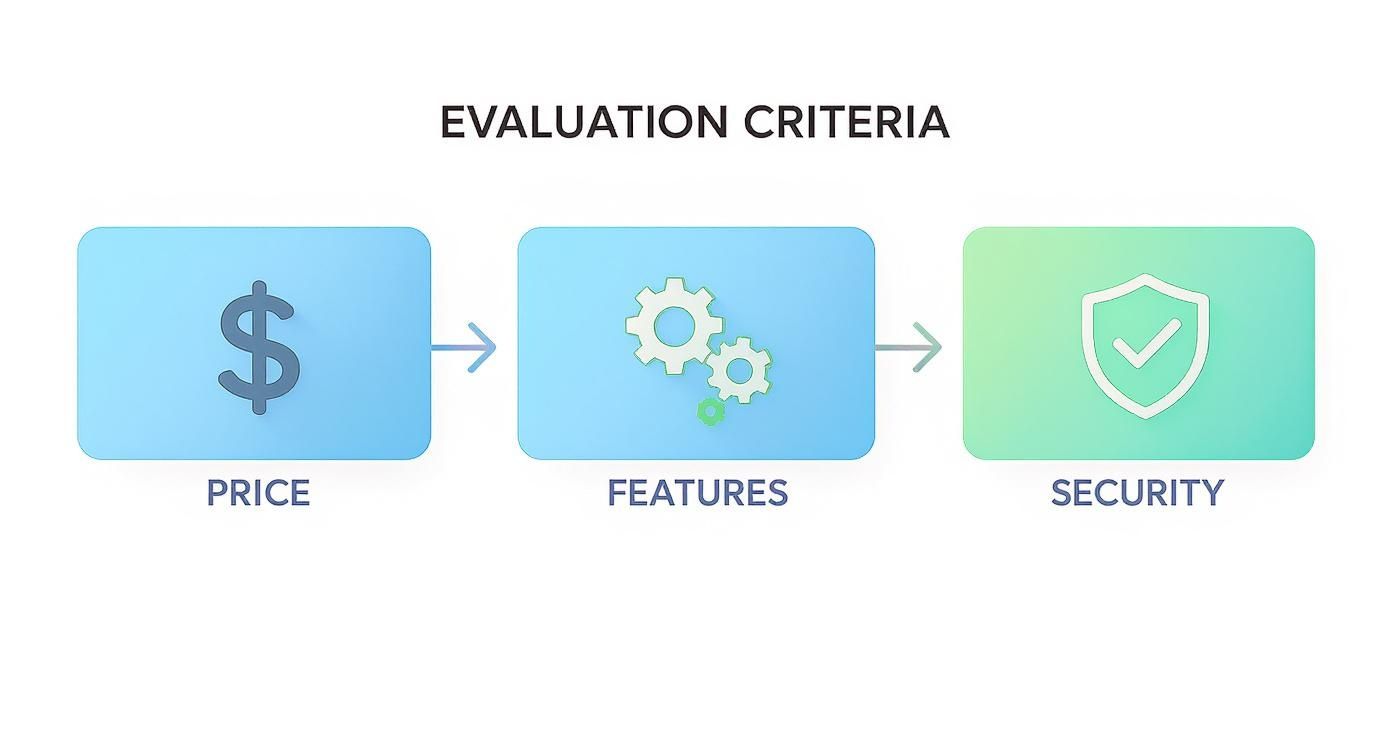
Finding the right service is all about balancing these three elements to match your specific needs.
SendItFax: The No-Account Champion for Occasional Faxing
SendItFax has cleverly carved out a space for itself by focusing on people who just need to send a fax right now, without the hassle of signing up for a subscription. It’s designed for those one-off tasks.
The biggest draw? You don't need to create an account. You can send a document to any number in the U.S. or Canada straight from their website. Their free option is fantastic for quick jobs, giving you up to five faxes a day, with each fax limited to three pages. It’s perfect for sending a signed contract, a receipt, or any other document when you can't use email.
For those times when you need a bit more, the Almost Free plan is a game-changer. It's a simple, flat fee of $1.99 per fax for up to 25 pages, and they even remove their branding from the cover page. This pay-as-you-go model is the ideal middle ground for anyone who doesn't want to be locked into a monthly plan they'll barely use.
Key Differentiator: SendItFax's magic is its no-registration, pay-per-fax model. It’s the digital equivalent of walking up to a physical fax machine, sending your document, and walking away. No commitment, no fuss.
This on-demand approach taps into a real need. While the online fax market is dominated by subscriptions—in 2024, North America held about 37% of the global market, with subscriptions making up roughly 63% of that—SendItFax caters to everyone else. You can read more on these trends in a detailed report from Credence Research.
eFax: The Enterprise-Grade Powerhouse
eFax is one of the original players in the online fax game, and its platform is built for big businesses with high-volume demands and complex needs. Think of it less as a simple tool and more as a complete communications system.
Its standout features include the ability to handle massive files (up to 3GB) and send a single fax to 20 different people at once. This is a must-have for companies distributing things like detailed financial reports, architectural blueprints, or large legal documents.
Security is also a major focus for eFax. They offer HIPAA-compliant plans and are willing to sign a Business Associate Agreement (BAA). With features like searchable cloud storage and a detailed admin portal, it's a solid choice for regulated industries that need pristine records and audit trails. All this power comes at a price, though, making it a bit much for small businesses or individuals.
Dropbox Fax: Seamless Integration for Cloud Users
Formerly known as HelloFax, Dropbox Fax plays to its strengths by tying faxing directly into your cloud storage workflow. Its best feature is its deep integration with services like Dropbox, Google Drive, and OneDrive, letting you grab a document, sign it electronically, and fax it off without ever leaving your cloud environment.
This cloud-first design is a huge win for teams that live and breathe in these platforms. It makes faxing feel like a natural part of managing documents, not a separate, clunky task you have to switch over to.
Dropbox Fax has a free plan, but it's limited to just five pages for the entire life of your account, so it's really more of a trial. The paid plans are fairly priced and include international coverage, making it a good all-rounder for businesses with a global reach. The one catch is the lack of a dedicated mobile app, which might be a problem for anyone who needs to send faxes while on the move.
SRFax: The Healthcare and Compliance Specialist
While other services might offer HIPAA compliance as a feature, SRFax has built its entire service around it. It’s laser-focused on the needs of healthcare providers, law firms, and anyone else handling sensitive personal information.
SRFax comes loaded with heavy-duty encryption, comprehensive audit logs, and a signed BAA for all its healthcare-focused plans. One of its more unique features is a secure downloader tool that automatically pulls faxes from their server to your local computer, ensuring that sensitive data isn't left sitting in the cloud.
The user interface does feel a bit dated compared to its competitors, and it doesn't have the slick cloud integrations of a service like Dropbox Fax. But for any organization where security and compliance are non-negotiable, SRFax's specialized approach offers peace of mind that's hard to find elsewhere.
Online Fax Provider Feature Comparison
To make things even clearer, here’s a quick-reference table that boils down the key differences between these top online fax services. This helps cut through the marketing fluff to show what really matters for you.
| Provider | Pricing Structure | Starting Price | Monthly Page Limit | HIPAA Compliant Plan | Ideal Use Case |
|---|---|---|---|---|---|
| SendItFax | Free & Pay-Per-Fax | $0 (Free) / $1.99 (Per Fax) | N/A (Pay-per-use) | No | Individuals, freelancers, and occasional users. |
| eFax | Subscription | $18.95 / month | 200 pages | Yes (Protect Plan) | Large businesses and enterprises with high volume. |
| Dropbox Fax | Subscription | $9.99 / month | 50 pages | No | Teams deeply integrated with cloud storage platforms. |
| SRFax | Subscription | $3.95 / month | 25 pages | Yes (Healthcare Plans) | Healthcare, legal, and compliance-focused industries. |
This table makes it obvious there's no single "best" service—just the right service for a particular job.
A freelancer who only sends a few contracts a year would be wasting money on an eFax subscription; their needs are perfectly met by SendItFax’s Almost Free plan. On the other hand, a large hospital would find SendItFax completely unsuitable for its compliance needs, making SRFax or eFax the only logical choices. The right decision always comes back to your specific use case, faxing volume, and security requirements.
Taking a Closer Look at Security and Compliance
For many businesses, faxing isn't a throwback—it's a deliberate security measure. When you're dealing with sensitive documents like patient records or legal agreements, the security of a fax service is the only thing that matters. This is why any good online fax service comparison has to dig much deeper than just page limits and monthly fees.
The heart of modern secure faxing is encryption. A trustworthy provider must protect your documents at every stage, both while they are traveling across the internet (in-transit encryption) and when they are sitting on their servers (at-rest encryption). If a service is missing either one, you're leaving a door open for potential data breaches.
Making Sense of HIPAA and GLBA Compliance
If you work in a regulated industry, compliance isn't just a feature; it's a legal necessity. The Health Insurance Portability and Accountability Act (HIPAA) and the Gramm-Leach-Bliley Act (GLBA) establish firm rules for how personal information must be handled.
The truth is, not all online fax services are created equal in this regard. Some providers, like SRFax and eFax, have built their services from the ground up to meet these strict requirements.
- HIPAA Compliance: This is non-negotiable for anyone in healthcare. A HIPAA-compliant service uses powerful encryption and strict access controls to secure protected health information (PHI).
- GLBA Compliance: Financial firms are bound by GLBA to protect consumer financial data. This involves secure data handling and robust privacy protocols.
- Business Associate Agreement (BAA): Any provider that handles PHI for you must be willing to sign a BAA. This is a legal contract that holds them accountable for protecting that data, making it a cornerstone of your compliance efforts.
Choosing a provider that won't sign a BAA for handling PHI is a major compliance risk. For any healthcare-related organization, this is a deal-breaker.
This focus on compliance is driving market trends. Many businesses are now adopting hybrid models—combining cloud convenience with on-premise security—to satisfy regulations like HIPAA. It’s no surprise that small and medium-sized businesses in healthcare, law, and insurance are major players, with these sectors projected to contribute over USD 200 million to the market by 2030, according to insights from Research and Markets.
What Security Looks Like in the Real World
Beyond the big compliance labels, it’s the practical, day-to-day security features that show you how reliable a service truly is. For example, some platforms offer detailed audit trails that log every action taken on a fax. This kind of record-keeping is incredibly useful for internal security checks and proving compliance.
Here are a few other critical features to look for in your online fax service comparison:
- Secure Cloud Storage: Faxes should always be stored in an encrypted environment.
- User Authentication: Features like multi-factor authentication provide an essential extra layer of account security.
- Data Residency: Some services allow you to choose the geographic location where your data is stored, which can be crucial for complying with regional privacy laws.
Even services built for casual use need to take security seriously, though they approach it differently. A free fax service probably won't be HIPAA-compliant, but it should still use basic encryption to safeguard your transmission. When looking at no-account options, it's smart to ask a simple question: for the document I'm sending, is FaxZero safe? This helps you match the security level to the sensitivity of your information.
In the end, checking for security isn't just ticking a box. It's about deeply understanding your legal responsibilities and finding a service with a security framework strong enough to fulfill them. For anyone in a regulated industry, this will always be the most important part of the decision.
Which Online Fax Service Fits Your Needs?
There’s no single "best" fax service. The right choice really comes down to how you work, what you send, and what you’re willing to spend. A proper online fax service comparison shows that each provider has its own sweet spot. To help you sort through the options, I’ve broken down my recommendations based on who you are and what you actually need.
This isn't about just listing features; it's about matching the tool to the job. Whether you send one fax a year or thousands, there's a service that will feel like it was made for you.
The Occasional User
You’re a freelancer with an invoice, a homeowner submitting a permit, or just someone who needs to get a signed form back to the doctor’s office—and you need to do it now. A monthly subscription makes no sense, and you definitely don’t want to create another account for a one-off task.
Recommendation: SendItFax
For this exact scenario, SendItFax is hands-down the best option. Its whole model is built around speed and convenience, letting you skip the sign-up process entirely.
- Free Faxes: You get up to five free faxes a day (up to three pages each) to anywhere in the U.S. and Canada.
- Almost Free Plan: If you need more pages, the pay-per-fax plan is just $1.99 for up to 25 pages, and it removes the SendItFax branding from the cover sheet.
It’s the digital equivalent of walking up to a machine, sending your document, and walking away. No commitment, no wasted money on a service you barely use.
The Small Business
Your team relies on faxing for purchase orders, client contracts, and other official correspondence. You need an affordable plan that can grow with you, support multiple team members, and play nice with the cloud storage tools you already depend on.
Recommendation: Dropbox Fax
Dropbox Fax (which you might remember as HelloFax) is a fantastic choice for small businesses that live in the cloud. Its biggest advantage is the seamless integration with Google Drive, Dropbox, and OneDrive. This completely simplifies document workflows. Plus, the pricing is competitive, and the plans are built to support multiple senders, making it a solid tool for collaboration.
The ability to pull a document from your cloud drive, sign it digitally, and send it as a fax without ever downloading a file is a huge time-saver for a busy team.
The Healthcare Clinic
For you, security isn't just a feature—it's everything. You handle Protected Health Information (PHI) all day long and have to meet strict HIPAA standards. Your fax service is a critical piece of your legal and ethical responsibility to protect patient privacy.
Recommendation: SRFax
While other services might be HIPAA-compliant, SRFax has built its entire reputation on it. They go all-in with strong encryption, detailed audit trails, and will readily sign a Business Associate Agreement (BAA), which is an absolute must-have for any healthcare provider. Their platform is specifically hardened for the demands of clinics, hospitals, and medical billing offices.
The Integrated Enterprise
Your organization needs more than just a fax number; you need faxing capabilities baked directly into your core business applications, like an Electronic Health Record (EHR) or a CRM system. You're dealing with high volumes, and automation is the name of the game.
Recommendation: eFax
eFax is a heavyweight contender built for exactly this kind of large-scale operation. It offers a powerful API that lets developers wire fax functionality into custom software, paving the way for fully automated workflows. With enterprise-grade features like support for huge files (up to 3GB), searchable fax archives, and a central admin portal, it has the muscle to handle complex corporate needs.
Frequently Asked Questions About Online Faxing
Even after a detailed online fax service comparison, it's normal to have a few questions rolling around in your head. Making the right choice is all about confidence, so let's clear up some of the most common things people ask. This is the final check to make sure you’re picking the perfect service.
These answers cover the nuts and bolts of digital faxing, from how secure it really is to what happens with your fax number.
Is Online Faxing Genuinely More Secure Than Email?
Yes, absolutely—especially when you go with a provider that takes compliance seriously. Unlike standard email, the best online fax services use end-to-end encryption. Think of it as creating a secure, private tunnel for your document to travel through, from your screen to the recipient's fax machine. A normal email, on the other hand, can be exposed at multiple points along its journey if it isn't properly locked down.
On top of that, services designed for sensitive industries provide things like detailed audit trails and encrypted document storage. This creates a solid, verifiable record of when a fax was sent and received, which is exactly why faxing is still trusted for critical legal, financial, and medical documents.
The real security edge of online faxing comes from its direct, encrypted connection. Fax technology was built from the ground up for document integrity, while standard email was made for open communication. They're just built differently.
Do I Need A Physical Phone Line To Send Faxes?
Not at all. A physical phone line is a thing of the past with online faxing. These services are powered entirely by the internet, so you can ditch the extra cost and hassle of traditional fax hardware. As long as you have an internet connection, you can send and receive faxes from anywhere.
You can do it right from a web browser, through a mobile app on your smartphone, or even by sending an email. Your provider takes care of all the technical heavy lifting on their end, including managing the fax number and converting your digital files into a format that a fax machine can understand. It makes faxing a completely flexible, on-the-go tool.
Can I Port My Existing Fax Number To A New Service?
Yes, you almost always can. Any reputable online fax provider will let you port your existing number over. This is a must-have feature for any business that wants to modernize its setup without confusing customers or partners who already have your contact info. Porting simply means you transfer your current fax number to the new online service.
The process usually just requires you to fill out a request form with your new provider, and sometimes there's a small one-time fee. It’s a little bit of paperwork for a huge payoff: you get all the benefits of a modern fax service without having to reprint business cards or update your website.
What Happens If I Exceed My Monthly Page Limit?
Most online fax subscriptions give you a certain number of pages each month. If you send or receive more than that, you'll be charged an overage fee for every extra page. These charges usually fall somewhere between $0.03 and $0.10 per page.
It's really important to look at those overage rates before you sign up, because they can add up fast if you have a busy month. If you don't fax consistently, or your volume changes a lot, a pay-per-fax service like SendItFax’s Almost Free plan often makes more financial sense than a subscription where you could get hit with high overage fees.
Ready to send a fax without the commitment of a monthly plan? SendItFax lets you send secure faxes to the U.S. and Canada on a pay-per-fax basis—no account needed. Try it now at senditfax.com.
Related Posts

How to Fax from Computer Mac: Free Online Method

Do You Need a Fax Number to Send a Fax? a Practical Guide
