Fax How It Works: Steps, Protocols and Online Faxing
You're about to send a signed form to an office that won't accept email, and the instructions say fax it. No machine sits on your desk. You've never heard those connection tones, and you don't know what happens after you press send or upload a file.
That's a common place to start. If you're trying to understand fax how it works, it helps to stop picturing email with an attachment. A fax is a phone call carrying a picture of a page. Once you hold that idea, the scanning, the noises, the slow pages, and even the confirmation message all make sense.
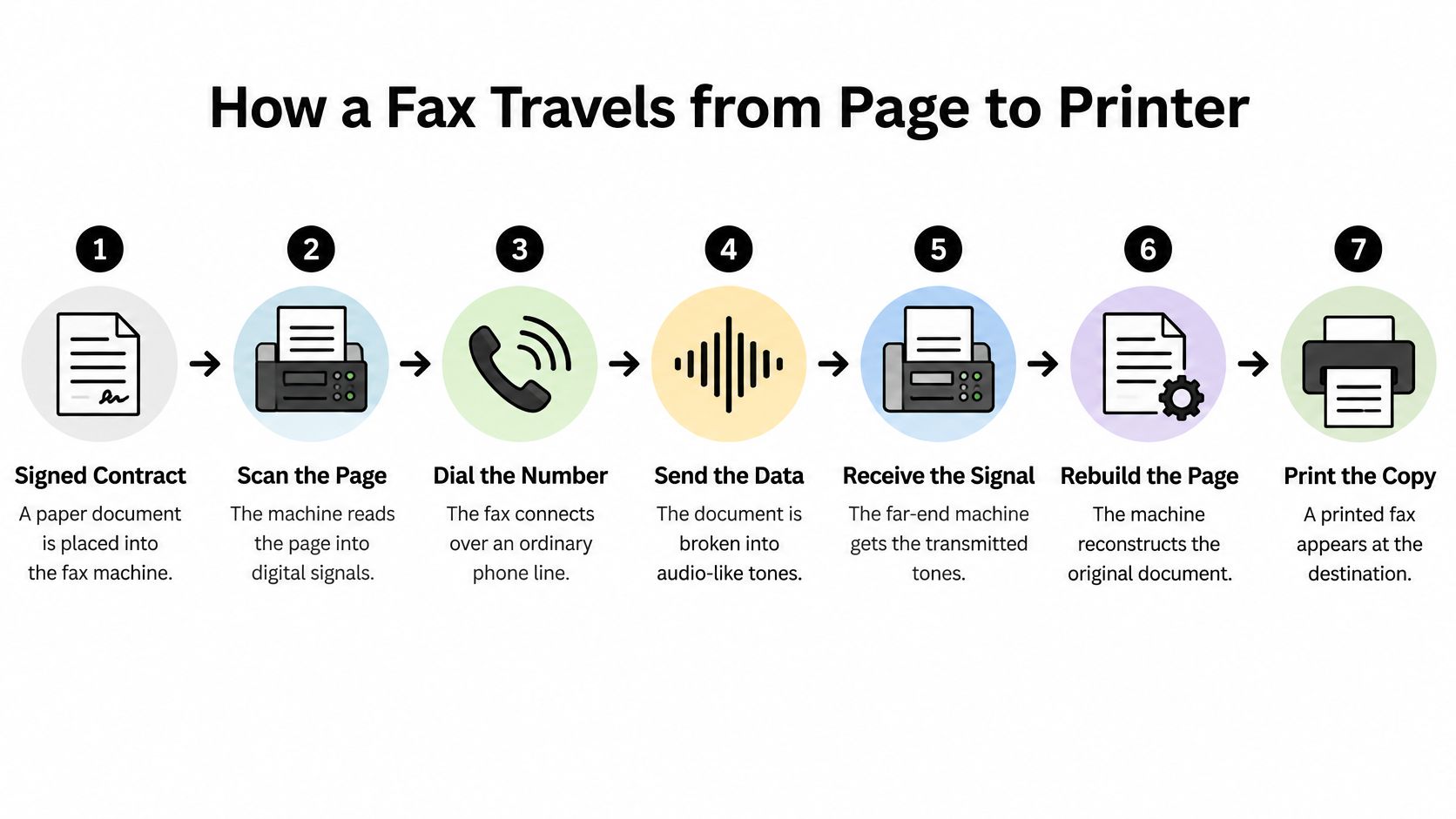
How a Fax Travels from Page to Printer
Say a signed contract is fed into a machine in one office, and minutes later a printed copy emerges hundreds of kilometres away over an ordinary phone line. Nothing physical travelled between them. The sending machine described the page carefully enough for the receiving machine to redraw it.
The Encyclopaedia Britannica entry on fax technology explains that fax converts a physical document into an encoded image and sends it through a telecommunications network. Most traditional machines use the international Group 3 framework, adopted by the former CCITT in 1980, so machines from different makers and countries can work together.
The Seven Stages in Order
- Scan: A scanner, often using a charge-coupled device, reads the page line by line and marks each spot as dark or light. This turns paper into data the machine can handle.
- Encode: That data is compressed so long white runs cost almost nothing to send. Compression keeps a mostly blank page from taking as long as a dense one.
- Handshake: The calling machine dials, the answering machine announces its identity, and both agree on speed and image settings before any page moves. Without this agreement, they'd misread each other.
- Modulate: The compressed data is placed on an analog carrier the phone line can carry. Phone lines were built for voice-like signals, not raw computer files.
- Transmit: The page moves in framed blocks. If some blocks arrive damaged, the receiver can ask for those blocks again instead of rejecting the whole page.
- Decode and print: The receiver removes the data from the carrier, rebuilds the scanned lines, and prints a visual copy.
- Confirm: The sender receives a page-received or failure status, so it doesn't have to guess whether the call worked.
A fax call is a conversation, not a one-way upload. Both machines keep checking in until the page is done or the attempt fails.
The handshake and error correction deserve a closer look because they explain delays. ITU-T Recommendation T.30 describes control signaling at 300 bit/s for identifying capabilities and agreeing on parameters, while the image itself uses a faster negotiated modem speed. In Error Correction Mode, the image travels in HDLC-framed data and the receiver requests retransmission of only defective frames.
That creates a clear trade-off. A noisy line means more retransmissions and slower delivery, but the page arrives intact rather than corrupted. Some pages sail through and others crawl, and our guide to what affects fax transmission speed breaks down that side in more detail. If a fax fails to deliver with us, you can resend it for free using the same information and uploading the document again.
Stages of a Fax Transmission
| Stage | What Happens | Governing Standard |
|---|---|---|
| 1. Scan | Scanner reads the page line by line into dark and light points | ITU-T T.4 image coding |
| 2. Encode | Image is compressed so long white runs need few bits | ITU-T T.4 |
| 3. Handshake | Machines identify themselves and agree on speed and image mode | ITU-T T.30 call setup |
| 4. Modulate | Compressed bitstream is placed on an analog carrier | T.30 modem signaling |
| 5. Transmit | Page data travels, and damaged frames can be requested again | T.30 Error Correction Mode |
| 6. Decode and print | Receiver demodulates, rebuilds raster lines and prints | T.4 and T.30 |
| 7. Confirm | Sender gets a page-received or failure status | T.30 end-of-page signal |
Why a Fax Is a Picture, Not a Document
A fax is closer to a photocopy sent over a telephone connection than to an emailed Word file. Email can deliver text that recipients edit, copy, and search. A traditional fax instead reproduces a page's appearance as a grid of black and white points, with no searchable text layer beneath the image.
The grid has a fixed number of points across each line. ITU-T Recommendation T.4 specifies a common horizontal resolution of 200 picture elements per 25.4 mm and a standard line of 1728 pels across an A4 page width. T.4 also defines a wider 2048-pel line for B4 pages. Vertical resolutions include approximately 3.85 or 7.7 lines per millimetre. These values describe the grid used to redraw each character.
Standard Fax Resolution Modes
| Mode | Density (horizontal x vertical) | Best For |
|---|---|---|
| Standard | 200 x 3.85 lines/mm | Plain text memos |
| Fine | 200 x 7.7 lines/mm | Small print and tables |
| Superfine | 200 x above 7.7 lines/mm | Dense text and signatures |
| Halftones or grey photographs | Not a resolution mode; compresses poorly | Poor fit: larger files and slower sends |
Letters, signatures, and ruled lines often reproduce clearly because they have distinct dark shapes against a light background. Photographs are harder: smooth shades of grey or colour must be approximated with patterns of black points. Those patterns create more coded data than blank areas, and the image can look grainy.
A PDF or DOCX also has to be rendered as a fax-compatible monochrome page image before transmission. Font choice, page size, and embedded graphics affect what survives that conversion. Small, light-grey text that looks readable on a screen may fade or break up on the printed page. For practical ways to prepare a clearer page, see this guide to fax image quality and legibility.
Practical rule: If it would photocopy badly in black and white, it will likely fax badly too. Increase contrast and font size before sending.
How Online Fax Services Deliver Your Document
A browser can send the same kind of fax as a machine on a desk. You enter the recipient's details, upload a document, and the service prepares the pages for transmission.
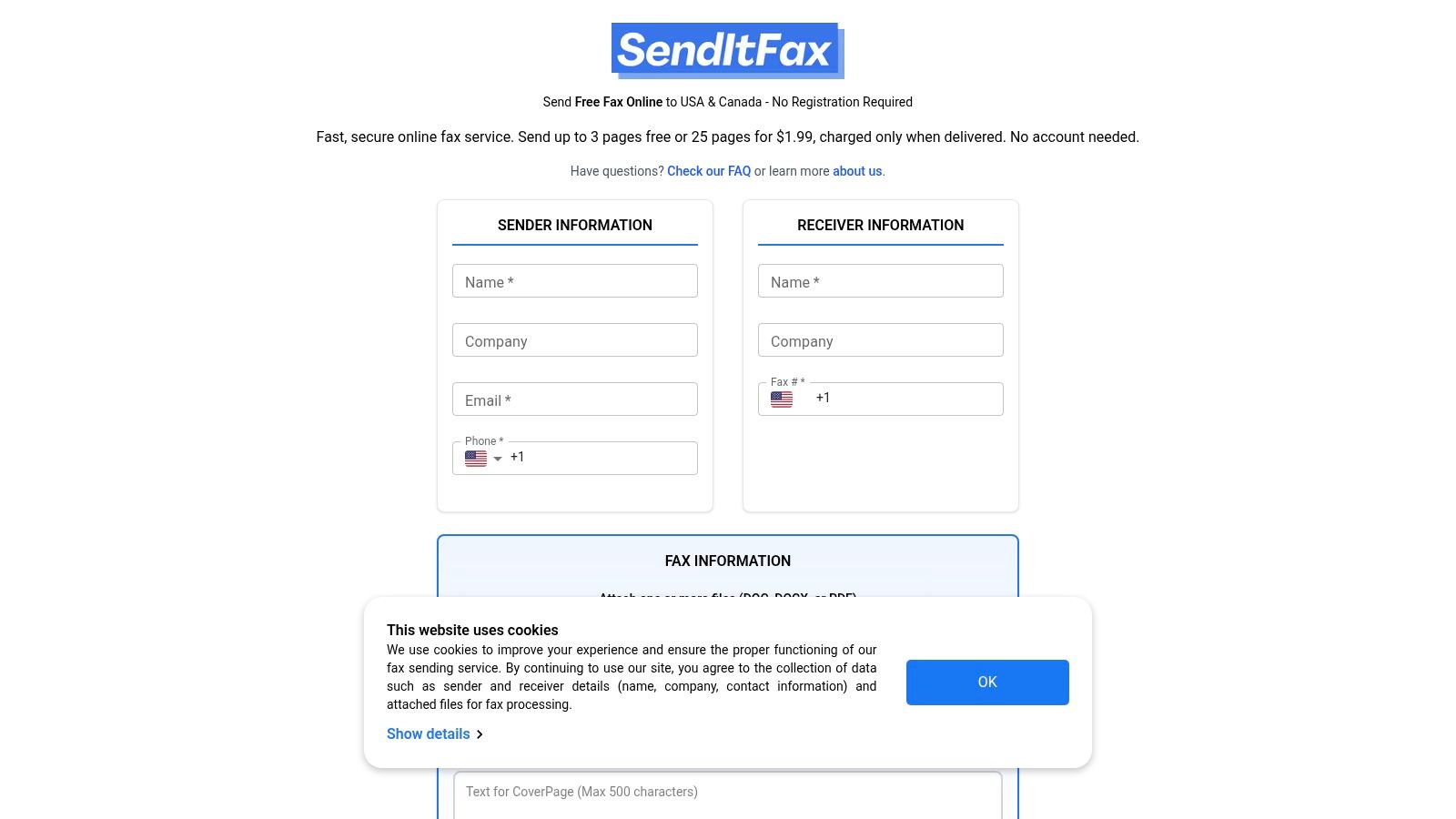
SendItFax converts digital documents into fax format and transmits them to traditional fax machines or other online fax services. Each page is rendered as a monochrome image, then sent to the recipient's machine. At the receiving end, the fax appears as printed pages.
You can attach multiple files to one fax. They are combined into one transmission, so upload all of them before clicking send. A fax can include attachments, text, or both.
Tracking What Happened
A successful upload only means the website received your file. It does not, by itself, confirm delivery. SendItFax lets you track each fax in real time and sends email notifications with a unique Fax ID that you can use to check its status.
Delivery confirmation answers whether the fax arrived. It does not prove that the right person collected it or was authorized to see it.
This short video shows the browser side of sending.
Ways to Send a Fax Today
| Method | Equipment Needed | Delivery Confirmation | Best For |
|---|---|---|---|
| Traditional fax machine | Machine, phone line, paper | Printed transmission report | Offices with a fax machine |
| Fax server or internet fax | Server or software, internet connection | Status information from the service | Businesses sending faxes from software |
| Email-to-fax gateway | Email account and attachment | Status reply from the gateway | Teams sending faxes from email |
| Browser-based online fax | Browser and document file | Email notice and tracked Fax ID | Occasional senders without a machine |
A web service changes how a document enters the fax process. The recipient still receives fax pages, while online tracking gives the sender a way to check delivery. For a separate phone task, see a practical guide to blocking unwanted texts.
What a Fax Cover Page Should Contain
The cover page is the first page of every fax and the only page the recipient sees before your document. Think of it as the envelope and the routing slip combined. A person picking up a stack of pages from a shared machine uses it to decide where the rest belongs.
A usable cover page needs these items:
- Sender details: Your name, company if relevant, and a return fax number or email so the recipient can reach you.
- Recipient details: The person's name, department, and fax number, written plainly enough for someone else to route it.
- Date and page count: Include the total number of pages including the cover, so the recipient can spot missing pages immediately.
- Subject or reference line: A short line naming the matter, account, or case the pages relate to.
- Confidentiality notice: State that the fax is intended only for the named recipient, and ask anyone who received it in error to call you and destroy the pages.
- Collection instructions: Name who should collect the pages if the machine serves a whole office.
Keep one limit in mind. A cover page routes and labels the document. It doesn't secure the paper once it's printed. Anyone standing at the machine can still read page two.
Many online services add their own branded cover page, and some free plans include that branding. Check what the recipient will see before sending, especially for formal documents. Our explanation of what a fax cover sheet is and when to use one covers layout choices if you're building your own.
Delivery Confirmation Is Not Recipient Authorization
A fax can transmit perfectly and still be misdirected. That's the part most explanations skip, because they stop at the printer. Delivery confirmation means a machine answered, accepted the pages, and printed or stored them. It says nothing about who picked them up.
Recipient authorization is a different question. Did the intended person, and only that person, get the pages? A success message can't tell you. The pages could be sitting in a shared tray, collected by the wrong colleague, or delivered cleanly to a number you mistyped by one digit.
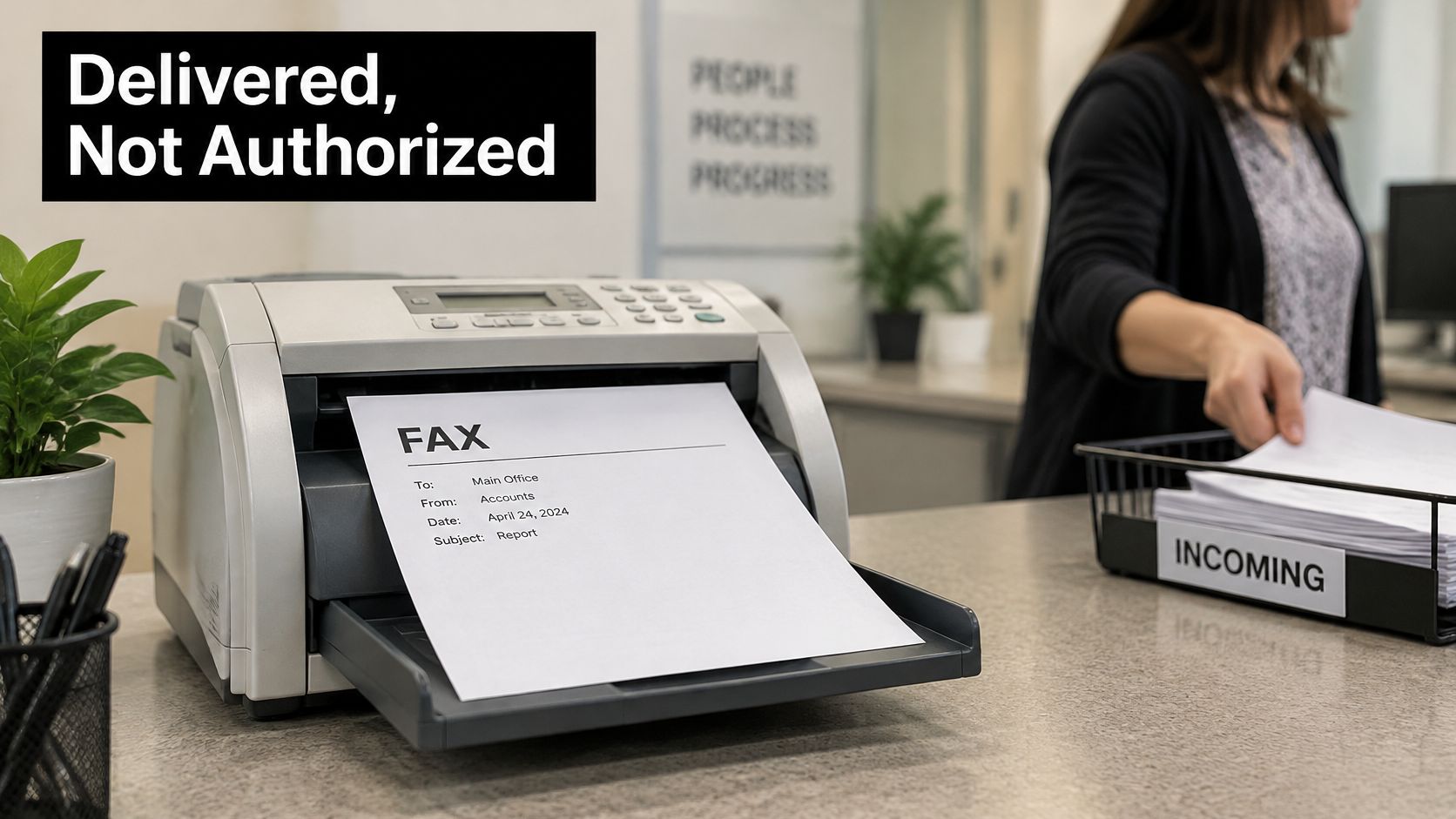
Healthcare shows this distinction clearly. The U.S. Department of Health and Human Services guidance on faxing patient information says HIPAA permits healthcare providers to disclose protected health information by fax, but requires reasonable administrative, technical, and physical safeguards. Its examples include confirming the recipient's number and placing the receiving fax machine in a secure location. So fax isn't automatically prohibited for medical records, and it isn't automatically safe either.
The risk usually comes from the human chain, not the protocol. A wrong number, an unattended output tray, or access by unauthorized staff causes the harm. The American Dental Association gives similar advice on confirming numbers, securing receiving machines, and using confidentiality language on cover sheets.
A Checklist That Closes the Gap
Before you send:
- Verify the number independently: Check it against a source other than the note you're copying from, then read it back digit by digit.
- Trim sensitive details: Remove information the recipient doesn't need for this task.
- Use the cover notice: Name the intended recipient and include the confidentiality wording.
After you send:
- Ask for human confirmation: Have the recipient confirm they received and collected the pages, not just that the machine reported success.
- Prompt collection: Agree on timing so pages don't sit unattended.
- Avoid shared public machines: Don't send highly sensitive files where strangers handle the output.
Your confirmation proves a machine received a picture of your pages. Only the recipient can prove the right person is holding them.
Why Fax Survives and Where It Falls Short
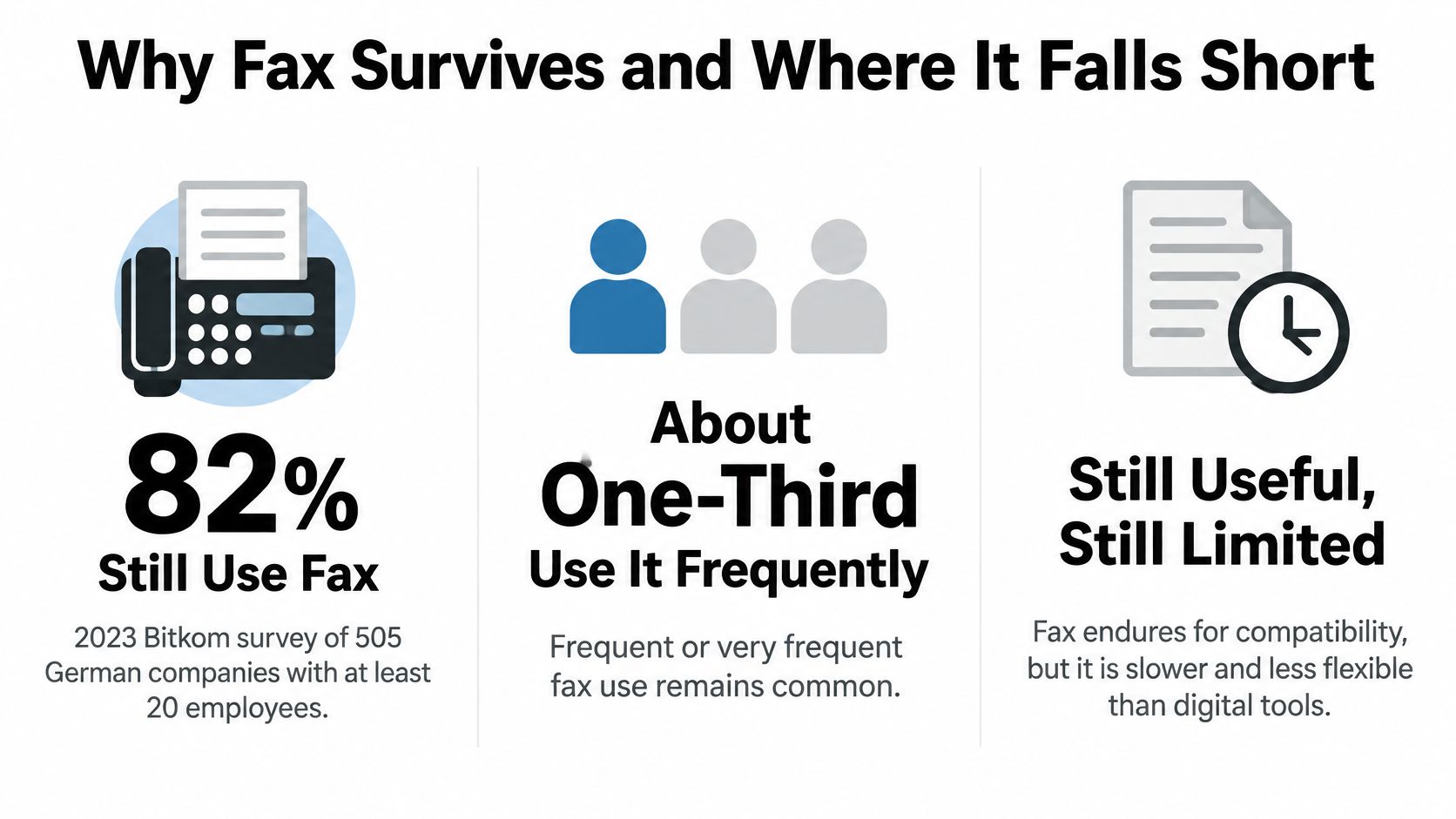
Fax hasn't disappeared, even in countries with fast internet everywhere. Communications of the ACM reporting Bitkom's survey found that in 2023, 82% of German companies with at least 20 employees still used fax in a survey of 505 companies, and approximately one-third used it frequently or very frequently.
The global picture points the same way. The ResearchAndMarkets fax services report valued the global fax-services market at approximately $3.31 billion in 2024 and projects it to reach $4.47 billion by 2030.
Why does it endure? It works with any phone line, needs no shared account or compatible software between sender and receiver, and produces a paper record that many legal and medical workflows already accept. A small office with a machine from another decade can still receive your page today. That stubborn compatibility is the whole appeal.
The limits are just as plain:
- No editable text: The recipient gets an image, so they can't easily copy, search, or correct your words.
- No recall: Once a fax is sent, it cannot be recalled or cancelled. A wrong number means the pages are already printed somewhere.
- Weak images: Photographs and colour content look poor and take longer to send.
- Garbage in, garbage out: A faint scan or low-contrast file produces unreadable pages, so check your preview before sending.
Fax survives because it's universal and accepted. It falls short because it was designed for pictures of paper, not for flexible digital documents.
Send Your First Fax Online Today
Once the process makes sense, sending from a browser is a short sequence. You're preparing a clean page image, handing it to a gateway, and then watching for the protocol result rather than assuming the upload was the finish line.
- Enter sender information: Add your name and contact details so the recipient and the confirmation system can identify you.
- Enter the receiver's name and fax number: North American numbers are accepted in formats such as (123) 456-7890, 123-456-7890, or 1234567890. Read the digits back before moving on.
- Upload the document: Use a PDF, DOC, or DOCX file, and attach any extra files now, before sending.
- Complete the CAPTCHA: This quick check keeps automated abuse off the service.
- Click Send Free Fax Now: The file is converted and the fax call begins.
- Check your email: Look for the delivery confirmation and your Fax ID.
- Resend if it fails: Use the same details and upload the document again.
Sending your first fax takes less than 2 minutes and requires no registration. The free option covers up to three pages plus a cover, with a daily limit of five free faxes and SendItFax branding on the cover page. If you need more room, the priority option is $1.99 per fax with no subscription, allows up to 25 pages, and has no daily limit.
Prepare the file like you now know it will travel. Use dark text on a white background, keep fonts comfortably large, and preview any scanned signature for contrast. Then treat the confirmation email as evidence that a machine answered, and ask your recipient to confirm they're holding the pages. That last human reply is still the proof that matters.
Now that you understand how a fax travels from page image to printed copy, you can send one from your browser with no machine, no account, and a clear Fax ID to track the result. Visit SendItFax to upload your PDF, DOC, or DOCX, send up to three pages plus a cover for free, and get your delivery confirmation by email in minutes.
Related Posts
Examples of Faxes: 8 Templates and When to Use Each
Cheap Faxing Services Compared: Prices and Trade-Offs