How to Send a Fax Without a Fax Machine
So, you need to send a fax but don't have a fax machine? You're in the right place. Sending a fax from your computer or phone is easier than ever, and you have a few great ways to get it done: dedicated online fax services, email-to-fax, and mobile apps. These methods are not just convenient; they're often more secure and budget-friendly than that old machine gathering dust in the corner.
Why You Don't Need a Fax Machine Anymore
It's true, faxing feels a bit old-school. Yet, it's still a critical part of doing business in fields like healthcare, law, and finance. Why? Because it’s a trusted way to send legally binding signed documents and sensitive records. But the good news is, you absolutely don't need the actual clunky machine anymore. Modern tech has completely changed the game.
The big win here is a combination of convenience and better security. Digital faxing means no more dedicated phone lines, paper jams, or running out of ink. You can send documents straight from your laptop while working from home or from your phone while you're out and about. It just makes sense.
The Shift to Digital Faxing
This isn't just a minor trend; it’s a massive shift in how businesses communicate. The global fax services market hit USD 3.46 billion in 2023 and is expected to climb to USD 6.5 billion by 2029. What's driving this? Cloud-based solutions that let you send a fax just by uploading a file to a website or shooting off an email. You can find more details on this market growth over at Business Wire.
This decision tree breaks down the simple choices you have when it's time to send a fax today.

As you can see, it all starts with your digital device, giving you a few different paths depending on what you need to do and where you are.
The real beauty of modern faxing is how it combines the rock-solid security of the old method with the speed of digital communication. You get a verifiable, point-to-point delivery without being tied to a physical machine.
To help you decide which path to take, here's a quick rundown of the most popular ways to send a fax without a machine.
Modern Faxing Methods at a Glance
| Method | Best For | Key Benefit | Typical Cost |
|---|---|---|---|
| Online Fax Service | Frequent users, businesses needing tracking and security features. | Full-featured platform with archives, scheduling, and compliance options. | Free (limited) to $10-30/month subscription. |
| Email-to-Fax | Sending documents quickly from your existing email workflow. | Extremely fast and convenient; no new software to learn. | Usually included with online fax service subscriptions. |
| Mobile Fax App | On-the-go faxing, sending physical documents by snapping a photo. | Turns your phone into a portable scanner and fax machine. | Pay-per-fax ($1-5) or small subscription fee. |
| Public/Office Services | One-time, non-sensitive faxes when you're out and about. | No account setup required; just walk in and send. | $1-2 per page, can get expensive for long documents. |
Each of these options has its place, and the best one really depends on what you're sending and how often you need to do it.
Choosing Your Method
The first step is figuring out which approach fits your needs. Each one offers something a little different:
-
Online Fax Services: Platforms like SendItFax are fantastic if you want a simple, web-based tool. You just upload your document, type in the number, and hit send. They often come with handy features like digital cover sheets and confirmation receipts.
-
Email-to-Fax: If you practically live in your email inbox, this is for you. It’s an incredibly efficient way to send attachments by turning a regular email into a fax.
-
Mobile Fax Apps: Perfect for when you're away from your computer. These apps let you use your phone's camera to scan a physical document and send it off in just a few taps.
In this guide, we’ll walk through each of these methods step-by-step, sharing practical tips to help you send your next fax with confidence.
Using an Online Fax Service
Let's be honest, finding a physical fax machine these days can be a real headache. Thankfully, online fax services have completely changed the game. Think of them as your personal fax machine, living on the web, ready whenever you are. They’re designed to be incredibly straightforward, turning what used to be a clunky process into a few simple clicks.
For instance, say you need to send a signed rental agreement to a property manager who only accepts faxes. Instead of a frantic search for a print-and-scan shop, you'd just log into a service like FaxNow. The dashboard usually has a big, friendly "Send Fax" button waiting for you. From there, you just grab the PDF or Word doc from your computer and upload it.
Next, you’ll fill out a digital cover sheet—no more trying to cram your message into a tiny box with a pen. You type in the recipient’s fax number, your details, and a quick note. It's clean, professional, and ensures nothing gets lost in translation due to messy handwriting.
From Your Screen to Their Machine
Once your file is uploaded and the cover page is set, you just hit "Send." The service does all the heavy lifting behind the scenes. It converts your digital document into the right format for a traditional fax machine and dials the number. You don't have to listen for a busy signal or worry about transmission errors; the platform manages everything.
One of the biggest perks is the instant gratification of a confirmation email. As soon as the fax goes through successfully, you’ll get a receipt in your inbox. This isn't just a simple "it sent" message; it's proof of delivery, complete with a timestamp and often a thumbnail of the first page. For legal or time-sensitive documents, that peace of mind is invaluable.
This diagram shows how it all works:
As you can see, the service acts as the perfect middleman, bridging the gap between your digital world and the recipient's old-school hardware. No special equipment needed on your end.
More Than Just a Digital Fax Machine
Today's online fax services come loaded with features that make them powerful tools for both personal and professional use. They go way beyond just sending a single page.
- Schedule Your Faxes: Need a report to land on someone's desk first thing Monday morning? You can queue it up over the weekend to send at the exact date and time you choose.
- Sign Documents Digitally: Many platforms have built-in, legally binding digital signature tools. This means you can sign a contract right in the app before faxing it off, skipping the whole print-sign-scan routine.
- Pull Files from the Cloud: You can connect your account to Google Drive, Dropbox, or OneDrive. This is a massive time-saver, letting you fax documents directly from your cloud storage without downloading them first.
- Keep an Address Book: For numbers you fax often, you can save them in a contact list. No more digging through old emails to find the right fax number for your doctor's office or accountant.
These capabilities turn a simple transmission tool into a full-blown document workflow solution. With so many options out there, it’s a good idea to check out a detailed online fax services comparison to find one that fits your specific needs.
The Bottom Line: Online fax services aren't just a substitute for a fax machine; they're a massive upgrade. They offer better security, detailed tracking, and workflow tools that traditional hardware could never match.
There’s a reason this market is booming. The online fax industry was valued at USD 4.70 billion in 2022 and is expected to hit USD 12.32 billion by 2030. According to research from Kings Research on the online fax market, this growth is fueled by flexible plans that work for everyone, from individuals sending a one-off document to large companies with heavy faxing needs.
Ultimately, if you want the most powerful and convenient way to send a fax without a machine, an online service is the way to go. It gives you the reliability of old-school faxing combined with the efficiency of modern technology.
Sending a Fax Directly From Your Email
What if you could turn your everyday email into a powerful fax machine? With email-to-fax technology, that's pretty much what happens. This smart approach blends the sheer convenience of email with the established reliability of faxing, letting you send documents without ever leaving your inbox.
It's one of the most popular and efficient ways to get a document from your computer to a physical fax machine, hands down.
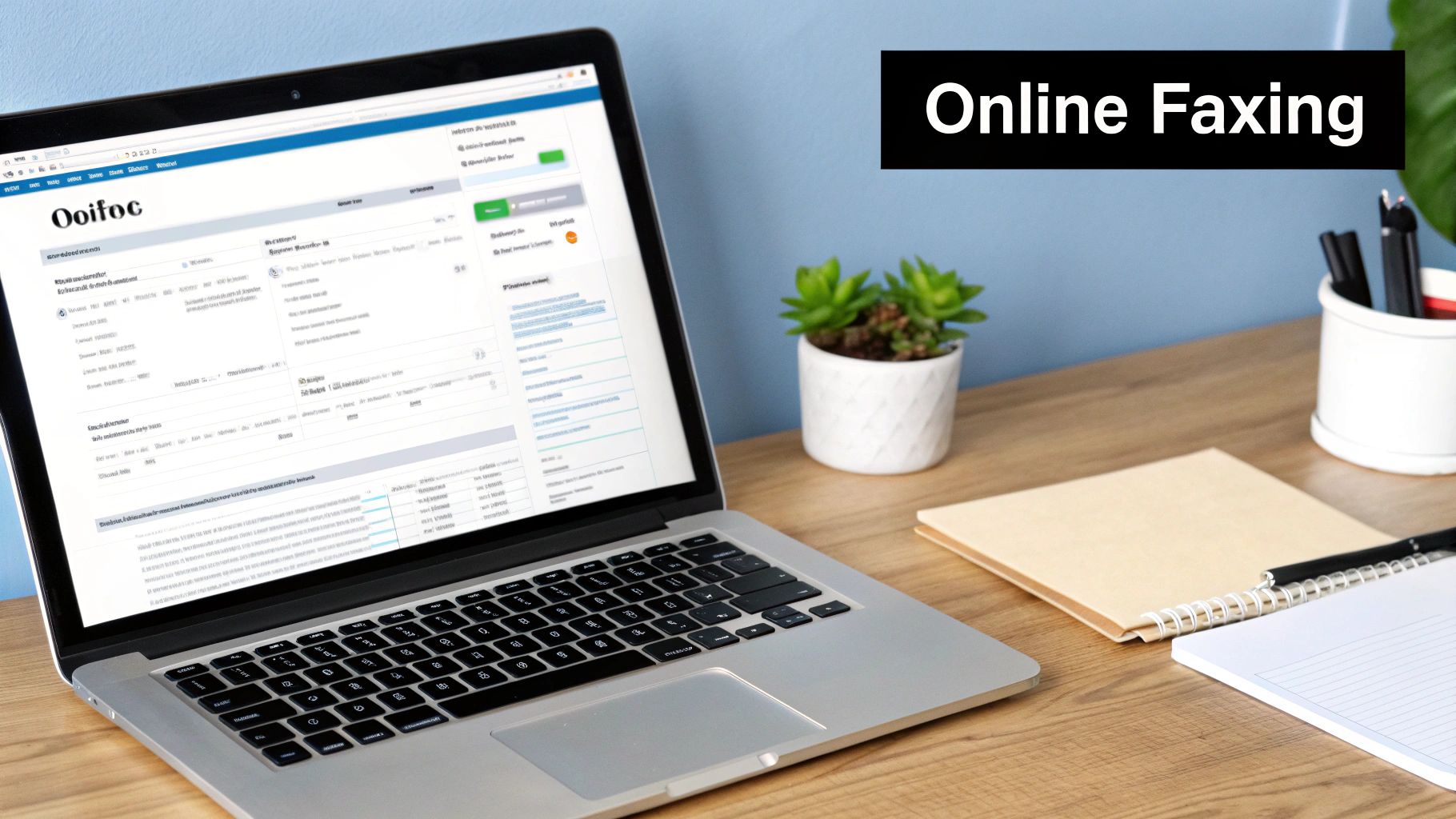
The concept is surprisingly simple. When you sign up for an online fax service, it gives you the ability to send a regular email to a specially formatted address. The service acts as a middleman, translating your email and its attachments into a standard fax and dialing up the recipient's machine.
The Anatomy of an Email-to-Fax Message
To make this work, you just need to structure your email in a specific way. It’s not complicated, but getting the details right is crucial for your fax to go through successfully. The real magic happens in the "To" field of your email.
Instead of a typical email address, you'll type the recipient's fax number followed by the fax service's domain name. For instance, to send a fax to 1-800-555-1234, the address might look something like [email protected]. Every service has its own domain, so you'll need to use the one they provide.
The rest of your email maps directly to the fax itself:
- Subject Line: This becomes the subject on the automatically generated fax cover page.
- Email Body: Whatever you write here appears in the "Comments" or "Message" section of the cover page.
- Attachments: These are the actual documents you’re faxing. The service converts them and sends them as pages following the cover sheet.
This method is perfect for anyone who values speed and is already glued to their email client all day. There's no new software to learn or separate website to log into every time you need to send a quick document.
Best Practices for Attachments and Formatting
While sending a fax from email is incredibly straightforward, a few good habits will ensure your documents arrive looking clean and professional. Compatibility is the name of the game, since the service has to properly interpret and convert your files.
First, always stick to common file types. PDFs are the gold standard here because they lock in formatting and are universally accepted. Most services also handle Microsoft Word documents (.doc, .docx) and common image files (.jpg, .png) without a hitch. Just try to avoid obscure formats—they're the number one cause of conversion errors.
File size is another thing to keep an eye on. While online services are far more forgiving than old-school machines, massive files can still cause a transmission to time out. As a general rule of thumb, try to keep your total attachment size under 20 MB. If you have a huge report, it's better to compress it or split it into a couple of smaller faxes.
Here's a pro tip from experience: always preview your document in black and white before you attach it. Fax machines don't do color or grayscale well. What looks like a beautiful chart on your screen can easily turn into an illegible smudge on the recipient's end.
If you want to get into the nitty-gritty, our guide on how to fax via email covers even more detailed steps and troubleshooting.
Putting It All Together: A Practical Example
Let's walk through a real-world scenario. Imagine you're a freelance designer who needs to send a signed contract back to a new client. Their office is old-school and requires a fax for legal documents.
- First, you'd open Gmail, Outlook, or whatever you use and compose a new email. You have to send it from the email address that's registered with your online fax service.
- In the "To" field, you’d type the client’s fax number plus the service's domain, like [email protected].
- For the subject, you'd write something clear and professional, like "Signed Contract for Project Alpha."
- In the body, you might add a quick note: "Here is the signed agreement we discussed. Looking forward to getting started!"
- Finally, you'd attach the contract, which you've already saved as a PDF.
Once you hit "Send," the fax service takes over completely. It generates a cover page with your message, converts your PDF, and delivers the fax. A few minutes later, you'll get a confirmation email in your inbox—a perfect paper trail showing your important document was delivered successfully.
Faxing From Your Smartphone or Tablet
It’s pretty incredible what our phones can do these days, from managing our finances to ordering groceries. So, it should come as no surprise that they can also send a fax. Mobile fax apps have completely changed the game for anyone needing to send documents on the go. They essentially squeeze a powerful, portable fax machine right into your pocket.
Think about it: you’re meeting a client, and they hand you a signed contract. The old way meant a trip back to the office to find a scanner. Now, you can take care of it right then and there. That’s the kind of practical convenience these apps deliver.
The whole process is surprisingly simple. You just need to download a reputable fax app from the Apple App Store or Google Play, create an account, and you’re ready to go. The app turns that physical piece of paper into a digital file, primed for sending.
Turning Your Camera Into a Scanner
One of the best parts of any good fax app is the built-in document scanner. It leverages your phone's camera to capture a sharp, clean image of your document. This is way better than just snapping a photo, because the scanner technology is smart enough to find the edges of the page, fix any weird angles, and even boost the contrast so the text is perfectly clear.
To get the best results, a little preparation helps. I’ve found that placing the document on a dark, flat surface works wonders—the contrast helps the app’s edge detection lock on perfectly. Good lighting is also key. Try to avoid casting shadows over the page with your hand or phone, as that can create dark splotches that make the final fax hard to read.
Many of today's apps can even compile multiple pages into a single, organized document. Just scan one page after another. Once you’re satisfied with the quality, all that's left is to type in the recipient’s fax number, attach a cover sheet if you need one, and hit send.
Must-Have Features in a Mobile Fax App
Of course, not all fax apps are built the same. As you browse the options, there are a few key features that really distinguish a basic app from a serious business tool. These capabilities can make your life a lot easier and give you some much-needed peace of mind.
Look for apps that offer:
- Real-Time Push Notifications: This is a big one. You get an immediate alert right on your phone when a fax goes through successfully or if it fails, so you’re never left wondering.
- Address Book Integration: Being able to pull contacts directly from your phone saves a ton of time and helps you avoid punching in a wrong number by mistake.
- On-Screen Document Signing: A truly great feature is the ability to sign documents right on your screen. You can add your signature to a form or contract with your finger or a stylus before you fax it.
- Cloud Storage Access: Look for integration with services like Google Drive, Dropbox, or iCloud. This makes it a breeze to attach files you already have saved online.
When you combine these features, your phone becomes a full-fledged document hub. You can literally receive a contract by email, sign it in the app, and fax it off in less than a minute—all without ever touching a computer.
For a more detailed look at the process, we have a complete guide on how to fax from your phone that includes app recommendations and other pro tips. Mobile faxing is the ultimate solution for professionals on the move, giving you the freedom to send a fax without a fax machine from absolutely anywhere.
Security, Compliance, and What It's Going to Cost You
When you're looking to send a fax without a machine, two big questions pop up right away: "Is this actually secure?" and "How much is this going to cost me?" These are the right questions to ask, especially if you're handling sensitive documents. After all, the whole reason faxing is still around in fields like healthcare and law is its reputation for secure, point-to-point delivery.
The good news is that modern online fax services were built with security in mind. Reputable providers use end-to-end encryption to shield your documents from the moment you hit send until they arrive. Frankly, it's a huge step up from an old-school fax machine, where a confidential document could sit on a public tray for hours. Digital faxing keeps your data scrambled and unreadable to anyone who shouldn't see it.
This focus on security is why, despite seeming old-fashioned, the digital fax market is projected to grow at a 10.2% CAGR between 2023 and 2030. Think about it: in 2019 alone, U.S. healthcare providers sent over 9 billion faxes. They do this because digital faxing meets tough HIPAA rules and provides verifiable, time-stamped proof of delivery. If you're curious, you can learn more about why faxing is still so prevalent today.
Staying on the Right Side of Compliance
For a lot of professionals, compliance isn't just a good idea—it's the law. If your work involves handling sensitive personal information, you absolutely must follow strict data protection regulations.
Here are the big ones to watch for in a fax service:
- HIPAA (Health Insurance Portability and Accountability Act): This is non-negotiable for anyone in healthcare. It governs the privacy of protected health information (PHI), and a compliant service will offer things like secure data centers and be willing to sign a Business Associate Agreement (BAA).
- GLBA (Gramm-Leach-Bliley Act): If you're in finance, this one's for you. It requires institutions to protect sensitive customer financial data.
- SOX (Sarbanes-Oxley Act): Publicly traded companies need to ensure secure record-keeping and data integrity. A solid online fax service helps with this by providing detailed audit trails of every fax sent and received.
Before you commit to any service, do your homework. Check their security page or terms of service to make sure they meet the standards your industry requires.
Free vs. Paid Faxing: What's the Real Deal?
Once you’ve sorted out the security, it's time to talk money. Your options typically boil down to free services or paid subscriptions. Each has its pros and cons, and the right choice really depends on how often you'll be sending faxes.
Free services are great for that one-off document you need to send right now. If you fax something maybe once or twice a year, there's no sense in paying a monthly fee. But, and this is a big but, these free options are always limited.
Paid services are built for more consistent use. They ditch the annoying limits of free plans and add a bunch of features that are essential for any kind of professional or business communication.
Here's the bottom line: match the service to your actual needs. It's a waste of money to pay for a high-volume plan you'll never use, but relying on a flimsy free service for important business faxes can look unprofessional and might not be secure enough.
To make it clearer, let’s break down the differences.
Comparing Free vs. Paid Online Fax Services
This table gives a side-by-side look at what you can expect from each type of service, helping you decide which route makes the most sense for you.
| Feature | Free Services | Paid Services |
|---|---|---|
| Page Limits | Very low, usually 1-5 pages per fax attempt. | High monthly allowances, often hundreds or even thousands of pages. |
| Cover Page | Typically mandatory and branded with the provider's logo or ads. | Optional and fully customizable for a professional look (no ads). |
| Fax Number | You can only send; you can't receive faxes. | Includes a dedicated local or toll-free number for receiving faxes. |
| Security | Basic encryption, may not be suitable for sensitive data. | Advanced security, including compliance options (HIPAA, etc.). |
| Support | Limited to online FAQs or maybe email. | Priority customer support through phone, live chat, and email. |
| International Faxing | Almost never included. | Widely available, with clear pricing for different countries. |
Ultimately, the choice comes down to your specific situation. Need to send a quick, non-sensitive form? A free service like the one from SendItFax is a perfect fit. But if you're running a business where security, a professional image, and the ability to receive faxes are crucial, investing in a paid plan is the smart move.
Got Questions About Faxing Without a Machine?
Even after seeing how easy it is, you might still have a few questions. That's perfectly normal. When you're sending something important, you want to be sure you're doing it right. Let's walk through some of the common things people wonder about when they ditch the old machine for a modern faxing solution.

We’ll cover everything from getting faxes back to confirming yours actually landed where it was supposed to.
Can I Receive Faxes Without a Fax Machine?
You absolutely can, and this is where a paid online fax service really shines. Once you sign up, you get your own dedicated fax number, which can be local or toll-free. Anyone with a clunky old fax machine can send documents to that number just like they always have.
But instead of spitting out a physical piece of paper, the incoming fax gets converted into a digital file—usually a PDF. It lands right in your email inbox, and you can typically view and manage all your received faxes in your service's online dashboard. It's a game-changer for staying organized and cutting out paper clutter.
How Will I Know If My Fax Was Delivered?
This is probably the most critical question, and the answer is one of the best parts of going digital. Forget standing by a machine and hoping for the best. Every respectable online fax service gives you rock-solid delivery confirmation.
The moment your fax transmission is complete, you'll get a detailed confirmation email. It typically includes:
- A clear success or failure notification.
- The exact date and time it was received.
- The total number of pages sent.
- Sometimes, even a thumbnail image of the first page for a quick visual check.
This confirmation report is your proof of delivery, which is indispensable for contracts, legal filings, or any time-sensitive communication. If it fails, the service will tell you why, often with an error code that helps you figure out what went wrong (like a busy signal or incorrect number).
The detailed audit trail from an online fax service is a massive upgrade. You get a verifiable, time-stamped record of every single transmission—something that’s invaluable for business and legal peace of mind.
Is Digital Faxing Legally Binding?
Yes, it is. Faxes sent through a reputable online provider are considered just as legally binding as those sent from a traditional machine. The whole point of a fax, legally speaking, is the ability to prove it was sent and received. The detailed confirmation reports and audit trails you get from these services are exactly what you need to do that.
On top of that, many services now incorporate legally recognized e-signature features. This means you can sign a document right on their platform before you send it, creating a secure and legally sound workflow from start to finish. It’s a common practice in industries like law, real estate, and healthcare.
Do I Need Any Special Software to Send a Fax Online?
Nope, and that's the beauty of it. For the vast majority of online fax services, all you really need is a web browser and an internet connection. There's nothing to install, update, or maintain.
You handle the entire process—uploading your document, typing in the fax number, and hitting send—right on the service's website. If you're using the email-to-fax method, you’re just using your regular email client. For mobile apps, it's a simple download from your app store.
What File Formats Can I Send?
Most online fax providers are incredibly flexible and support a wide array of common file types. You're almost always covered with these standards:
- Adobe PDF (.pdf): This is the undisputed champion for faxing. It locks in your formatting and looks the same for everyone.
- Microsoft Office Documents (.doc, .docx, .xls, .xlsx): Word files and Excel spreadsheets are no problem.
- Common Image Files (.jpg, .png, .tif): Perfect for faxing photos, scanned IDs, or sketches.
- Text Files (.txt, .rtf): Basic text documents are also easily converted.
My pro tip? When in doubt, just convert your file to a PDF before uploading. It’s the surest way to guarantee your document arrives looking exactly the way you intended.
Ready to send your first fax without a fax machine? With SendItFax, you can send documents from any browser in just a few clicks. Whether you need a quick free option for a few pages or a professional, ad-free solution, we have you covered. Try it now and see how simple faxing can be.
Related Posts

How to Fax from Computer Mac: Free Online Method

Do You Need a Fax Number to Send a Fax? a Practical Guide
