Your Guide to Professional Free Fax Cover Sheet PDF Templates
Need to send a fax and want it to look professional? Grabbing a free fax cover sheet PDF is a smart move. It ensures your documents are secure, organized, and land on the right desk without any confusion. It’s a simple step that adds a necessary layer of professionalism and security to every transmission you send.
Why a Professional Fax Cover Sheet Still Matters
It’s easy to dismiss faxing as old-fashioned, but in reality, it's still a pillar of secure communication. This is especially true in industries where confidentiality isn't just a good idea—it's the law. Fields like healthcare, law, and real estate continue to rely on faxing for its reliability and the verifiable paper trail it creates. A professional cover sheet isn't just a formality; think of it as your document's handshake and its GPS.
Just imagine sending sensitive medical records without a cover sheet. In a busy hospital, that document could easily end up on the wrong desk, leading to a serious privacy breach. Likewise, a critical legal filing might get delayed or misrouted without clear identification, which could have a real impact on a case.
The Modern Role of Faxing
Believe it or not, faxing is still a massive industry. The global fax services market was valued at $3.31 billion and is expected to grow to $4.47 billion by 2030. That growth is fueled by its heavy use in regulated fields where some digital methods don't always meet strict compliance standards.
In fact, over 80% of businesses still use faxing. North America, especially the U.S. and Canada, leads the way because of its deep integration into the healthcare system. You can explore more data on the faxing industry's surprising resilience if you're curious.
A good cover sheet gives the recipient everything they need to know instantly:
- Who the fax is from
- The intended recipient
- The subject and total number of pages
- Whether the information is urgent or confidential
Simply put, a free fax cover sheet PDF is a critical safeguard. It ensures your important documents are handled correctly from the moment they arrive, protecting you from compliance headaches, mix-ups, and expensive delays.
And you don't need a clunky machine to do it. When you use an online service like SendItFax, you can easily attach a professional cover sheet to your faxes. This approach gives you the trusted security of traditional faxing with the ease of sending an email, making it a perfect tool for any modern business.
Download Your Free, Fillable Fax Cover Sheet Templates
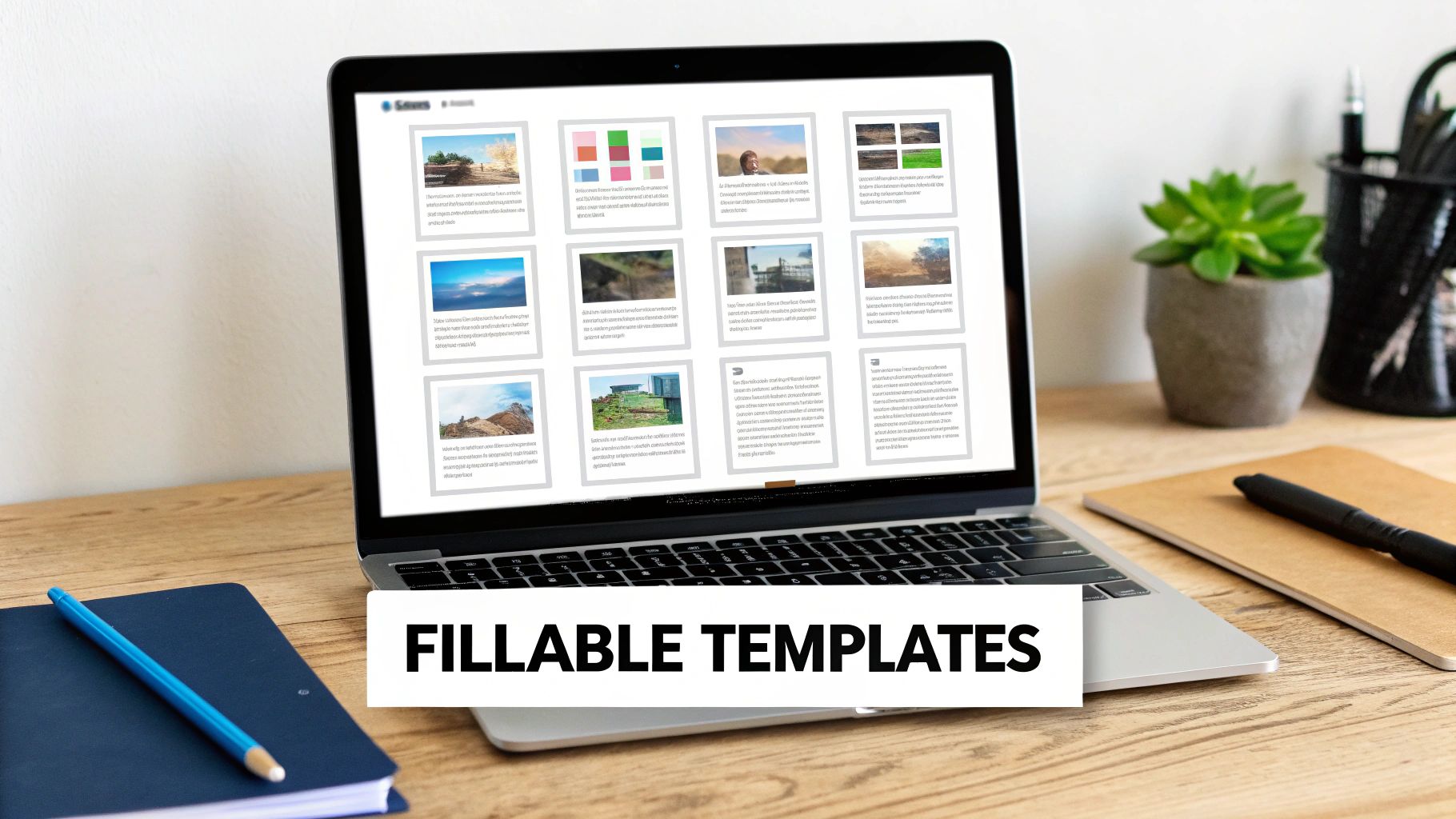
Alright, let's get you what you came for: a professional, easy-to-use free fax cover sheet PDF. We’ve put together a handful of clean, fillable templates so you can stop wasting time creating your own or sending faxes with scribbled, hard-to-read cover notes.
These aren’t just static images you have to print and write on. Each one is an interactive PDF. That means you can open it on your computer and type directly into the fields. It’s a simple change that saves a ton of time, keeps your faxes looking sharp, and ensures there’s no confusion about what you’ve sent.
Find the Right Template for the Job
To make things even easier, we've designed templates tailored for specific industries and common situations. Each one is built with the unique details of that field in mind, so you know you're including all the necessary information.
Here are the templates you can download right now:
- General Business Template: Your all-purpose workhorse. It’s perfect for sending invoices, purchase orders, or general correspondence and has all the essential fields without any extra clutter.
- Confidential Medical Template: Made for healthcare professionals, this template features a prominent HIPAA confidentiality notice to help you stay compliant and protect sensitive patient data.
- Legal Document Transmittal: If you work in the legal field, this one’s for you. It includes dedicated spots for case numbers, court information, and client references to keep your filings organized and correctly routed.
- Real Estate Offer Template: A must-have for agents. This cover sheet has clear sections for property addresses, offer details, and crucial deadlines to help make the transaction process a little bit smoother.
Pro Tip: I always tell people to take 5 seconds to double-check two things before hitting send: the recipient's fax number and the total page count (including the cover sheet). This one tiny habit has saved me from countless follow-up calls and headaches.
How to Use Your Downloadable PDF
Once you've grabbed the free fax cover sheet PDF you need, using it is a breeze. Just open the file with any standard PDF reader like Adobe Acrobat Reader, or even in a modern web browser like Chrome or Firefox.
You’ll see the fields are clickable. Simply click on "To," "From," or "Comments" and start typing. You can even use the Tab key to jump from one field to the next, which makes filling it out really fast. When you're done, just save a copy.
For more advanced tips on making your cover sheet work for you, check out our full guide on crafting the perfect fax cover sheet. Remember, the cover sheet is the first thing your recipient sees. A clean, professional one sets the stage for the important documents that follow.
Making That PDF Cover Sheet Your Own
So you've downloaded one of our free fax cover sheet PDFs—what's next? Time to personalize it. The good news is you don't need any fancy or expensive software for this. Most modern web browsers will let you fill out the fields directly, and free tools like Adobe Acrobat Reader work perfectly.
Getting it done is surprisingly simple. Just open the PDF file, click into a text box, and you'll see a cursor pop up. From there, you can start typing. A little trick I always use is hitting the "Tab" key to jump from one field to the next—it’s much faster than clicking your way through the form.
Getting the Key Fields Just Right
Every field on a fax cover sheet has a job to do. Some are straightforward, but a few carry more weight than you might think. Let's break them down.
- To/From: This is mission-critical. I can't stress this enough: always triple-check the recipient's name, title, and organization. A simple typo here can send your documents into limbo.
- RE: (Regarding): Think of this as your fax's email subject line. You want to be specific. "Document" is too vague. Something like "Invoice #4815 for Services Rendered" tells the recipient exactly what they're looking at.
- Urgent Checkbox: Be careful with this one. It’s tempting to check it for everything, but that just dilutes its power. Save it for when something is genuinely time-sensitive.
- Page Count: This one trips people up sometimes. Always count the cover sheet itself. A simple note like "3 pages (including cover)" is perfect. It immediately tells the person on the other end if a page went missing during transmission.
If you’re using Adobe’s free reader, you’ll find the interface is clean and straightforward, making it a breeze to get your templates filled out.
Little Details That Make a Big Difference
Once the basics are covered, a few extra touches can really elevate the professionalism of your fax. Adding a digital signature, for instance, adds a nice layer of authenticity. Most PDF readers have a built-in "Sign" or "Fill & Sign" feature that lets you draw, type, or upload a signature.
The comments or notes section is another area with a ton of potential. Don't leave it blank! This is your chance to provide crucial context.
A Real-World Example: When I'm sending a healthcare referral, the comments section is my best friend. I’ll write something direct and clear, like: "Patient referral for cardiology consultation. Attached are the patient's EKG results and relevant medical history." This gives the receiving office all the essential info upfront.
After you've filled everything in, the final step is to save your work. I always recommend using a descriptive file name. Instead of "FaxCover.pdf," try something like "CoverSheet_Smith_Referral_Nov2025.pdf." It's a small habit that makes finding documents later so much easier.
And if your main document isn’t a PDF, you might find our guide on how to convert Word documents to PDF helpful for getting everything into one consistent format.
Sending Your Fax Online in Minutes
You've got your documents and your customized free fax cover sheet PDF ready to go. Now for the easy part: sending it. This whole process is designed to be fast, and you won't need to create yet another account or remember a new password. Let's walk through how simple it is to send your files with SendItFax.
First, just head over to the SendItFax website. The layout is clean and built for speed—you'll see fields to upload your PDF cover sheet and the main document right away. You can either combine them into one file beforehand or just upload them separately. After that, you’ll plug in the sender and recipient details directly on the page.
Choosing the Right Plan for Your Needs
This is where you pick the option that makes sense for what you're sending. SendItFax keeps it simple with two choices, so you're not locked into a subscription for a one-off task.
-
Free Plan: This is perfect if you just need to send something quick, like a signed form or a short document. You can send up to three pages plus your cover sheet. This plan includes SendItFax branding and lets you send up to five free faxes daily to numbers in the U.S. and Canada.
-
Almost Free Plan: If you're sending something more official or a bit longer, this is your best bet. For a one-time fee of $1.99, all the branding is removed, your page limit jumps to 25 pages, and your fax gets priority delivery. It's ideal for things like business contracts or multi-page legal documents.
This no-fuss approach is a big reason why online faxing is becoming so popular. The market is expected to grow from $2.88 billion to $5.18 billion by 2035, largely because it’s both secure and incredibly convenient. With over 42% of businesses in regulated industries like healthcare and finance relying on digital fax for compliance, having a tool that handles PDFs this easily is a game-changer. You can dig into the full research on the online fax market to see the trends for yourself.
This isn't just a corporate trend. It’s about making secure communication accessible to everyone. Freelancers, small non-profits, and independent healthcare providers can now send sensitive documents without investing in bulky hardware. Think of a real estate agent sending a contract from their phone or a clinic forwarding patient records—it’s now as simple as uploading a file.
To make the choice even clearer, here’s a quick comparison of the two SendItFax plans.
SendItFax Plan Comparison
Quickly compare the features of SendItFax's Free and Almost Free plans to choose the best option for your faxing needs.
| Feature | Free Plan | Almost Free Plan |
|---|---|---|
| Cost | $0 (Completely Free) | $1.99 (One-time fee) |
| Page Limit | 3 pages + cover sheet | 25 pages + cover sheet |
| Branding | Includes SendItFax branding | No branding |
| Delivery | Standard | Priority |
| Daily Limit | Up to 5 faxes per day | Unlimited |
Both plans offer a straightforward way to get your documents where they need to go, but the Almost Free plan provides that extra professional touch and capacity for larger files.
Finalizing Your Transmission
Once you've chosen your plan and filled in the details, you’re ready to hit send. The whole thing, from uploading your free fax cover sheet PDF to transmission, honestly takes just a couple of minutes.
This workflow really boils down to three simple actions.
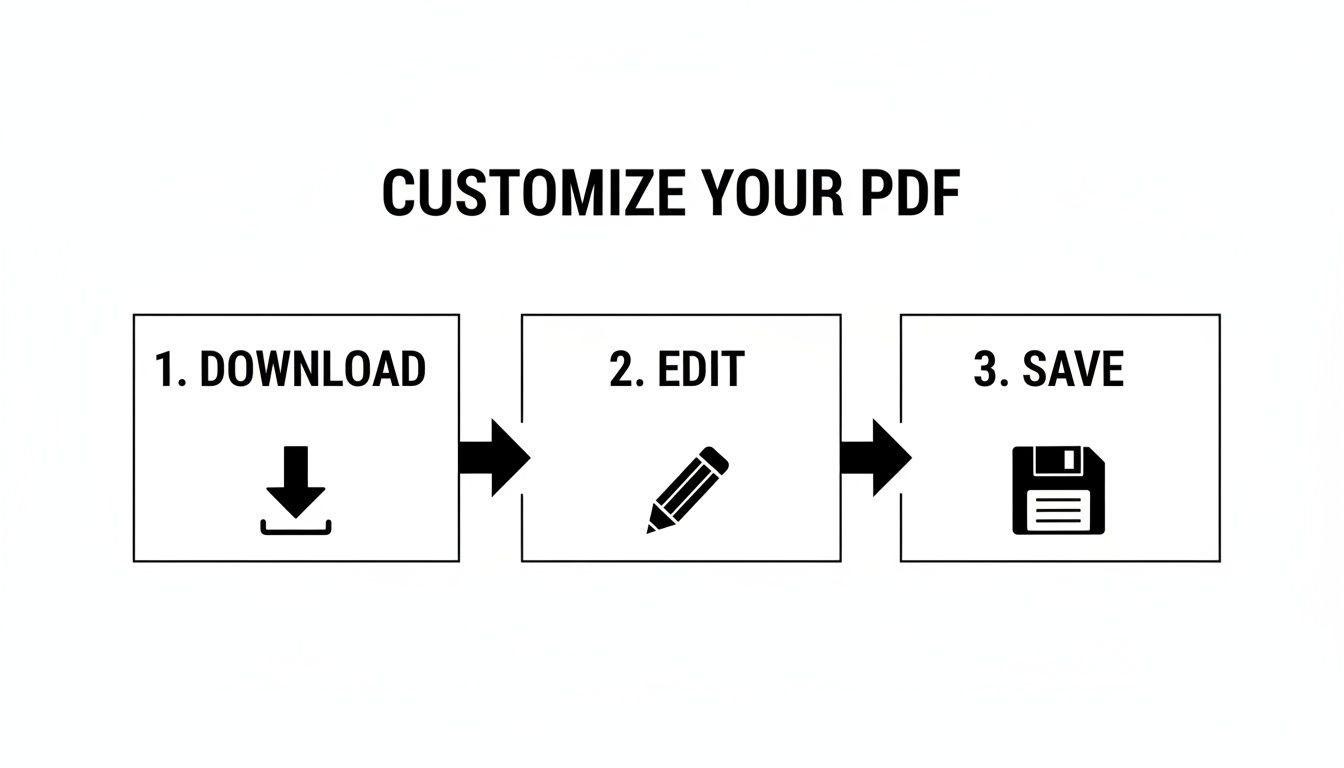
The real trick to making this so fast is having your PDF ready to go before you start. By downloading and editing your cover sheet first, the actual sending part is incredibly quick. If you want to get into the nitty-gritty, our guide on how to fax a PDF directly from your computer has even more detail.
Cover Sheet Tips for Your Industry
While any free fax cover sheet PDF can get your documents from point A to point B, a little customization goes a long way. Tailoring your cover sheet to your specific industry doesn't just look professional—it shows you understand the nuances of your field and can even help with compliance.
After all, the information a hospital needs to see upfront is completely different from what a real estate office requires. Let's break down the specific details you should include to make your cover sheet as effective as possible. Think of it as making the recipient's job easier and ensuring your document gets handled exactly the way it should be, without any frustrating delays.
For Healthcare Professionals
In healthcare, security and compliance are everything. Your fax cover sheet is your first line of defense in protecting sensitive patient information and staying on the right side of HIPAA guidelines. It’s no surprise that healthcare is a major reason the global fax services market is projected to hit $4.47 billion by 2030. You can dig into more insights on the continued dominance of fax in regulated industries if you're curious.
When sending patient records, referrals, or prescriptions, your cover sheet is incomplete without:
- A Clear HIPAA Confidentiality Notice: This is absolutely non-negotiable. It’s a bold, clear statement that the fax contains protected health information (PHI).
- Patient Identifiers: To avoid any chance of a mix-up, always use at least two unique identifiers, like the patient's full name and their date of birth.
- A Specific Subject Line: Vague descriptions like "Patient Info" just don't cut it. Instead, write something precise, like "Referral for Cardiology Consult for Jane Doe."
Sample Confidentiality Message for Healthcare:
"CONFIDENTIALITY NOTICE: The documents accompanying this fax transmission contain confidential health information that is legally privileged. This information is intended only for the use of the individual or entity named above. If you have received this fax in error, you are hereby notified that any disclosure, copying, distribution, or action taken in reliance on the contents of these documents is strictly prohibited."
For Legal Professionals
The legal world runs on precision, deadlines, and documentation. A misrouted document could have serious consequences for a case, so your cover sheet needs to provide immediate, unmistakable context for everything that follows.
Make sure your fax cover sheet for legal matters includes these critical fields:
- Case Name and Number: This is the single most important detail for getting the document to the right hands in a busy law firm or courthouse.
- Document Title: Be specific. "Motion to Compel Discovery" is much better than "Legal Document."
- Attorney-Client Privilege Statement: When applicable, adding this statement is a crucial step in protecting the confidentiality of your communication.
Sample Comments for a Legal Document:
"RE: Johnson v. Acme Corp., Case No. 24-CV-1138. Attached is the executed affidavit of Michael Ramirez. Please file with the court and provide a conformed copy to our office. This communication is protected by attorney-client privilege."
For Real Estate Agents
In the fast-paced world of real estate, timing is everything. An offer or counter-offer sent by fax needs to be seen and acted on immediately. Your cover sheet is your chance to highlight the urgency and lay out all the key property details right from the start.
For any real estate transaction, your cover sheet should feature:
- Property Address: After the recipient's name, this should be the most prominent detail on the page.
- Offer or Document Type: Clearly state what you're sending. Is it an "Offer to Purchase," a "Counter-Offer," or a "Signed Addendum"?
- Response Deadline: If the clock is ticking, put that deadline in bold. A specific date and time creates a clear call to action and prevents your document from getting lost in a pile.
Sample Message for a Real Estate Offer:
"Attached is a signed offer for the property located at 456 Oak Avenue. Per the terms of the offer, a response is requested by 5:00 PM on Friday, November 22, 2025. Please confirm receipt."
Got Questions About Online Faxing? You're Not Alone.
Moving from a clunky old fax machine to a sleek online service can feel like a big leap. It’s totally normal to have a few questions. People often ask me about security, reliability, and whether it’s really practical to send important files this way.
Let’s clear the air on some of the most common concerns I hear, especially when people start using a free fax cover sheet PDF with a service like SendItFax. My goal here is to show you that modern faxing isn't just more convenient—it's often more secure than the machine gathering dust in the corner.
"Is It Actually Secure to Fax Online?"
This is the big one, and for good reason. When you’re sending sensitive documents, you need to know they’re protected.
Here's the deal: when you use a reputable online fax service, your transmission is encrypted. This is a huge security upgrade from traditional faxing, which sends your data over a standard, unencrypted phone line—surprisingly easy to intercept if someone knows what they're doing.
I like to use this analogy: sending a traditional fax is like mailing a postcard. Anyone who handles it along the way can take a peek. Sending an online fax is like putting that same information in a locked, armored briefcase.
It's precisely these strong security measures that have convinced highly regulated industries like healthcare and finance to adopt online faxing. It helps them stay compliant with strict privacy laws like HIPAA while making their lives easier.
"Will I Know if My Fax Was Delivered?"
Absolutely. In fact, the confirmation process is one of the best parts of going digital. Gone are the days of anxiously waiting by the machine for that tiny "OK" message to print out.
Online fax services give you a clear, digital paper trail. You'll almost always get an email confirmation that details:
- Whether the fax went through successfully.
- The exact time and date it was delivered.
- A specific reason if the transmission failed (like a busy signal or incorrect number).
This email is your proof of delivery. For time-sensitive legal documents or critical client files, having a verifiable, timestamped record is invaluable. No more printing and filing flimsy confirmation slips.
"So, I Can Finally Get Rid of My Fax Machine?"
Yes! That's the beauty of it. Using an online service with a free fax cover sheet PDF means you can finally say goodbye to that bulky hardware.
Forget about dedicated phone lines, toner cartridges, and paper jams. Your computer or smartphone is now your fax machine. All you need is an internet connection.
This doesn't just save you money and clear up desk space. It frees you to send a crucial document from anywhere—a client's office, your home, or even a coffee shop on the other side of the world. It’s about handling business on your schedule, not your office equipment's.
Ready to send your fax the modern, easy way? SendItFax lets you transmit your documents and a professional cover sheet in minutes, with no account needed. Try it now at senditfax.com.
Related Posts

How to Fax from Computer Mac: Free Online Method

Do You Need a Fax Number to Send a Fax? a Practical Guide
