How to send fax online free: Your Ultimate Guide
Believe it or not, you absolutely can send a fax online for free. Web-based services like SendItFax let you upload a document right from your computer or phone, completely bypassing the need for a physical fax machine. It’s a modern fix that saves you from dealing with paper jams, ink cartridges, and that old dedicated phone line. For anyone who only needs to send a fax occasionally, it’s a game-changer.
Why Online Faxing Is Smarter Than You Think
I know what you're thinking—faxing? Isn't that a relic from a bygone era? But the truth is, it’s far from obsolete. In many professional fields, it remains a critical tool for communication, especially when security and legal standing are paramount. Think about it: sending a signed contract, sensitive patient records, or official legal documents requires a level of security that your standard email just can't promise.
Online faxing takes this trusted technology and gives it a much-needed modern twist. Instead of being chained to a clunky machine in the corner of an office, you can send documents from literally anywhere you have an internet connection. This simple shift has some pretty significant benefits.
The Modern Advantages of a Classic Tool
The real appeal of online faxing is how it combines old-school reliability with new-school convenience. It solves specific problems that other digital methods simply don't address. For instance, a surprising number of organizations, particularly in healthcare, law, and government, still run on fax-based workflows. An online service acts as the perfect bridge, letting you connect with these systems without having to own any of the old hardware.
Here's what that looks like in the real world:
- It's incredibly cost-effective. You can forget about buying paper, ink, toner, or paying for machine maintenance.
- You can send from anywhere. Send that urgent document from a coffee shop, your home office, or even while you're on the road.
- The security is solid. Faxes are sent directly from point to point, which lowers the risk of interception compared to a standard email that hops between servers.
- It’s just more efficient. You cut out the tedious steps of printing, walking over to the machine, scanning, and manually feeding pages one by one.
A Growing Market for Secure Communication
Despite predictions of its demise for decades, the fax services market is surprisingly healthy. It was valued at USD 3.31 billion in 2024 and is actually projected to grow to USD 4.48 billion by 2030. This isn't just nostalgia; the growth is fueled by modern features like encryption and workflow automation, which have solidified online faxing's role in regulated industries. If you're curious, you can explore more insights about the fax services market and its future.
In an age where everyone's email inbox is overflowing, a fax can actually cut through the noise. Its relative rarity often means your document gets seen and acted upon much faster.
This continued relevance points to a simple truth: when security and reliability are non-negotiable, online faxing provides a modern solution that professionals still trust. It’s not about replacing email; it’s about having the right tool for the right job, especially when you're handling sensitive information.
Online Fax vs Traditional Fax Machine at a Glance
If you're still weighing the options, seeing a direct comparison can make things crystal clear. Here’s a quick breakdown of how a modern online service stacks up against that old office machine.
| Feature | Online Fax (like SendItFax) | Traditional Fax Machine |
|---|---|---|
| Hardware | None required. Use your computer or phone. | Bulky machine, dedicated phone line. |
| Supplies | None. Completely digital. | Paper, ink/toner, electricity. |
| Accessibility | Send and receive faxes from anywhere. | Tied to a physical location. |
| Cost | Free for occasional use, low-cost plans. | High initial cost, plus ongoing supplies. |
| Security | Digital encryption and secure transmission. | Relatively secure point-to-point connection. |
| Organization | Faxes are stored digitally, easy to search. | Physical papers that need to be filed. |
| Convenience | Instant setup, send in minutes. | Requires physical presence and manual feeding. |
As you can see, for most modern needs—especially for individuals or small businesses—the convenience and cost savings of an online service are hard to beat. It just makes more sense in today's world.
Alright, let's dive into how you can send your first fax using an online service like SendItFax. If you've never done it before, you'll be surprised at how simple it is. We're talking minutes from start to finish, getting your documents from your computer to a physical fax machine anywhere in the country.
I'll walk you through the whole process, from prepping your file to hitting that "send" button.
This image really captures the journey from clunky old fax machines to the sleek, secure online faxing we have today.
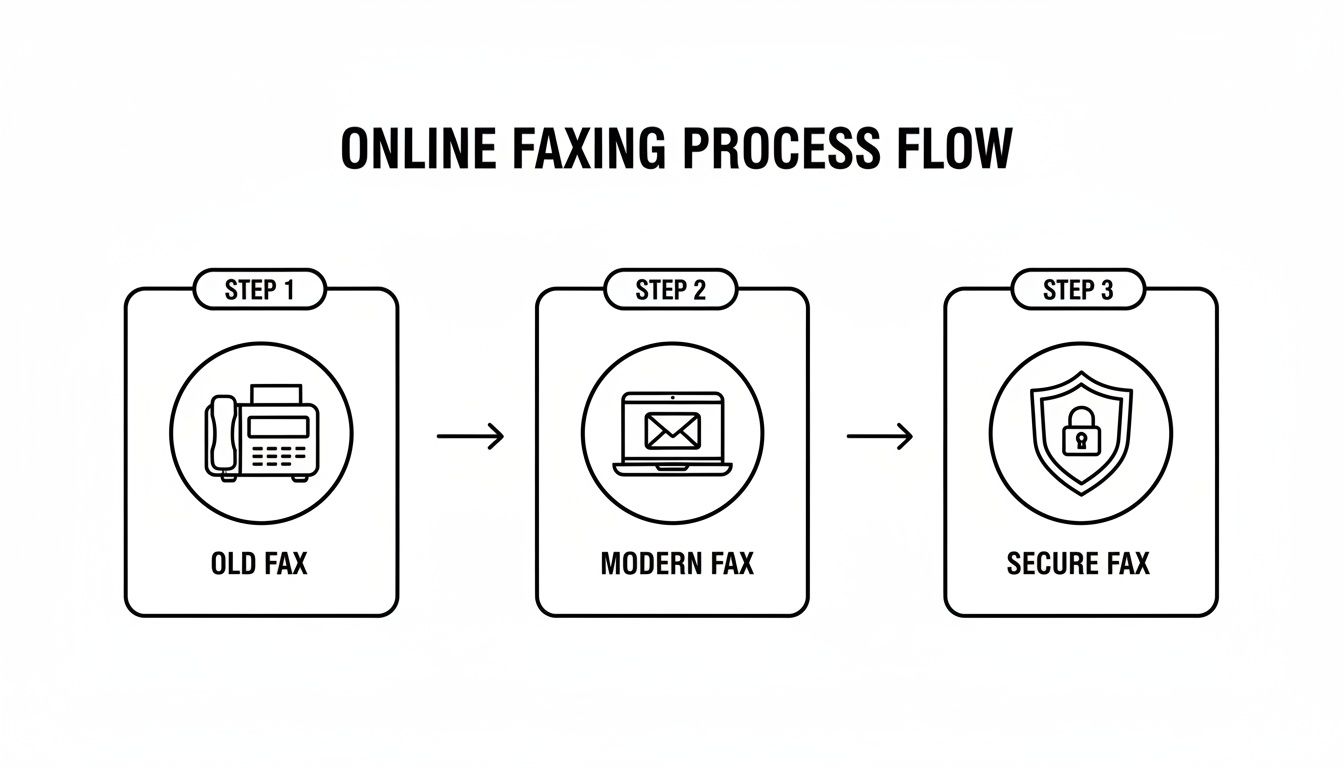
The biggest takeaway here is how technology has completely removed the need for a dedicated machine. Now, you can securely send documents from anywhere.
Getting Your Document Ready for a Flawless Send
First things first, let's get your file in order. The quality of what you send is directly tied to the quality of the file you start with. A clean, clear document on your end means a legible fax on their end.
For the best results, you really want to stick with these file types:
- PDF (.pdf): This is the undisputed champion. A PDF locks in all your formatting, fonts, and images, so it looks exactly the same for the recipient as it does for you. No surprises.
- Microsoft Word (.doc, .docx): Also a solid choice. Most services, including SendItFax, handle Word documents perfectly and will convert them on the fly into a format that fax machines can understand.
Before you upload, take 30 seconds to give it a final look. Is the text sharp? Is it a simple black-on-white? Sometimes, text that looks fine on a high-res screen can become a blurry mess when it’s printed out by an older fax machine. Clean fonts and good contrast are your best friends here.
Entering the Fax Details on the Homepage
When you land on the SendItFax homepage, you'll see a simple form waiting for you. This is the beauty of it—no need to create an account or go through a lengthy signup process. It's all right there.
Here's what you need to fill out and why each piece is important:
- Recipient's Fax Number: This is the most critical part. Get one digit wrong, and it’s going nowhere. Always double-check it, and don't forget the area code.
- Your Name: Simple enough. This tells them who sent it. For business, using your full name or the company name looks much more professional.
- Your Email Address: This is how you'll know if the fax went through. SendItFax will email you a confirmation report (or a failure notice). It's your digital receipt.
- Your Phone Number: It’s usually optional, but I recommend adding it. If the recipient has a question, it gives them an easy way to get in touch.
My Two Cents: If you're sending something important to a big company, like a hospital or government office, give them a quick call first. Just ask, "Can you confirm the fax number for the records department?" It’s a simple step that can prevent a lot of headaches.
Uploading Your File and Crafting a Cover Page
Once the details are in, you'll see a button to upload your document. It usually says something like "Choose File" or "Browse." This will open up your computer's file browser, and you can just navigate to the PDF or Word doc you prepared earlier.
After your file is attached, don't skip the cover page message. This is your chance to add context. A fax that arrives out of the blue can easily get lost, but one with a clear cover page gets routed to the right person instantly.
A great cover page message is short and to the point. Include these three things:
- Who it's for (e.g., "Attention: Jane Smith" or "To the Billing Department").
- What it is (e.g., "Subject: Signed Contract for Project X").
- How many pages (e.g., "4 pages total, including this cover sheet").
Here’s a real-world example: "For the HR Department: Attached are the completed W-4 and I-9 forms for John Appleseed. Total pages: 3. Please let me know if you need anything else."
See? It's professional and tells the recipient everything they need to know at a glance. It's these little touches that matter, even when you send fax online free.
For those times when you need to send something without tying it to a payment method, checking out a guide on how to get a free online fax without a credit card can be incredibly helpful. With all your info entered and the file uploaded, you're ready to hit send.
Choosing Between the Free and Almost Free Plans
When you need to send fax online free, the first thing you want to know is, "what's the catch?" I get it. Many services hook you with "free," only to hit you with surprise limits. At SendItFax, we prefer to be completely upfront. This way, you can pick the right tool for the job, whether you're sending a single signed form or a multipage contract.
The free plan is built for those one-off, "I need this sent right now" moments. Think of it as your emergency fax machine. It’s perfect for getting a signed offer letter back to a new employer or sending a quick application to a government office without any fuss. You don't even need an account.
But to make sure it's the right fit, you have to know its boundaries.
What You Get with the Free Plan
Our free tier is genuinely free, but it does have a few guardrails. Think of it as the perfect tool for small, straightforward tasks.
Here’s exactly what the free plan includes:
- Page Limit: You can send a document up to three pages long, not including the cover page we automatically generate for you.
- Daily Cap: You can send up to five faxes per day. For most people, that's more than enough for occasional needs.
- Branding: Your cover page will have a small SendItFax logo on it. For personal faxes, this is rarely ever a problem.
This is the go-to option if you're sending something like a permission slip for your kid's school or a one-page invoice to a client. It's fast, free, and gets the job done.
The whole point of our free plan is to make faxing accessible. Anyone should be able to send an important document without digging out a credit card or hunting for an old fax machine.
When to Consider the Almost Free Upgrade
Sometimes, three pages just won't cut it. You might have a lengthy contract, a detailed medical history, or simply want your fax to look more professional. That's where our $1.99 "Almost Free" plan comes in. It’s a tiny step up in price for a massive leap in capability.
This paid tier is all about removing the limits. For less than the price of a coffee, you can handle more complex or professional faxing without a second thought.
This reflects a bigger trend. The online fax market is projected to grow to over USD 5,167.52 million by 2035, and it’s not just because of free options. In fact, most regular users—somewhere between 68-74%—prefer affordable plans for the predictable costs and better features. You can read more about online fax market growth to see the full picture.
So, what does that small fee get you?
- Higher Page Limit: Send documents up to 25 pages long—perfect for reports, legal paperwork, or detailed applications.
- No Branding: The SendItFax logo is completely removed from the cover page, giving your fax a clean, professional look.
- Priority Delivery: Your fax jumps to the front of the line, ensuring it gets sent out as quickly as possible.
SendItFax Free vs Almost Free Plan Features
To make it even clearer, here’s a quick side-by-side comparison. This should help you decide which plan is right for your specific situation in just a few seconds.
| Feature | Free Plan | Almost Free Plan ($1.99) |
|---|---|---|
| Cost | $0 | $1.99 (one-time) |
| Max Pages | 3 pages (+ cover) | 25 pages (+ cover) |
| Daily Fax Limit | 5 | Unlimited |
| Branding on Cover | Yes | No |
| Delivery Speed | Standard | Priority |
Ultimately, the choice comes down to your document’s length and how polished you need it to look. For a quick, personal fax, the free plan is fantastic. But for anything longer or more professional, the Almost Free plan is an easy and affordable upgrade. If you're still weighing your options, our guide on how to evaluate a fax online free trial might offer some more perspective.
Tips for a Flawless Fax Transmission Every Time
Hitting that "send" button is just the final click. To make sure your document arrives looking crisp and professional every time you send fax online free, a little prep work goes a long way.
Remember, what arrives at the other end is a direct reflection of what you send. A blurry, low-quality document on your screen will only look worse after it's been processed, sent over a phone line, and printed by a physical fax machine.
The secret to a perfect fax is all about clarity and simplicity. Fax technology is old-school and loves high contrast. Start with a document that has sharp black text on a clean white background. Things like colored text, busy backgrounds, or faint grey fonts often turn into an unreadable smudge on the recipient's end.
Even your font choice can make a bigger difference than you'd expect. It's best to stick with classic, no-nonsense fonts like Arial, Times New Roman, or Calibri. That elegant, handwritten script font might look great on your monitor, but it can easily become an illegible mess after transmission.
Prepare Your Document for Maximum Readability
Before you upload anything, take just a minute to give your file a quick once-over. This simple check is the best way to avoid common transmission headaches and ensure your fax looks sharp.
Here’s what I always recommend:
- Pump Up the Contrast: If you’ve got images, scanned signatures, or diagrams, make sure they are dark and clear. A signature that looks faint on your screen can completely vanish by the time it's printed out.
- Flatten Your PDFs: This is a big one, especially if you’re sending a PDF created in a design program. When you save, look for an option to "flatten" the file. This merges all the layers into one, preventing text boxes or images from shifting around or disappearing altogether.
- Keep an Eye on File Size: Most online fax services are built for standard documents. If your file is unusually large because of high-resolution images, it might time out or fail. It’s a good idea to compress it slightly before sending.
Craft a Cover Page That Gets Results
Don't treat the cover page as an afterthought—it's your fax's greeting card and routing slip all in one. A clear, direct cover page message makes sure your document gets to the right person or department immediately, instead of sitting in a communal tray for hours.
Keep the message short and to the point. The goal is to give the recipient all the essential info at a glance. Instead of a vague "Here are the documents," be specific.
For example, try something like this: "For John Smith in the Finance Dept: Attached are the signed contract and invoice #5678. Total 4 pages." That simple tweak tells them who it's for, what it is, and what to expect.
Pro Tip: Always save your confirmation email. Think of it as your digital receipt. This email is your official proof that the fax was sent and successfully delivered. If there’s ever a question about whether a document was received, that confirmation is your evidence. It's a simple habit that can save you a world of hassle, especially with time-sensitive legal or financial paperwork.
What to Do When Things Go Wrong (and How to Protect Your Info)
Even with a great service, you might hit a snag every now and then. It’s usually a simple fix, but knowing what to look for can save you a headache. The most common problem when you send fax online free is getting that dreaded "failed transmission" email.
Don't worry when you see it. The first thing I always do is double-check the recipient's fax number. A single wrong digit is all it takes for the whole thing to fail. If the number looks right, the line on the other end might just be busy. Try sending it again in about ten minutes.
Another culprit can be the file itself. SendItFax is great with standard PDFs and Word docs, but a corrupted or funky file can sometimes trip up the system. A quick and easy fix I've found is to just re-save your document as a brand new PDF before uploading.
Decoding Common Error Messages
That confirmation email isn't just bad news; it usually tells you exactly why the fax failed. Once you know what the message means, you can solve the problem in seconds.
Here are the usual suspects and what they mean:
- Busy Signal: The classic. Their fax machine was already in use. The only thing to do is wait a bit and resend.
- No Answer: This means the receiving machine never picked up. It could be off, out of paper, or having line trouble. You may need to contact the recipient to give them a heads-up.
- Invalid Fax Number: This confirms the number you typed isn't actually a fax line. Time to double-check that number with your contact.
Keeping Your Sensitive Information Safe
Sending contracts, medical forms, or personal records? Security is probably on your mind. It’s a fair question: how safe is your information when you send it through a website? The answer is that a quality online fax service is often more secure than your average email.
Security is a massive deal in the online fax world—in fact, it's a deciding factor for 81% of people choosing a provider. Top-tier services use strong encryption to protect your documents from the moment you hit "send."
Think of it this way: a good service wraps your document in a secure, encrypted tunnel from your computer directly to the recipient's fax machine. It's a point-to-point connection that minimizes the risk of someone intercepting it, unlike an email that can hop between various servers on its journey.
This level of security is non-negotiable for anyone handling sensitive data. We dive much deeper into the technical side of things in our guide on the security of fax. At the end of the day, using a trusted service gives you confidence that your private information stays private.
Got Questions About Sending a Fax Online?
Even with a simple process, a few questions always pop up. Let's tackle some of the most common ones we hear about sending a free fax online so you can move forward with confidence.
Is This Actually Free, or Is There a Catch?
Yes, it really is free for casual use. Services like SendItFax are built for someone who just needs to send a quick document without signing up for a monthly plan. You can send a few pages without ever pulling out a credit card.
Of course, there are some fair limitations to keep the service running. For example, the free plan usually has:
- A page limit, often around three pages per fax.
- A daily sending cap, like five faxes per day.
- A small, unobtrusive brand logo on the cover sheet.
This approach keeps online faxing accessible for those one-off situations, which is what most people need.
How Secure Is Sending a Fax from a Website?
It’s incredibly secure—arguably more so than standard email. When you use a trusted online fax service, your documents are protected with encryption during transit. This creates a direct, secure connection to the recipient's fax machine, which dramatically reduces the chance of your data being intercepted.
Think about it: professionals in healthcare, law, and finance still rely on faxing for a reason. When sending sensitive documents like contracts or medical records, the security of a reputable online fax service provides critical peace of mind.
Can I Send a Fax to Another Country?
That all comes down to the provider you choose. Many free services, including SendItFax, are primarily set up for domestic faxes within countries like the United States and Canada.
Before you start, it’s always a good idea to quickly check the service's homepage or help section to see which countries they support. A simple two-minute check can prevent a lot of frustration and ensure your fax actually goes through.
Ready to send your document? With SendItFax, you can get your fax on its way in minutes, no account required. Give it a try now at https://senditfax.com.
Related Posts
7 Free Fax Number Options: Limits, Trials, and Privacy
Fake Fax Numbers Explained Risks and Safe Alternatives